10 Best WooCommerce CRM Plugins to Increase Sales in 2026
Most WooCommerce store owners hit the same wall at some point. Sales are coming in, orders are processing, but customers are quietly disappearing and you have no idea why. Your WooCommerce dashboard shows you last week’s revenue but it cannot tell you which buyers are about to stop coming back, or which ones are ready to spend more if you reach out at the right moment. That gap is exactly where the best WooCommerce CRM plugins to increase sales step in.
A CRM plugin does more than collect customer names. The good ones segment your buyers by behavior, automate follow-up sequences, flag customers who are slipping away, and let you act before revenue walks out the door. The problem is the market is crowded. Some tools are cloud platforms that charge per contact and send your data to external servers. Others are lightweight WordPress plugins that keep things simple but lack any real analytics. A few do predictive machine learning. Most do not.
I researched and tested the best WooCommerce CRM plugins to increase sales available in 2026, covering pricing pulled from each tool’s official page, ratings from WordPress.org and G2, and honest assessments of what each tool actually does for a WooCommerce store. This list covers 10 plugins across four categories so you can match the right tool to your actual situation. Whether you are just getting started or you have been trying to fix your retention numbers for months, there is a plugin here that fits.
How I evaluated these plugins
There are dozens of options that claim to be the best WooCommerce CRM plugins to increase sales. Before reading the individual breakdowns, here is what I actually looked at for every tool. These five factors matter more than any feature checklist.
- WooCommerce integration depth. Does it read your order data directly from your WordPress database, or does it need a third-party connector? Native integration means fewer things break after WooCommerce updates.
- Pricing model. Per-contact pricing is the biggest trap. A store with 30,000 contacts can pay thousands per year on a cloud platform. Flat-rate and free models are far more predictable as you grow.
- Automation capability. Abandoned cart recovery alone can bring back 5 to 15 percent of lost revenue. Post-purchase sequences, win-back campaigns, and conditional workflows all compound over time.
- Analytics and predictions. Most tools tell you what already happened. The better ones tell you what is about to happen. Churn risk, RFM segmentation, and order forecasts separate basic tools from genuinely useful ones.
- Data ownership. Self-hosted plugins keep everything on your server. Cloud tools sync your customer data externally. This affects your GDPR compliance, your data portability, and what happens if you ever cancel.
Quick comparison: 10 plugins at a glance
| Plugin | Architecture | Starting Price | Rating | Abandoned Cart | Predictive Analytics | Best For |
|---|---|---|---|---|---|---|
| CRMlytics | Native WP | Free | 5/5 (WP.org) | No | Yes (churn scores, RFM, order forecasts) | Knowing who to target before they leave |
| Metorik | Cloud SaaS | $25/mo | 4.9/5 (G2) | Yes (Engage add-on) | No | Deep analytics, profit tracking, cohort analysis |
| FunnelKit Automations | Native WP | Free / $99.50/yr | 4.9/5 (WP.org) | Yes | No | Abandoned cart and post-purchase automation |
| AutomateWoo | Native WP | $119/yr | 4.6/5 (WC.com) | Yes | No | Deep WooCommerce trigger library |
| FluentCRM | Native WP | Free / $129/yr | 4.8/5 (WP.org) | No (Pro only) | No | Email automation with unlimited contacts |
| MailPoet | Native WP | Free / $10/mo | 4.4/5 (WP.org) | Yes | No | Simple email marketing from WP dashboard |
| Groundhogg | Native WP | Free / $50/mo | 4.9/5 (WP.org) | Yes (Pro) | No | GPL funnel builder for agencies |
| Klaviyo | Cloud SaaS | Free / $20/mo | 4.6/5 (G2) | Yes | Yes (paid tiers) | DTC brands scaling email and SMS revenue |
| Omnisend | Cloud SaaS | Free / $16/mo | 4.9/5 (WP.org) | Yes | No | Omnichannel marketing on a budget |
| ActiveCampaign | Cloud SaaS | $15/mo | 4.5/5 (G2) | Yes | Predictive sending (Pro) | Complex automation with CRM pipelines |
The 10 best WooCommerce CRM plugins to increase sales
Category 1: If you want to understand your customers first
These tools focus on analytics and prediction. They tell you who is about to churn, who your best buyers are, and where to focus your attention before you send a single email.
1. CRMlytics
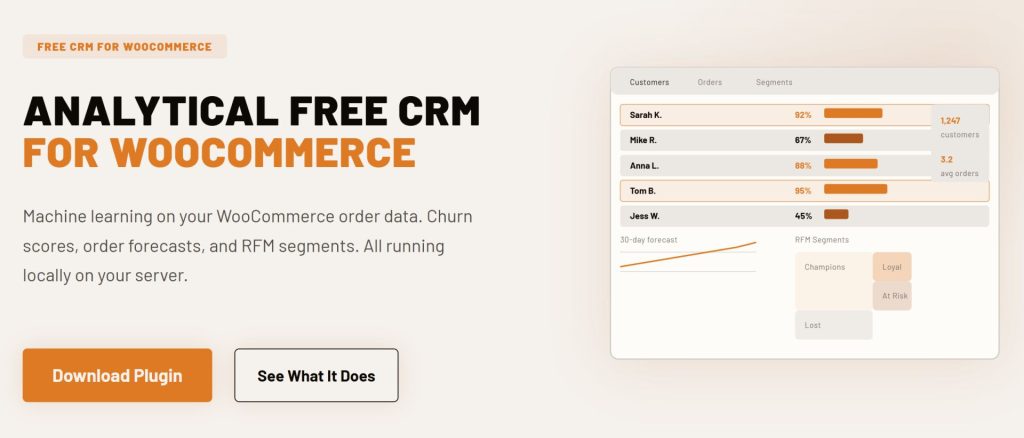
CRMlytics is an analytical CRM, not an automation tool. Most plugins help you send emails. CRMlytics runs machine learning on your WooCommerce order history to answer a question the other tools skip entirely: which customers are about to stop buying?
Every customer gets a health score from 0 to 100. Customers below 40 are in critical territory. Scores drop over time if a customer does not come back, and they update automatically as new orders come in. Beyond churn scores, the plugin predicts how many orders each customer will place in the next 30, 90, and 180 days. RFM scores (Recency, Frequency, Monetary value) are calculated automatically and sort every buyer into segments like Champions, At Risk, and Lost. You can build custom segments by stacking rules on top of each other, export any segment to CSV for use in Mailchimp or Klaviyo, and send targeted email campaigns directly from the plugin using your existing WordPress mail setup.
Everything runs on your own server. No data leaves your site. No monthly fees, no contact limits, no API keys. It has been tested on stores with over 200,000 orders and 15,000 customers without affecting storefront performance. The onboarding wizard gets you to your first insights in under two minutes.
- Architecture: Native WordPress plugin
- Pricing: 100% free. No paid tiers, no contact limits, no upsells.
- Rating: 5/5 on WordPress.org
- Key features: Predictive churn scores (0-100), order forecasts for 30/90/180 days, automatic RFM segmentation, custom segments, color-coded smart tags, customer timelines, built-in email campaigns, 1-click CSV export
- What it lacks: Visual drag-and-drop automation builder, abandoned cart recovery, SMS
- Best for: Store owners who want to know who to target before spending anything on campaigns. Pairs exceptionally well with FunnelKit Automations (see the combo section below).

2. Metorik
Metorik is a cloud analytics platform built specifically for WooCommerce and Shopify. Over 8,000 stores rely on it, and it holds a 4.9 out of 5 rating from 200+ reviews. The founder, Bryce Adams, previously worked on WooCommerce at Automattic, so the integration goes deeper than most third-party tools.
Where Metorik excels is in the breadth of its reporting. It has 75+ pre-built reports covering sales, customers, products, subscriptions, and profit. The COGS (cost of goods sold) tracking is genuinely useful: you can see true margin per product, per order, and per customer, not just revenue. Cohort analysis tracks retention and LTV over time. The segmentation engine includes 500+ filters. The Engage add-on adds automated emails, abandoned cart recovery, and broadcasts directly tied to your segment data. In Q1 2026 Metorik added Custom Metrics, Operational Costs tracking, and an AI-powered segment builder called Jarvis.
Because it is a cloud platform, your data does sync externally. Pricing is based on monthly order volume, not contact count, so a high-volume store with a large but rarely emailed list will not get punished the way contact-based platforms do.
- Architecture: Cloud SaaS
- Pricing: $25/mo (up to 100 orders), $50/mo (500 orders), $100/mo (2,500 orders), $200/mo (5,000 orders). 30-day free trial, no credit card required.
- Rating: 4.9/5 from 200+ reviews
- Key features: 75+ reports, COGS and profit tracking, cohort analysis, 500+ segmentation filters, multi-store support, unlimited users, Engage email add-on
- What it lacks: Predictive ML, self-hosted data sovereignty, built-in SMS
- Best for: Data-driven store owners who want detailed profit analytics and cohort tracking. Good fit for stores where understanding margin per product matters as much as marketing.
Category 2: If you want to automate your WooCommerce workflows
These plugins focus on acting on customer behavior. They send the right email at the right moment, recover carts, trigger post-purchase sequences, and keep customers engaged through automated flows.
3. FunnelKit Automations
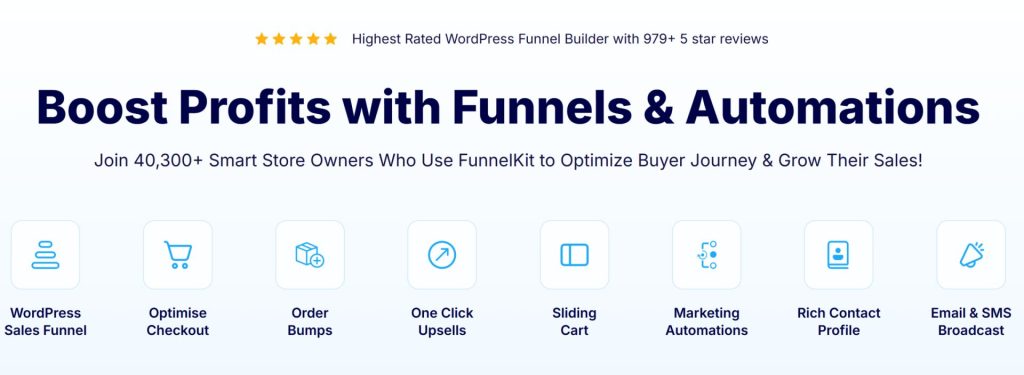
FunnelKit Automations (formerly Autonami) was built specifically for WooCommerce stores and it shows in every detail. Over 40,000 stores use it, and it has a 4.9 out of 5 rating on WordPress.org from 979+ reviews. Abandoned cart recovery, post-purchase upsell sequences, win-back campaigns, and subscription renewal automations all work without extra plugins.
The visual workflow builder supports conditional branching based on order value, product category, and customer behavior. You can set up flows that say “if the customer bought product X, offer product Y after 3 days; if their order value was over $100, wait 5 days before the upsell” entirely through the drag-and-drop interface. Contact profiles show purchase history, lifetime value, and order frequency in one view. The free Lite version includes real WooCommerce triggers: cart abandoned, order created, order status changed. The Pro plan at $99.50/yr adds 360-degree contact profiles, broadcast email campaigns, SMS marketing, and advanced segmentation. It also supports HPOS for modern WooCommerce setups.
- Architecture: Native WordPress plugin
- Pricing: Free Lite version (basic WooCommerce triggers). Automations Pro $99.50/yr (1 site). Bundle with Funnel Builder $249.50/yr. Elite $399.50/yr (30 sites).
- Rating: 4.9/5 from 979+ reviews on WordPress.org
- Key features: Visual workflow builder, abandoned cart recovery, A/B testing, dynamic coupons, SMS add-on, HPOS support, broadcast campaigns (Pro)
- What it lacks: Predictive analytics, churn risk scoring, profit tracking
- Best for: Stores where abandoned carts and upsell opportunities are the primary revenue leak. The cart recovery feature alone typically pays for the subscription within the first month.

4. AutomateWoo
AutomateWoo is the official WooCommerce marketing automation extension, maintained by Automattic (the company behind WordPress.com and WooCommerce itself). Over 30,000 stores use it. Its biggest strength is the sheer depth of its trigger library: 190+ WooCommerce-specific triggers that no other native plugin comes close to matching.
You can build workflows based on cart abandonment, subscription renewals, membership changes, booking completions, refunds, wishlist activity, and purchase history combinations. It includes 23 preset workflow templates you can activate on day one: abandoned cart sequences, win-back campaigns at 30 and 60 days, review reminders, cross-sell suggestions, birthday coupons, and repeat-customer rewards. SMS notifications via Twilio are available as an add-on. One thing to know upfront: AutomateWoo does not include a drag-and-drop email builder. You compose emails in the WordPress editor. It also does not include contact profile views or sales pipelines.
- Architecture: Native WordPress plugin
- Pricing: $119/yr for a single site. 30-day money-back guarantee. No free trial.
- Rating: 4.6/5 on WooCommerce.com (28 reviews, as of June 2026)
- Key features: 190+ WooCommerce triggers, 23 preset workflows, abandoned cart recovery, review rewards, wishlist marketing, dynamic coupons, subscription automation, SMS via Twilio
- What it lacks: Drag-and-drop email builder, contact profiles, predictive analytics, A/B testing
- Best for: Stores that want the deepest possible WooCommerce trigger library without a monthly SaaS fee. Good to pair with Jetpack CRM or another contact management tool for a complete stack.
5. FluentCRM
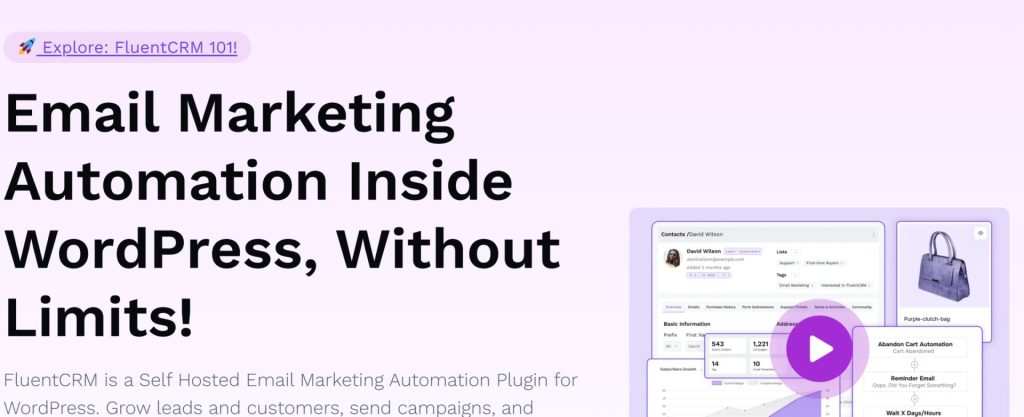
FluentCRM is the most widely adopted self-hosted CRM in the WordPress ecosystem. Over 80,000 sites run it, and it holds a 4.8 out of 5 rating on WordPress.org from 240+ reviews. It comes from WPManageNinja, the same team behind Fluent Forms. The visual automation builder is the strongest among all WordPress-native CRMs, with support for conditional branching, time delays, and A/B testing for subject lines.
One detail that is easy to miss: WooCommerce integration is a Pro feature. The free version does not sync WooCommerce customers or purchase history. FluentCRM’s own support team confirmed this on their forum. The Pro version at $129/yr includes automatic customer sync, segmentation by purchased products and categories, total spent, order count, and lifetime value. Triggers fire on purchase events, refunds, subscription renewals, and cancellations. There are 45+ native integrations covering plugins like LearnDash, MemberPress, and Gravity Forms. The pricing model is flat annual with no contact limits, so your bill stays the same whether you have 1,000 customers or 100,000.
- Architecture: Native WordPress plugin
- Pricing: Free version (no WooCommerce sync). Pro starts at $129/yr for 1 site. Small Business $249/yr for 5 sites. Agency $499/yr for 50 sites. No contact limits on any plan.
- Rating: 4.8/5 on WordPress.org from 240+ reviews
- Key features: Visual automation builder, unlimited contacts, 45+ integrations, WooCommerce segmentation (Pro), email sequences, A/B testing, SMS (Pro)
- What it lacks: Predictive analytics, abandoned cart recovery, WooCommerce sync on free tier
- Best for: WooCommerce stores that want sophisticated email automation without paying per contact. Budget for the Pro plan to get WooCommerce triggers working.
Category 3: If you want email marketing from inside WordPress
These plugins focus on keeping everything inside your WordPress dashboard. They handle email campaigns and basic automation without requiring a cloud account or sending your customer data offsite.

6. MailPoet
MailPoet is a WordPress-native email marketing plugin with over 500,000 active installations and a 4.4 out of 5 rating on WordPress.org. It is owned by Automattic, the same company behind WooCommerce, which means the integration is tight and maintained by the same team that maintains WooCommerce itself.
The WooCommerce integration covers abandoned cart recovery emails, first-purchase follow-ups, product recommendation emails, and post-purchase sequences. You can segment customers by total spent, number of orders, country, subscription status, and membership status. MailPoet includes its own sending infrastructure with a reported 98.5% deliverability rate. The free plan covers up to 1,000 subscribers and 5,000 emails per month. The Business tier starts at $10/mo and removes sending limits while also removing the MailPoet branding from your emails. MailPoet is not a full CRM. It does not include contact profiles, sales pipelines, or predictive analytics. But for email-first stores that want simplicity and keep everything inside WordPress, it is one of the easiest tools to get running fast.
- Architecture: Native WordPress plugin
- Pricing: Free (1,000 subscribers, 5,000 emails/mo). Business from $10/mo. Agency from $30/mo (up to 50 sites). Creator from $8/mo (self-hosted sending).
- Rating: 4.4/5 on WordPress.org from 500,000+ installs
- Key features: WooCommerce abandoned cart recovery, 70+ email templates, 98.5% deliverability, built-in sending service, post-purchase automation, revenue tracking
- What it lacks: Contact profiles, predictive analytics, SMS, full CRM functionality
- Best for: Small to mid-size WooCommerce stores that want affordable, reliable email marketing without leaving the WordPress dashboard.
7. Groundhogg
Groundhogg is a self-hosted WordPress CRM with GPL open-source licensing and flat-rate pricing on all plans. It has over 2,000 active installations on WordPress.org and a 4.9 out of 5 rating from 145+ reviews. Version 4.0, released in March 2025, introduced a redesigned Flow Editor with drag-and-drop triggers, actions, and conditional branching. Unlike most self-hosted CRMs, it also includes a sales pipeline with deal tracking built in.
WooCommerce integration requires the Pro plan at $50/mo, as confirmed on their pricing page. The Pro plan includes WooCommerce-specific triggers, SMS via Twilio, and WhatsApp messaging. The free core handles basic contact management and email sending but does not include WooCommerce triggers. Groundhogg locks in your pricing rate for as long as you renew. The Agency plan at $100/mo adds white-labeling, which is worth knowing about if you manage multiple WooCommerce stores for clients.
- Architecture: Native WordPress plugin (GPL open source)
- Pricing: Free core. Basic $20/mo. Pro $50/mo (includes WooCommerce + SMS). Agency $100/mo (white-label). Unlimited contacts on all plans.
- Rating: 4.9/5 on WordPress.org from 145+ reviews
- Key features: Visual flow editor, sales pipeline, unlimited contacts, SMS via Twilio, WhatsApp, 45+ extensions, REST API, white-label (Agency)
- What it lacks: Predictive analytics, WooCommerce triggers on free/Basic plan, large user community compared to FluentCRM
- Best for: Agencies building multi-store setups or developers who want GPL-licensed software and flat-rate pricing without per-contact fees.
Category 4: If you need multi-channel reach or are scaling fast
These cloud platforms go beyond email. They handle SMS, push notifications, and behavioral marketing at scale. The trade-off is that your customer data lives on their servers, and costs grow as your list grows.

8. Klaviyo
Klaviyo is the dominant marketing platform for direct-to-consumer ecommerce. Over 100,000 customers use it, and it went public on the NYSE in 2024 (ticker: KVYO). It holds a 4.6 out of 5 rating on G2 from over 7,000 reviews. Revenue attribution is Klaviyo’s clearest strength: it shows you exactly how much money each email flow or SMS campaign generated, not just open rates.
The WooCommerce plugin syncs order data, abandoned carts, browse behavior, and customer profiles in real time. Pre-built flows cover welcome series, abandoned cart, post-purchase, win-back, price drop, and back-in-stock. Predictive analytics calculate customer lifetime value, churn risk, and expected next purchase date for every contact. The segmentation engine supports unlimited conditions based on purchase behavior, engagement, and predicted metrics. The free plan is capped at 250 active profiles and 500 emails per month. Paid plans start at $20/mo for 500 profiles. At 10,000 profiles the email plan costs around $150/mo, and at 50,000 profiles it reaches approximately $720/mo. Since 2025, Klaviyo charges for all profiles including unsubscribed and bounced contacts, which means list hygiene directly affects your bill.
- Architecture: Cloud SaaS
- Pricing: Free (250 profiles, 500 emails/mo). Email plan from $20/mo (500 profiles) scaling to ~$720/mo (50K profiles). Email + SMS from $35/mo.
- Rating: 4.6/5 on G2 from 7,000+ reviews
- Key features: Predictive CLV and churn risk, revenue attribution, advanced segmentation, pre-built ecommerce flows, A/B testing, SMS + email + mobile push, 350+ integrations
- What it lacks: Self-hosted data sovereignty, predictable costs at scale, native WP architecture
- Best for: Serious ecommerce stores where email drives a significant share of revenue and the budget supports contact-based pricing. Strongest fit for brands scaling past $1M in annual revenue.

9. Omnisend
Omnisend is an omnichannel marketing automation platform built for ecommerce. It has 50,000+ active installations on WordPress.org with a 4.9 out of 5 rating from 167 reviews, and serves over 100,000 ecommerce brands globally. The platform bundles email, SMS, web push notifications, and WhatsApp into one dashboard.
Pre-built automation workflows cover welcome series, abandoned cart recovery, browse abandonment, post-purchase follow-ups, and win-back campaigns. The segmentation engine supports unlimited conditions based on purchase behavior, engagement, and customer properties. The drag-and-drop email builder includes dynamic product recommendations. The free plan covers up to 500 emails per month with most features accessible for testing. The Standard plan starts at $16/mo for 500 contacts. The Pro plan at $59/mo for 2,500 contacts includes unlimited emails and SMS credits matching your plan cost. One caveat: SMS credits on the Free and Standard plans are minimal and costs add up quickly if you run SMS campaigns without budgeting for them.
- Architecture: Cloud SaaS
- Pricing: Free (500 emails/mo). Standard from $16/mo (500 contacts). Pro from $59/mo (2,500 contacts, unlimited emails, SMS credits included).
- Rating: 4.9/5 on WordPress.org from 167 reviews
- Key features: Email, SMS, web push, WhatsApp, pre-built automation workflows, dynamic product recommendations, signup forms, A/B testing, 24/7 live chat support (paid plans)
- What it lacks: Predictive analytics, self-hosted data, affordable SMS at scale
- Best for: Ecommerce stores that want multi-channel automation with ready-to-use workflow templates. A good middle ground between Klaviyo’s pricing and MailPoet’s simplicity.
10. ActiveCampaign
ActiveCampaign has 180,000 customers across 170 countries and a 4.5 out of 5 rating on G2 from over 14,000 reviews. It packs email marketing, a visual automation builder, and a built-in sales CRM with deal pipelines into one platform. The automation builder supports conditional branching, split paths, goal-based triggers, and over 900 integrations.
The WooCommerce integration syncs customer data and order history through an official plugin. Abandoned cart recovery, post-purchase follow-ups, and win-back campaigns can be built through the drag-and-drop builder without any coding. CRM features like deal pipelines are available on Plus plans and above. Since November 2025, ActiveCampaign charges for all contacts including unsubscribed and bounced ones, so you need to clean your list regularly or the bill climbs. There is no free plan, just a 14-day trial. The Starter plan begins at $15/mo for 1,000 contacts but limits automation to 5 actions per workflow, which is restrictive for complex sequences.
- Architecture: Cloud SaaS
- Pricing: Starter $15/mo (1K contacts, 5 automation actions). Plus $49/mo (unlimited actions). Pro $79/mo (predictive sending, 3 users). Enterprise $145/mo. At 10K contacts, Plus costs $239/mo.
- Rating: 4.5/5 on G2 from 14,000+ reviews
- Key features: Visual automation builder, 900+ integrations, CRM with deal pipelines, conditional content, predictive sending (Pro), abandoned cart recovery, landing pages
- What it lacks: Free plan, predictive churn analytics, flat-rate pricing at scale
- Best for: Stores that need sophisticated marketing automation with optional B2B CRM features for sales pipelines alongside their ecommerce operations.
The power combo: CRMlytics + FunnelKit Automations
Most CRM recommendations tell you to pick one tool and commit. But for WooCommerce stores that want both analytical depth and automation execution, the best approach is to run two complementary plugins together. Among all the best WooCommerce CRM plugins to increase sales, CRMlytics and FunnelKit Automations cover completely different jobs, and together they cost less than $100 per year while outperforming cloud platforms that charge $500+ per month.
Here is how the pairing works in practice:
- CRMlytics tells you who needs attention. A customer’s health score drops below 40. Their RFM segment shifts from Loyal to At Risk. Their 90-day order forecast drops to zero. CRMlytics surfaces these signals automatically without you having to run reports or set up manual alerts.
- FunnelKit acts on that intelligence. You export the At Risk segment from CRMlytics to CSV, import it into FunnelKit, and trigger a win-back workflow: a personalized email at day 1, a follow-up with a dynamic coupon at day 4, and a final re-engagement attempt at day 10. For customers whose order forecast shows high activity, FunnelKit runs a post-purchase upsell sequence to capitalize on the momentum.
- Both tools are native WordPress. Your customer data never leaves your server. No cloud sync, no third-party API, no GDPR headaches.
- The combined cost is under $100/yr. CRMlytics is free. FunnelKit Automations Pro is $99.50/yr. Compare that to Klaviyo at roughly $720/mo for a 50,000-contact list, or ActiveCampaign at $239/mo for 10,000 contacts on the Plus plan.
Most automation tools send emails to everyone on a schedule, or to whoever triggered a cart abandonment. CRMlytics adds a layer of intelligence on top of that: you know which customers are statistically likely to churn, which ones are your top 10% by lifetime value, and which ones are on an upswing. That information makes every FunnelKit workflow more targeted because you are acting on data, not assumptions.
For most WooCommerce stores that are serious about retention, this is the starting point we recommend before evaluating any cloud platform.
Which plugin is right for your store?
Use this table to match your situation to the right tool. These are not prescriptions, they are starting points based on the most common store profiles. Every plugin here qualifies as one of the best WooCommerce CRM plugins to increase sales for the right use case — but the right one depends entirely on your current situation.
| Your situation | Start here | Why |
|---|---|---|
| You want to know who is about to churn, for free | CRMlytics | Free, self-hosted, predictive health scores and RFM out of the box |
| You want the best overall starting stack | CRMlytics + FunnelKit | Analytics + automation, all on your server, under $100/yr |
| Abandoned carts are your biggest problem | FunnelKit Automations | Best-in-class WooCommerce cart recovery with visual builder |
| You want the deepest WooCommerce trigger library | AutomateWoo | 190+ WC-specific triggers, official extension from Automattic |
| You want email automation with no contact limits | FluentCRM | Flat $129/yr, unlimited contacts, advanced visual builder |
| You want simple email from WordPress, minimal setup | MailPoet | Free up to 1,000 subs, Automattic-maintained, 98.5% deliverability |
| You need profit analytics and cohort tracking | Metorik | 75+ reports, COGS tracking, 500+ filters, $25/mo |
| You want email + SMS + push in one platform | Omnisend | Multi-channel, $16/mo Standard, 4.9/5 rating |
| You are scaling past $1M revenue and email drives it | Klaviyo | Best revenue attribution, predictive CLV, 100K+ customers |
| You need automation + B2B sales pipelines | ActiveCampaign | 180K customers, 900+ integrations, visual automation + CRM |
Frequently asked questions
An email plugin sends campaigns. A CRM tracks customers over time, segments them by behavior, and gives you a complete picture of each buyer’s history with your store. If you are only sending newsletters, an email plugin is enough. But if you want to recover churning customers, run targeted win-back campaigns, or understand which buyers are your most valuable, the best WooCommerce CRM plugins to increase sales add meaningful value. Several plugins on this list do both email and CRM well.
CRMlytics is the only fully free option on this list with no paid tiers, no contact limits, and no upsells. It is available on the official WordPress.org plugin directory. MailPoet and FunnelKit Automations both have free plans, but those plans are limited in features. FluentCRM has a free version, but it does not include WooCommerce sync. Groundhogg is free at the core level but requires the Pro plan at $50/mo for WooCommerce triggers.
Yes, and this is often the smartest approach. CRMlytics paired with FunnelKit Automations is a strong example: one handles the analytics, the other handles the automation. Similarly, many stores run Metorik for reporting alongside FluentCRM for email sequences. The key is to make sure both plugins read from the same WooCommerce order data without conflicting, which is straightforward when both are native WordPress plugins.
An operational CRM automates day-to-day tasks: sending emails, recovering carts, managing sequences. Most of the tools on this list fall into this category. An analytical CRM analyzes your customer data to generate insights and predictions: who is about to leave, when they will buy next, which segment is your highest value. CRMlytics is an analytical CRM. Metorik sits closer to analytical as well. Most of the others (FunnelKit, FluentCRM, Klaviyo, Omnisend, ActiveCampaign) are primarily operational. The most effective stores use both types.
Native WordPress plugins that run calculations in the background can use server resources, but the good ones are built to avoid any impact on your storefront. CRMlytics has been tested on stores with over 200,000 orders and 15,000 customers with zero storefront impact. Cloud-based tools like Klaviyo, Omnisend, and ActiveCampaign do not affect your server at all since they process data on their own infrastructure. If you are on shared hosting with limited resources, it is worth checking each plugin’s documentation and testing before going live.
Conclusion
Picking the right tool from the best WooCommerce CRM plugins to increase sales comes down to knowing what problem you actually need to solve first. If customers are quietly churning and you have no visibility into why, start with CRMlytics. If abandoned carts are your primary revenue leak, FunnelKit Automations is built for exactly that. If you want unlimited email automation with no contact-based fees, FluentCRM at $129/yr is hard to beat. And if you are scaling past the point where per-contact pricing feels manageable, Klaviyo’s revenue attribution tools justify the cost for high-volume stores.
Most stores that get serious about retention end up running two tools: one for analytics, one for execution. That is standard practice. Klaviyo pairs with Metorik. ActiveCampaign pairs with Google Analytics. For WooCommerce, the native version of that pattern is CRMlytics for the intelligence and FunnelKit Automations for the action. Both run natively inside WordPress, both keep your data on your server, and the combined cost comes in under $100 per year.
The best WooCommerce CRM plugins to increase sales are not the most expensive ones. They are the ones that match your current stage, give you clear data to act on, and let you build a retention strategy without writing a monthly check that grows every time your customer list does.