8 Best WooCommerce CRM Plugins for Customer Data Management (2026)
Running a WooCommerce store means you sit on a goldmine of customer data. Names, emails, order histories, products browsed, carts abandoned. But here is the thing: raw data does not help you keep customers. You need a system that turns that data into actual decisions. That is exactly what the best WooCommerce CRM plugins do, and it is why customer data management matters more than ever for online stores in 2026.
The problem is that WooCommerce out of the box is a solid transactional engine, but it is terrible at building relationships. When you look at the default dashboard, you see order numbers. You do not see the people behind those orders. You cannot tell who is about to stop buying, who your most valuable customers are, or where you should put your marketing budget next.
A good CRM fixes that. Instead of looking at Order #4592, you see a rich profile for Sarah. You see she bought from you three times this year, her average order value is $120, and she has not purchased anything in four months. She might be at risk of leaving for a competitor. When you have this level of customer data management, your marketing changes completely. You stop blasting your entire list with the same discount code and start sending targeted offers to people who actually need a nudge.
What Is Customer Data Management and Why Does It Matter?
Customer data management is the practice of collecting, organizing, and using the information your store generates about its buyers. Every order, every email click, every abandoned cart, every product view is a data point. On its own, a single data point does not tell you much. But when you organize hundreds or thousands of data points into customer profiles, patterns emerge.
For example, you might notice that customers who buy from you three times in their first two months almost always become long-term buyers. Or you might find that customers who abandon a cart worth over $200 are twice as likely to come back if you email them within 24 hours. These insights only show up when you have a system that connects the dots across all your customer interactions.
Without a proper system for managing customer data, you are flying blind. You send the same email to everyone. You offer the same discount to loyal buyers who would have paid full price and to at-risk customers who need a reason to come back. You waste marketing budget on people who were never going to buy again while ignoring your most valuable segments. The tools below solve this problem in different ways. Here is what each one actually offers.
I spent weeks researching and testing the options. This guide covers eight of the best WooCommerce CRM plugins available right now. I looked at their pricing, their WooCommerce integration depth, their ratings from real users, and what they actually include for free versus what gets locked behind a paywall.
What to Look for in a WooCommerce CRM
Before I get into the individual tools, here is how I evaluated what counts among the best WooCommerce CRM plugins. These criteria matter more than marketing claims or flashy feature checklists.
- WooCommerce integration depth. Does the CRM read your order data natively, or does it need a third-party connector? Native integration means fewer things break after updates and your customer data management stays reliable.
- Segmentation and tagging. You cannot treat all customers the same. Look for tools that let you build segments based on purchase behavior, order value, and custom fields. Smart tagging that updates automatically saves hours of manual work.
- Analytics and predictions. Most CRMs tell you what already happened. The good ones tell you what will happen next. Churn risk scores, RFM segmentation, and order forecasts separate basic tools from powerful ones.
- Pricing model. Per-contact pricing is the biggest trap in CRM. A store with 30,000 customers can end up paying thousands per year. Flat-rate and free models are much more predictable for long-term customer data management.
- Data ownership. Self-hosted tools keep everything on your server. Cloud tools sync data externally. This affects your GDPR compliance and what happens if you cancel your subscription.
1. CRMlytics: Best Free Analytical CRM with Predictive Analytics
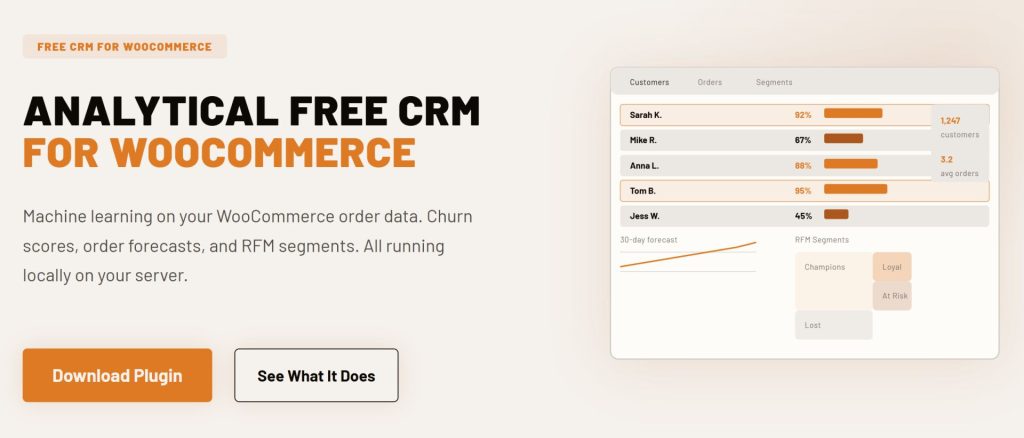
CRMlytics is a free, self-hosted analytical CRM built specifically for WooCommerce. It takes a completely different approach from the other tools on this list. Instead of focusing on email automation or workflow builders, it focuses on customer intelligence. It runs machine learning models directly on your server to tell you who is about to churn, when each customer will order next, and who your most valuable buyers are.
Key Features
- Predictive churn scores from 0 to 100 for every customer. Repeat buyers get a score based on their individual buying rhythm. Customers below 40 are at critical risk of leaving.
- Order forecasts that predict how many orders each customer will place in the next 30, 90, and 180 days so you know where to focus your marketing spend.
- Automatic RFM segmentation. Recency, Frequency, and Monetary scores are calculated for every customer. They get sorted into actionable groups like Champions, Loyal, At Risk, and Lost.
- Smart tags and custom segments that let you build dynamic audiences based on behavior, scores, and purchase data.
- Built-in email campaigns with click tracking. Send to any segment or tag directly from the plugin.
- Customer timelines that show every interaction: orders, email clicks, tag changes, and manual notes in one chronological feed.
- 100% data sovereignty. Everything lives in your WordPress database. No API calls, no cloud sync, no monthly fees.
Pricing
Completely free. No paid tiers, no contact limits, no upsells. Available on the official WordPress plugin directory. Tested on stores with over 200,000 orders and 15,000 customers with zero storefront impact.
Best For
Store owners who want enterprise-level predictive analytics without paying enterprise prices. If you already have a tool for sending newsletters but need better data on who to target, this is the missing piece. For pure analytics, CRMlytics is the only free CRM with machine learning.
2. FluentCRM: Best Self-Hosted Email Marketing CRM
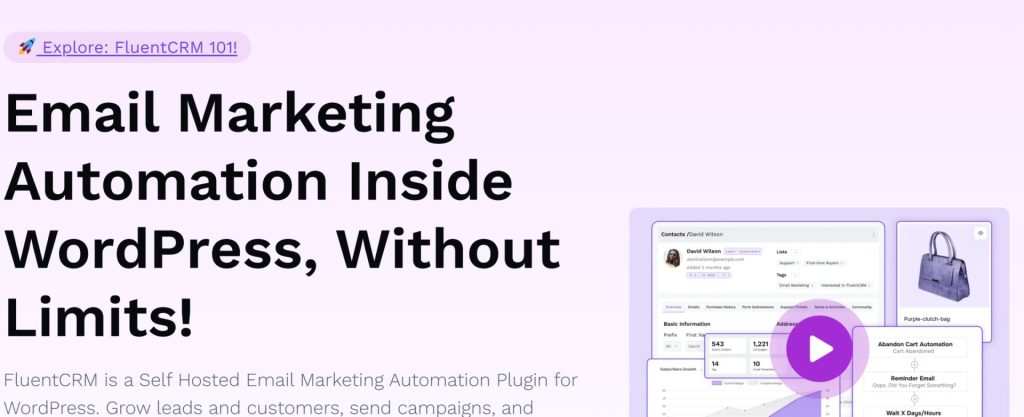
FluentCRM is the most popular self-hosted email marketing CRM in the WordPress ecosystem. Over 80,000 sites run it, and it holds a 4.8 out of 5 rating on WordPress.org from 235 reviews. It comes from WPManageNinja, the same team behind Fluent Forms. The visual automation builder is the best among WordPress-native CRMs, with conditional branching, time delays, and A/B testing for subject lines.
Key Features
- Visual automation builder with triggers for WooCommerce purchases, refunds, subscriptions, and abandoned carts.
- 360-degree contact profiles with complete order history and custom fields.
- Advanced segmentation by purchased products, product categories, order count, total spent, and customer lifetime value.
- 45+ native integrations with WordPress plugins including WooCommerce, LearnDash, MemberPress, AffiliateWP, and Gravity Forms.
- Unlimited contacts on every plan. You pay for the plugin license, not the size of your list.
- Email sequences, broadcasts, and smart links for personalization.
Pricing
The free version on WordPress.org includes basic contact management, 5 email sequences, and 2 automation funnels. However, the WooCommerce integration with automation triggers, purchase-based segmentation, and advanced features requires the Pro plan. Pro starts at $129 per year for a single site (Solo plan), $249 per year for 5 sites (Small Business), and $499 per year for 50 sites (Agency). All Pro plans include unlimited contacts and unlimited email campaigns. You also pay for your email sending service separately (like Amazon SES at roughly $0.10 per 1,000 emails).
Best For
WooCommerce stores that want full marketing automation with email sequences and deep WordPress integration without paying per contact. The flat annual pricing makes it a strong pick for stores with large lists that do not want customer data management costs to grow as their audience grows.
3. FunnelKit Automations: Best for Cart Recovery and Post-Purchase Funnels
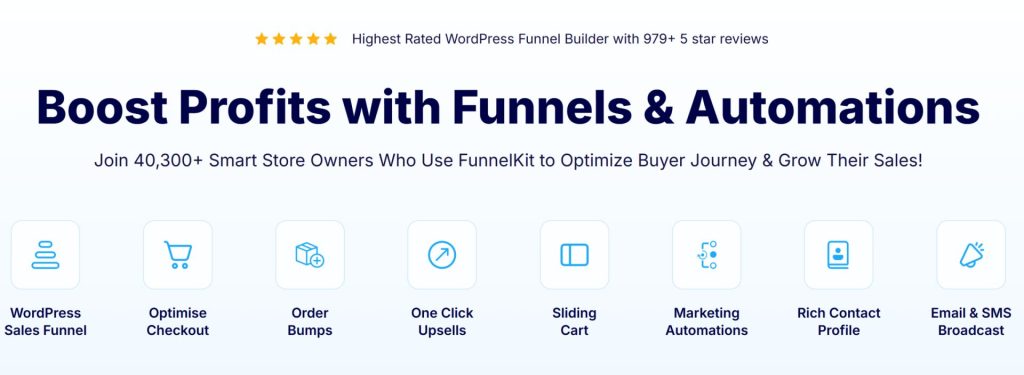
FunnelKit Automations (formerly Autonami) was built specifically for WooCommerce, and it shows. Over 40,000 stores use it, and it has a 4.9 out of 5 rating on WordPress.org from over 979 five-star reviews. Abandoned cart recovery, post-purchase upsell offers, win-back campaigns, and subscription renewal automations all work out of the box without extra plugins.
Key Features
- Abandoned cart recovery with automated email and SMS sequences. Smart conditional automations with dynamic coupons.
- Visual workflow builder with branching logic based on order value, product category, and customer behavior.
- Built-in CRM with 360-degree contact profiles, purchase history, and lifetime value tracking.
- Post-purchase sequences including thank you emails, upsell offers, and review requests.
- SMS automation via Twilio and BulkGate as an add-on.
- HPOS support for modern WooCommerce setups with High-Performance Order Storage.
Pricing
FunnelKit has a free Lite version on WordPress.org with basic automation and abandoned cart tracking. The standalone Automations Pro plan costs $99.50 per year for a single site. The Professional plan at $249.50 per year bundles Automations Pro with Funnel Builder for a complete sales and marketing stack. The Elite plan at $399.50 per year covers 30 sites for agencies.
Best For
WooCommerce stores where abandoned carts and upsell opportunities are leaving money on the table. The built-in cart recovery alone often pays for the subscription. FunnelKit is a top pick if your priority is recovering lost revenue and automating post-purchase customer data management.
4. Jetpack CRM: Best for Freelancers and B2B Invoicing
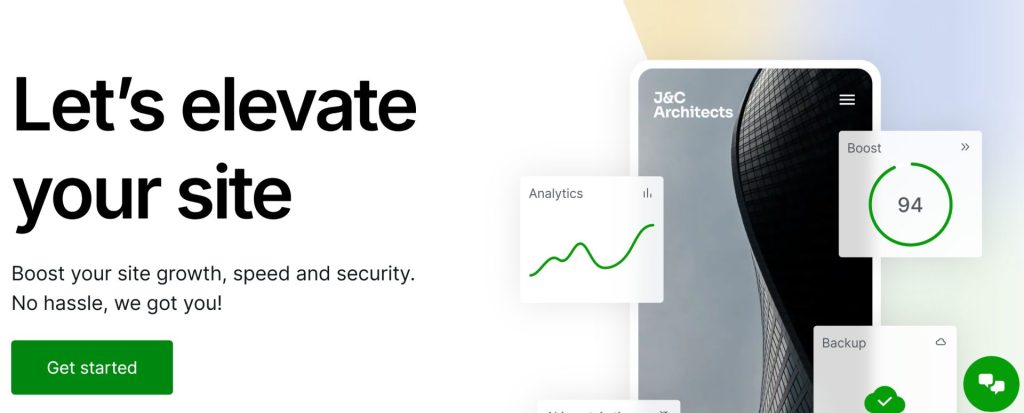
Jetpack CRM (formerly Zero BS CRM) comes from Automattic, the company behind WordPress.com and WooCommerce. Over 30,000 sites run it, and it holds a 4.3 out of 5 rating on WordPress.org. It focuses on being a practical customer manager rather than a marketing automation platform. The free core includes a WooSync module that pulls WooCommerce orders and customers into CRM contact profiles automatically.
Key Features
- Free WooSync module that automatically creates customer records from WooCommerce orders.
- Invoicing and quote management for billing customers directly from WordPress.
- Client portal where customers can view and pay invoices, see quotes, and access files.
- Contact management with custom fields, tags, notes, and transaction tracking.
- 30+ premium extensions for Stripe sync, PayPal sync, email campaigns, and advanced segments.
- CSV import and export for data migration.
Pricing
The core plugin is free on WordPress.org with WooSync included. The Freelancer bundle costs $129 per year and includes four key extensions: Invoicing Pro, Gravity Forms Connect, PayPal Connect, and Stripe Connect. The Entrepreneur bundle at $199 per year includes all 30+ extensions with priority support. A Reseller plan at $649 per year covers up to 10 sites.
Best For
Small WooCommerce stores, freelancers, and consultants who need basic contact management and invoicing alongside their WooCommerce data. If you send quotes for custom work or handle B2B sales alongside retail, Jetpack CRM is a practical choice. The free WooSync makes it useful right out of the box.
5. HubSpot: Best Free Enterprise-Grade CRM
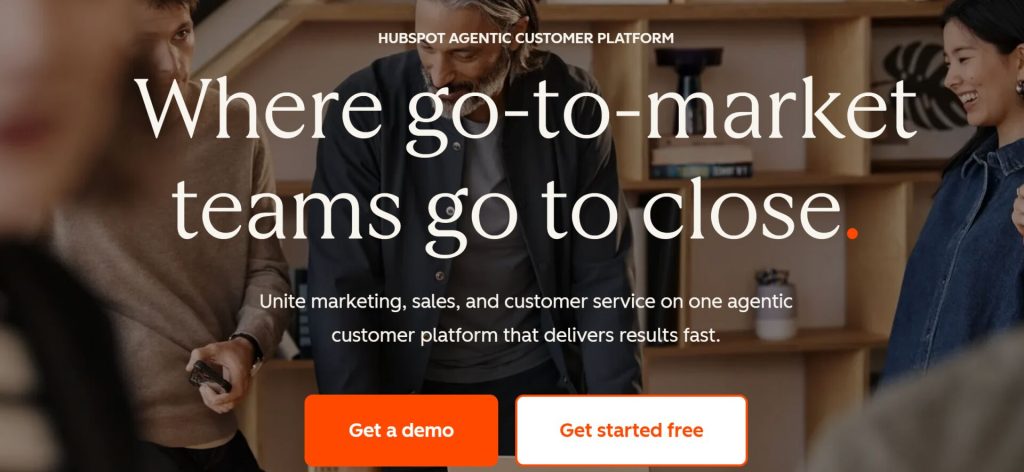
HubSpot is one of the most widely used CRM platforms in the world. It has 288,706 customers as of December 2025 and $3.1 billion in annual revenue. It has a 4.4-star rating on G2 from over 10,000 reviews. The free tier includes unlimited users, up to 1 million contacts, deal pipelines, meeting scheduling, live chat, and email tracking at no cost. For general customer data management at the entry level, HubSpot’s free tier is hard to beat.
Key Features
- Free CRM with unlimited users, contact management, deal pipelines, and 7 built-in ecommerce reports.
- WooCommerce sync via the free MakeWebBetter connector plugin that syncs customers, orders, and products.
- Abandoned cart tracking through HubSpot workflows.
- Sales pipeline management for B2B or wholesale operations alongside retail.
- Live chat and chatbot functionality included in the free tier.
- 1,400+ integrations in the HubSpot App Marketplace.
Pricing
The CRM and the MakeWebBetter WooCommerce connector are both free. Marketing Hub Starter starts at $20 per seat per month. Marketing Hub Professional jumps to $890 per month with a mandatory $3,000 onboarding fee. Sales Hub Professional costs $100 per seat per month with a $1,500 onboarding fee. The pricing cliff between free/starter and professional tiers is steep.
Best For
WooCommerce stores that already use HubSpot or want a full sales, marketing, and service platform in one cloud ecosystem. Best suited for stores with team-based sales processes or B2B/wholesale operations alongside retail. For businesses planning rapid growth with a sales team, HubSpot has the most generous free tier.

6. Klaviyo: Best for Email and SMS with Predictive Analytics
Klaviyo is the biggest email and SMS marketing platform for ecommerce stores. It has a 4.6 out of 5 rating on G2 from over 7,000 reviews. Over 100,000 customers use it, and it went public on the NYSE in 2024. Where Klaviyo is different from most competitors is in its predictive analytics and revenue attribution. It calculates predicted customer lifetime value, churn risk, and next purchase date for every contact. For stores where email drives significant revenue, Klaviyo is one of the best WooCommerce CRM plugins you can pick.
Key Features
- Predictive analytics including expected CLV, churn risk scores, and predicted purchase dates.
- Advanced segmentation based on any combination of behavioral and profile data.
- Visual email and SMS flow builder with conditional logic and pre-built templates for abandoned cart, post-purchase, and win-back.
- Revenue attribution that shows exactly how much money each email or SMS generated.
- A/B testing for subject lines, content, and send times.
- Native WooCommerce plugin that syncs order data, abandoned carts, and customer profiles in real time.
Pricing
Free plan available up to 250 active profiles with 500 email sends per month and 150 SMS credits. Paid plans start at $20 per month for 500 profiles and scale with your list size. At 10,000 profiles, expect around $150 per month. At 50,000 profiles, roughly $720 per month. Klaviyo charges for all profiles including unsubscribed contacts, so your bill grows as your list grows.
Best For
Direct-to-consumer WooCommerce brands that prioritize email and SMS revenue and need sophisticated behavioral segmentation. If your budget supports per-contact pricing and email is a major revenue channel, Klaviyo’s predictive analytics and customer data management tools stand among the best in the industry.

7. MailPoet: Best for WordPress-Native Email Marketing
MailPoet is a WordPress-native email marketing plugin with over 500,000 active installations and a 4.4 out of 5 rating on WordPress.org. It is owned by Automattic, the same company behind WooCommerce, so the integration runs deep. You can send newsletters, build automation sequences, and manage subscribers all from your WordPress dashboard without ever leaving your site.
Key Features
- WooCommerce email customizer that lets you redesign default transaction emails with a drag-and-drop builder.
- Abandoned cart recovery emails and first-purchase follow-ups included in the free tier.
- Built-in MailPoet Sending Service with a 98.5% deliverability rate. No need to configure your own SMTP.
- 70+ email templates that are mobile-friendly and customizable.
- WooCommerce segmentation by total spent, number of orders, country, and subscription status.
- Automated product recommendation emails based on what the customer just bought.
Pricing
The Starter plan is free for up to 500 subscribers with 5,000 emails per month using the MailPoet Sending Service. The Business plan starts at $10 per month for 500 subscribers with unlimited emails and removes MailPoet branding. The Agency plan starts at $30 per month for up to 50 websites. The Creator plan at $8 per month lets you send via your own SMTP instead of the MailPoet Sending Service.
Best For
Small WooCommerce stores that want simple, affordable email marketing without leaving the WordPress dashboard. The free tier includes powerful store-specific features like abandoned cart recovery and product recommendations. MailPoet is a solid pick for stores that want reliable email deliverability without configuring their own SMTP service. It handles customer data management through its subscriber lists and WooCommerce segmentation.
8. Metorik: Best for Analytics and Profit Tracking
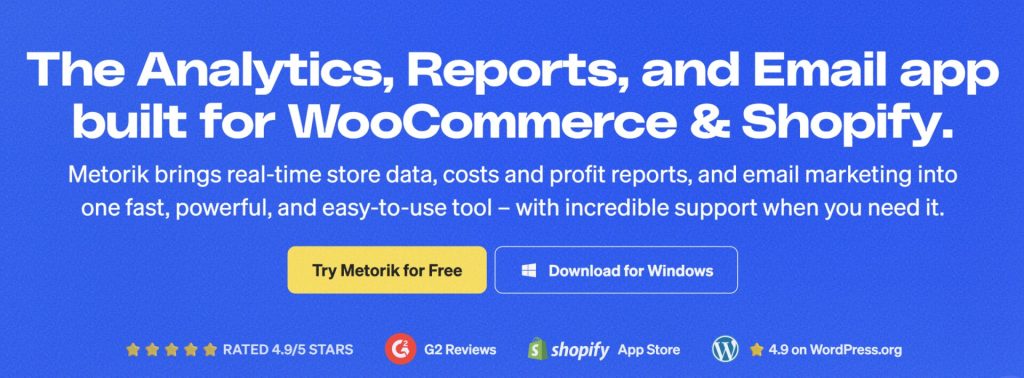
Metorik is an ecommerce analytics and reporting platform built specifically for WooCommerce and Shopify. It has a 4.9 out of 5 rating on G2 from 159 reviews. Over 10,000 stores use it. The founder, Bryce Adams, previously worked on WooCommerce at Automattic. Metorik is not a traditional email-sending CRM. It is an analytics tool first with an email add-on called Metorik Engage. If data-driven decisions matter to you, Metorik deserves a spot on your shortlist.
Key Features
- 75+ real-time reports covering sales, customers, products, subscriptions, costs, and profit.
- 500+ segmentation filters for building advanced customer segments.
- COGS and profit tracking at the product and variation level.
- Cohort analysis for tracking customer retention over time.
- Metorik Engage email add-on for sending automated emails based on your segments.
- Multi-store support with one subscription covering all your stores.
- Unlimited users on every plan.
Pricing
Pricing scales based on your average monthly orders. Level 1 starts at $25 per month for up to 100 orders. Level 2 is $75 per month for up to 500 orders. Level 3 is $150 per month for up to 2,000 orders. Level 4 is $250 per month for up to 5,000 orders. All plans include every feature with no gating. The Engage email add-on costs extra. A 30-day free trial is available with no credit card required.
Best For
Data-driven store owners who want detailed analytics, profit tracking, and advanced segmentation. Metorik works best when paired with a separate email tool for campaigns. For pure customer data management and reporting, it is one of the most powerful options on this list.
Comparison Table: All 8 CRMs at a Glance
Here is a side-by-side comparison of all eight tools to help you narrow down your options.
| CRM Plugin | Type | Free Tier | Starting Price | Predictive Analytics | Rating |
|---|---|---|---|---|---|
| CRMlytics | Native WP / Analytical | Full plugin, unlimited | Free | Yes (BG/NBD, RFM) | 5/5 (WP.org) |
| FluentCRM | Native WP / Operational | Lite version (no WC sync) | $129/yr | No | 4.8/5 (WP.org) |
| FunnelKit Automations | Native WP / Operational | Lite version | $99.50/yr | No | 4.9/5 (WP.org) |
| Jetpack CRM | Native WP / Sales | Core + WooSync | Free / $129/yr | No | 4.3/5 (WP.org) |
| HubSpot | Cloud / Collaborative | Free CRM | Free / $20/seat/mo | Enterprise only | 4.4/5 (G2) |
| Klaviyo | Cloud / Marketing | 250 profiles | Free / $20/mo | Yes (CLV, churn) | 4.6/5 (G2) |
| MailPoet | Native WP / Email | 500 subscribers | Free / $10/mo | No | 4.4/5 (WP.org) |
| Metorik | Cloud / Analytics | 30-day trial | $25/mo | No | 4.9/5 (G2) |
How Pricing Models Impact Your Real Cost
The starting price you see on a pricing page is almost never what you will pay once your store has real customers. Understanding the pricing model matters more than the monthly number. Here are the models you will encounter when evaluating the best WooCommerce CRM plugins.
- Per-contact pricing (Klaviyo, HubSpot paid tiers) means you pay based on how many people are in your database. A store with 10,000 customers on Klaviyo pays about $150 per month. The problem is that your bill grows as your list grows, even if you do not email everyone.
- Flat-rate pricing (CRMlytics free, FluentCRM $129 per year, FunnelKit $99.50 per year, Jetpack CRM $129 per year) means your cost stays the same no matter how many customers you have. These are the most predictable options for long-term customer data management.
- Per-order pricing (Metorik) means you pay based on your monthly order volume. This scales with your actual revenue, not your contact list size.
- Per-email pricing (Brevo, not covered in this article) means you pay for the volume of emails you send, which works well for stores with large lists and moderate sending frequency.
Analytical vs Operational CRMs: What Is the Difference?
When you look at the options on this list, it helps to understand the two main categories of CRM software you will encounter. They serve different purposes, and picking the wrong type will leave you frustrated.
Operational CRMs are built to do work. They handle day-to-day tasks like sending emails, building automation sequences, recovering abandoned carts, and managing sales pipelines. Tools like FluentCRM, FunnelKit, HubSpot, and MailPoet fall into this category. They are fantastic at executing tasks, but they rely on you to tell them exactly who to target.
Analytical CRMs are built to generate insights. They crunch your data to tell you things you did not know about your business. CRMlytics and Metorik fall into this category. They look at order history and use statistical models to identify patterns, predict churn, and forecast future purchases. They tell you who needs attention before revenue walks out the door.
The smartest store owners use both. They use an analytical CRM to figure out exactly who needs attention, and then they use an operational CRM to send the emails and run the campaigns. This two-tool approach is the most effective strategy for WooCommerce customer data management because it separates intelligence from execution.
How to Choose the Right CRM for Your Store
Picking the right tool depends on your store size, your budget, and what problem you are trying to solve. Here is how I would approach it based on common scenarios.
If You Want Predictive Analytics Without Paying Enterprise Prices
CRMlytics is the only free option that gives you churn prediction, RFM scoring, and order forecasts. Klaviyo has similar predictive features but charges per contact. CRMlytics runs on your server and costs nothing. This makes it the strongest option for customer data management on a budget.
If Your Main Need Is Email Automation
Start with FluentCRM or FunnelKit Automations. Both are self-hosted with flat pricing. FluentCRM has more automation power for email sequences. FunnelKit has stronger abandoned cart recovery. MailPoet is a solid third option if you want built-in email deliverability without configuring your own SMTP.
If You Need B2B Sales Tools Alongside Retail
HubSpot gives you deal pipelines, sales tracking, and a free CRM that works for both B2B and retail. Jetpack CRM is the most affordable option if you mainly need invoicing and quotes alongside your WooCommerce store.
If You Want Deep Analytics and Profit Tracking
Metorik has 75+ reports, COGS tracking, and cohort analysis that no other tool on this list matches. Pair it with a separate email tool for campaigns. For stores focused purely on understanding their data, Metorik is one of the most powerful analytics platforms available.
The Dual-Engine Approach
My honest advice after researching all eight tools: many successful stores use two tools together. They use an analytical CRM like CRMlytics to figure out who needs attention, churning customers, high-value segments, forecasted buyers. Then they use an operational CRM like FluentCRM or FunnelKit to send the actual emails. This combination costs a fraction of a single Klaviyo subscription and gives you better targeting because the predictions drive the automation.
Final Thoughts
The WooCommerce CRM space has changed a lot in 2026. Self-hosted plugins like FluentCRM, FunnelKit, and Jetpack CRM compete well with cloud platforms at a fraction of the cost. The gap that still exists is in predictive analytics. Most CRMs can send emails. Very few can tell you which customers are about to leave and when they will order again.
This separation between analytics and execution is not unique to WooCommerce. It is how successful ecommerce businesses operate across every platform. Klaviyo pairs with Metorik. ActiveCampaign connects to Google Analytics. HubSpot has its own reporting add-ons. The pattern is the same: one tool for operational workflows, another for predictive intelligence. On WordPress, the native version of that pattern is CRMlytics for analytics paired with an operational CRM like FluentCRM or FunnelKit for automation. CRMlytics identifies segments like At-Risk customers on your own server, and those segments feed into your operational tool for targeted retention campaigns. All without data leaving your environment.
The right choice depends on your store size, your technical comfort level, and whether you prioritize data ownership or feature breadth. Every tool on this list has a free trial or free tier. Install two or three, test them with your actual WooCommerce data, and see which one you actually want to open every day. The best WooCommerce CRM plugins are not the ones with the longest feature lists. They are the ones that help you keep customers and grow your store.