9 Free CRM for WooCommerce Store Plugins That Actually Work in 2026
Running a WooCommerce store without a CRM means you are flying blind. You see orders come in, but you have no idea which customers are about to leave or when someone will order again. If you have been searching for free CRM plugins for your WooCommerce store that actually connect to your data without forcing you to upgrade, this guide will save you a lot of time.
I say that because most CRM tools advertise a free plan and then hide the WooCommerce sync behind a paywall. You install the plugin, connect your store, and realize you need to pay just to see your order history. I got tired of that runaround, so I tested every option I could find and verified the results against plugin docs, support forums, and pricing pages.
This guide covers nine tools that genuinely give you a working free CRM for WooCommerce with store-level data sync. Among free CRM for WooCommerce store plugins, these are the only ones I found where the WooCommerce connection is genuinely free. Each one connects to your store data at no cost. I verified every claim by checking plugin documentation, support forums, and pricing pages. For each tool, I will explain what you actually get for free and where the limits are.
What to Look for in Free CRM for WooCommerce Store Plugins
Before you install anything, you should know what separates a useful free CRM from a glorified contact list. These are the things I look at when evaluating these tools:
- Data sync quality: Does it pull in your order history automatically, or do you have to export CSV files and upload them manually? The best tools sync in the background without extra steps.
- Contact limits: Some free plans cap you at 250 contacts. Others give you unlimited storage. Know the number before you commit.
- Native vs cloud: A native WordPress plugin keeps your data on your own server. A cloud platform syncs your data to an external dashboard. Both approaches work, but they have different privacy and speed trade-offs.
- What “free” actually means: Some tools are free forever with no contact caps. Others are free up to a limit, then require a paid plan. Both models are fine as long as you know what you are getting into.
1. CRMlytics
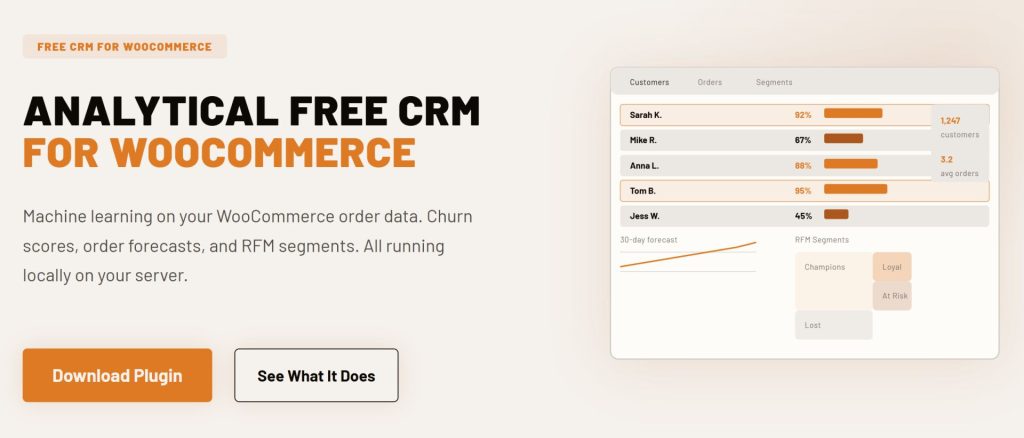
CRMlytics is a native WordPress CRM that runs entirely on your server. It is 100% free with no paid tiers, no contact limits, and no feature gating. Most CRMs on this list focus on sending emails or building automation workflows. CRMlytics is different. It is built around customer intelligence, so you know who to target before you spend a dollar on marketing.
The plugin reads your WooCommerce order history and runs machine learning models directly on your server. It calculates health scores for every customer, segments them by buying behavior, and predicts future orders. Everything runs locally, so your store data never leaves your site.
What you get for free
- Churn risk scoring: Every customer gets a health score from 0 to 100 based on their individual buying rhythm. You see who is about to stop buying before they actually leave.
- Automatic RFM segmentation: The plugin calculates Recency, Frequency, and Monetary scores for every customer and sorts them into groups like Champions, Loyal, At Risk, and Lost.
- Order forecasts: Machine learning estimates how many orders each customer will place in the next 30, 90, and 180 days.
- Built-in email campaigns: Send emails to individuals, segments, or tagged groups using five included templates and your existing WordPress mail setup.
- Customer timelines: Every order, email, tag change, and manual note appears in a chronological feed per customer.
- 1-click CSV export: Export any segment to CSV for use with Mailchimp, Facebook ads, or spreadsheets.
Who is this for?
CRMlytics works best for store owners who want to understand their customers at a deep level without paying for enterprise software. If you already have an email tool but need better data on who to target, this fills that gap. It is the strongest option on this list for pure analytics and prediction.
- Active installations: Newer release (launched June 2026)
- Rating: 5 out of 5 stars on WordPress.org
- Free tier limits: 100% free, unlimited contacts and orders
2. Jetpack CRM
Jetpack CRM is owned by Automattic, the company behind WordPress.com and WooCommerce. The core plugin is free and includes a built-in WooSync module that pulls in your store data automatically. It started life as “Zero BS CRM” and still keeps that no-nonsense approach. The interface is clean and focused on practical business tools like invoicing, quotes, and client portals.
What you get for free
- WooSync module: Imports your WooCommerce customers and orders automatically. It also supports multi-store connections if you run more than one shop.
- Client portals: Create secure login areas on your website where customers view their past quotes, invoices, and transactions.
- Quote builder: Build and send professional quotes from your WordPress dashboard. Convert accepted quotes into invoices with one click.
- B2B invoicing: Manually bill clients for services or bulk orders that do not fit a standard WooCommerce checkout.
Who is this for?
Jetpack CRM is a solid pick for freelancers, B2B sellers, and wholesale operators. If your store handles custom quotes, service packages, or recurring invoices alongside regular retail, this tool covers those needs well. Some premium extensions (like Stripe or PayPal sync) cost extra, but the free WooCommerce connection and core CRM features work out of the box.
- Active installations: 30,000+
- Rating: 4.3 out of 5 stars on WordPress.org
- Free tier limits: Unlimited contacts. Premium extensions cost extra.
3. FunnelKit Automations Lite
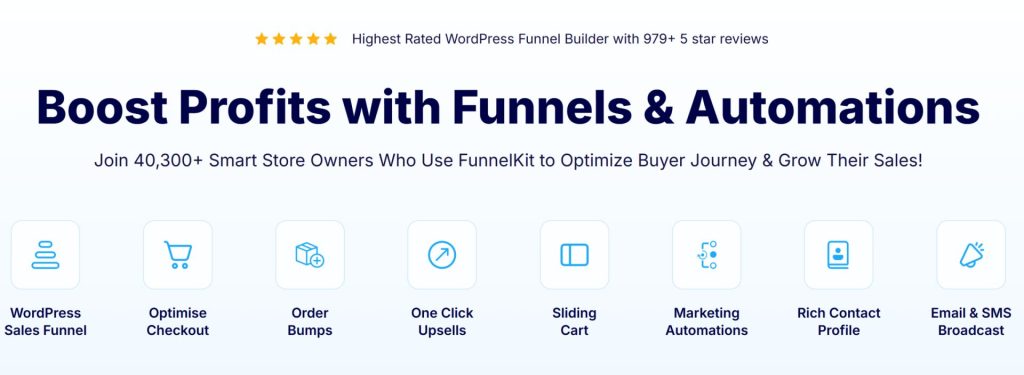
FunnelKit Automations is a WordPress-native marketing automation plugin built for WooCommerce. The free Lite version has real WooCommerce features that most competitors lock behind a paywall, including abandoned cart recovery and a visual workflow builder.
All contact data stays on your own server. The plugin does not send your customer information to any external service. If data privacy matters to you, that is a point in its favor.
What you get for free
- Abandoned cart recovery: The Lite version has a basic abandoned cart workflow. It captures cart data when customers enter their email at checkout and sends follow-up reminders.
- Visual workflow builder: Build automation sequences using a drag-and-drop interface. Set triggers based on WooCommerce events like new orders, status changes, and refunds.
- Unlimited contacts: The free version stores as many contacts as you need with no cap.
- Pre-built automation recipes: Import ready-made workflows for welcome emails, post-purchase follow-ups, and review collection with one click.
- Transactional emails: Send order-related emails using a rich text editor directly from the plugin.
Who is this for?
FunnelKit Automations Lite is a good fit if your main goal is recovering abandoned carts and sending post-purchase emails without paying for a separate email tool. The free version handles those core tasks well. If you later need advanced segmentation, SMS marketing, or a drag-and-drop email designer, the Pro version unlocks those features starting at $99.50 per year.
- Active installations: 400,000+ (combined FunnelKit plugins)
- Rating: 4.9 out of 5 stars on WordPress.org
- Free tier limits: Unlimited contacts. No broadcast campaigns, SMS, or advanced segmentation in the free version.

4. MailPoet
MailPoet is primarily an email marketing tool, but it doubles as a lightweight CRM for stores that communicate mainly through newsletters. It runs entirely inside your WordPress dashboard. You write emails, check open rates, and manage subscriber lists without leaving your site.
MailPoet also solves a common headache: email deliverability. Many store owners struggle to send bulk emails from their own web hosting because messages end up in spam folders. MailPoet has a dedicated sending service that handles the technical side of getting your emails into inboxes, even on the free plan.
What you get for free
- WooCommerce email customizer: Use the drag-and-drop builder to redesign the default WooCommerce transactional emails. Make your receipts and shipping notifications look professional and on-brand.
- Automated store emails: Set up abandoned cart recovery, first-time purchase follow-ups, and product recommendations based on recent purchases.
- Blog post notifications: Automatically email your subscribers when you publish a new article on your store blog.
- 70+ email templates: Start with a pre-designed template and customize it using the drag-and-drop editor.
Who is this for?
MailPoet works well for new stores that focus on email engagement over complex sales pipelines. The free plan has up to 1,000 subscribers and 5,000 emails per month, with the MailPoet Sending Service handling deliverability. The main limitation is that detailed WooCommerce purchasing statistics and multi-condition segmentation require a paid plan starting at $10 per month.
- Active installations: 500,000+
- Rating: 4.4 out of 5 stars on WordPress.org
- Free tier limits: 1,000 subscribers, 5,000 emails per month. MailPoet branding in emails.
5. HubSpot for WooCommerce
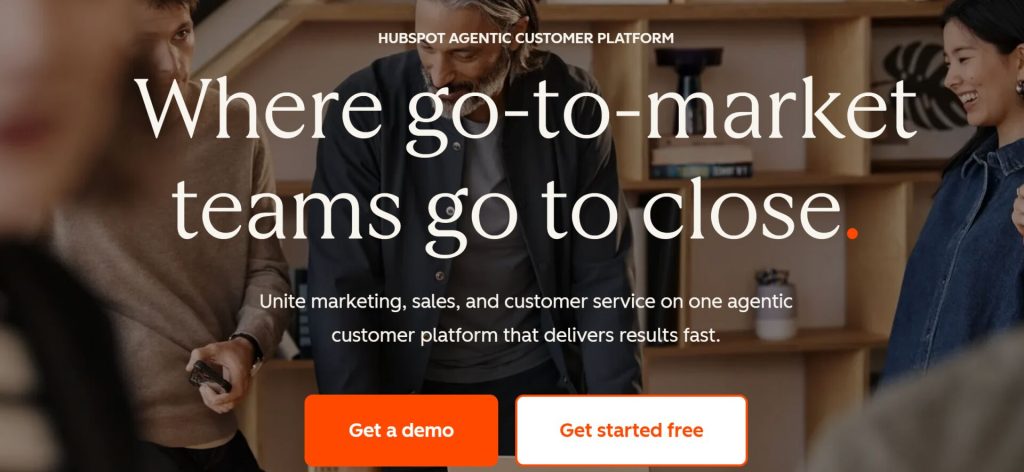
HubSpot for WooCommerce connects your store to HubSpot’s free CRM tier. You do not manage customers inside WordPress with this one. Instead, the plugin syncs your data to HubSpot’s external dashboard where you handle your marketing and sales.
The integration plugin is free, and so is HubSpot’s base CRM. But HubSpot runs on a freemium model. The free tier is good enough to get started, though advanced marketing automation requires paid plans starting at $20 per month.
What you get for free
- Contact and order sync: Your WooCommerce customers and their order history sync to HubSpot automatically. New orders update in real time.
- Abandoned cart tracking: The plugin tracks when a logged-in user leaves items in their cart. You can then use HubSpot to send reminder emails.
- Ad targeting: Connect your HubSpot account to Facebook, Instagram, LinkedIn, and Google Ads to build audiences from your purchase data.
- Deal pipeline: HubSpot’s free tier has one deal pipeline so you can track sales stages visually.
Who is this for?
HubSpot makes sense if you plan to scale into a larger marketing operation and do not mind your data living on external servers. The free tier caps at 1,000 contacts (for accounts created after September 2024), so growing stores will hit that limit fairly quickly. But for a small store just getting started with CRM, it is a polished platform with a clean interface.
- Active installations: 7,000+ (WooCommerce plugin)
- Rating: 3.9 out of 5 stars on WordPress.org
- Free tier limits: 1,000 contacts, 2 users, 2,000 marketing emails per month. Email and landing pages carry HubSpot branding.
6. Brevo
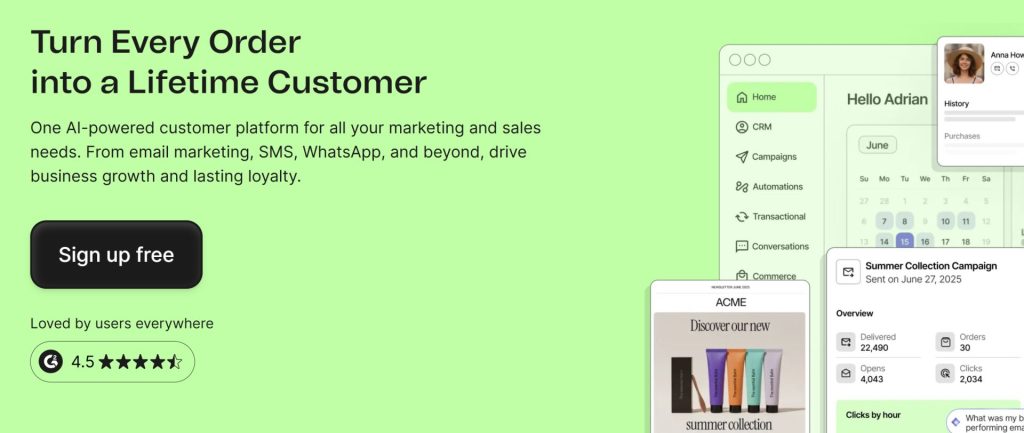
Brevo (formerly Sendinblue) is a cloud-based marketing platform with a free WooCommerce plugin that syncs your store data in real time. The big difference from most cloud CRMs: Brevo’s free plan has unlimited contact storage. You pay based on email volume, not how many customers you have.
The WooCommerce plugin is quick to install and starts syncing your existing customers and orders right away. It also places a tracking script on your store so you can see customer behavior like product views, cart updates, and purchases.
What you get for free
- Unlimited contacts: Store as many customers as you want without hitting a cap. Very few free CRM plans do this.
- Real-time WooCommerce sync: New customers and orders sync to your Brevo dashboard automatically as they happen.
- Email campaigns: Send up to 300 emails per day (roughly 9,000 per month) using their drag-and-drop editor and templates.
- Marketing automation: The free plan has basic automation for up to 2,000 contacts, which lets you set up simple workflows.
- Live chat: Brevo’s Conversations feature (live chat) is free for one user, so you can chat with visitors directly on your store.
Who is this for?
Brevo suits store owners who want a multi-channel marketing tool without paying per contact. The unlimited contact storage on the free plan beats both HubSpot and MailPoet in that regard. The daily email limit of 300 is the main constraint, but for a small store sending weekly newsletters, that is usually enough. If you later need SMS marketing, WhatsApp campaigns, or advanced automation, Brevo’s paid plans start at $9 per month.
- Active installations: 100,000+ (WooCommerce plugin)
- Rating: 4.5 out of 5 stars on G2
- Free tier limits: 300 emails per day, unlimited contacts, 1 user, Brevo branding in emails.

7. Omnisend
Omnisend is an omnichannel marketing platform built for ecommerce stores. It supports email, SMS, web push notifications, and WhatsApp in a single dashboard. What surprised me about Omnisend is that the free plan gives you access to all features. The only limits are on volume: 250 contacts and 500 emails per month.
The WooCommerce plugin syncs customer data, order history, and product catalog automatically. Pre-built automation workflows cover welcome series, abandoned cart recovery, browse abandonment, post-purchase follow-ups, and win-back campaigns. You do not need to build anything from scratch.
What you get for free
- All features unlocked: Unlike most platforms, Omnisend does not gate features behind paid plans. You get automation workflows, segmentation, A/B testing, and signup forms on the free plan.
- Pre-built ecommerce workflows: Ready-to-use automation for abandoned carts, welcome series, post-purchase follow-ups, and win-back campaigns.
- Email and SMS together: The free plan has 60 international SMS credits alongside the 500 email sends per month.
- Web push notifications: Send up to 500 browser push notifications per month at no cost.
- 24/7 support: Live chat and email support is available on all plans, including free.
Who is this for?
Omnisend works well for store owners who want to test omnichannel marketing without committing to a paid plan. The 250-contact limit on the free tier means you will outgrow it quickly, but having access to every feature during that testing phase is valuable. If you like what you see, the Standard plan starts at $16 per month for 500 contacts.
- Active installations: 50,000+ (WooCommerce plugin)
- Rating: 4.6 out of 5 stars on G2
- Free tier limits: 250 contacts, 500 emails per month, 60 SMS credits, Omnisend branding in emails.
8. Agile CRM
Agile CRM is a cloud-based all-in-one platform that combines sales, marketing, and helpdesk tools in a single dashboard. The free tier supports up to 10 users and 1,000 contacts, which is more generous than most competitors. It also has a free WooCommerce plugin that syncs your store data to your Agile CRM account.
What makes Agile CRM different is the range of features packed into the free version. Most free CRMs do one thing well. Agile CRM gives you email campaigns, a helpdesk with canned responses, appointment scheduling, and a landing page builder, all at no cost. That is a lot of stuff for zero dollars.
What you get for free
- WooCommerce contact sync: The official plugin syncs your WooCommerce customers to Agile CRM automatically. You can configure it to sync on order creation and track purchase behavior.
- Email campaigns: Send up to 5,000 branded emails per month to your contact list.
- Helpdesk and ticketing: Manage customer support requests with groups, canned responses, and a ticketing system.
- Appointment scheduling: Let customers book meetings or calls directly through your scheduling page.
- Lead scoring and deals: Track leads through a visual pipeline and score them based on engagement.
Who is this for?
Agile CRM is a strong choice for very small teams that want sales, marketing, and support tools bundled together without paying for separate platforms. The 10-user limit on the free plan is unusually generous. The main trade-off is that the free version only supports one plugin integration, so you have to choose between WooCommerce and other tools. Paid plans start at $8.99 per user per month.
- Active installations: 10,000+ (WooCommerce plugin)
- Free tier limits: 10 users, 1,000 contacts, 1 plugin integration, 5,000 branded emails per month.
9. Growffinity CRM
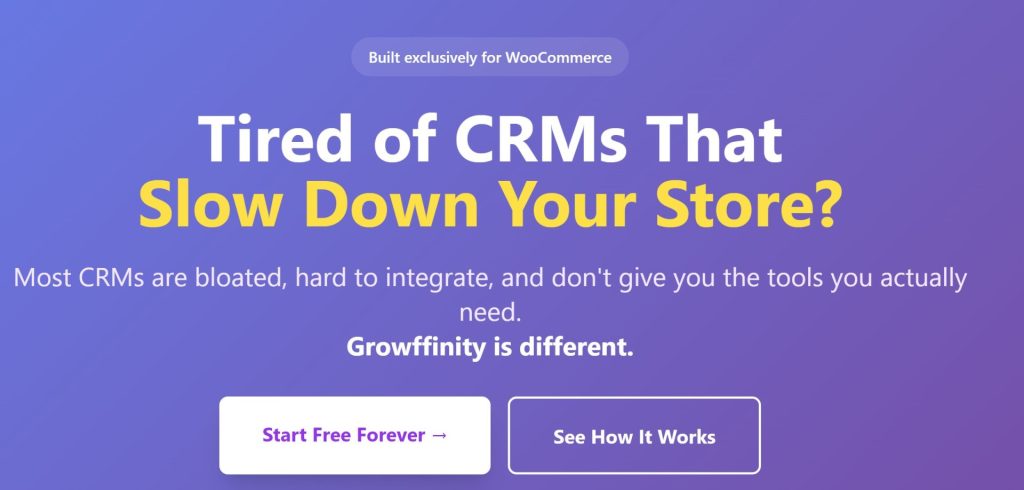
Growffinity is a cloud-connected CRM that syncs your WooCommerce customers and orders to an external dashboard. It is a freemium tool based on customer count. The setup is fast, and the interface is simpler to navigate than platforms like HubSpot or Salesforce.
If larger CRM platforms overwhelm you with their endless menus and complicated terminology, Growffinity is a cleaner alternative. It sticks to the basics without burying you in features you will not use.
What you get for free
- One-click automatic syncing: Install the plugin, connect your free account, and your historical WooCommerce orders sync over automatically.
- Real-time updates: When a customer makes a purchase, their profile in the Growffinity dashboard updates instantly. No manual sync button needed.
- Customer segments: Build basic customer segments based on order history and behavior, even on the free tier.
- Basic analytics: View simple reports on customer activity and store performance from the external dashboard.
Who is this for?
Growffinity works well for store owners who want a clean external dashboard for managing their first few hundred sales. The 350-customer limit on the free plan means you will likely need to upgrade as your store grows. But for a brand-new shop that wants to get up and running in five minutes, it is worth a look. Paid plans start at $29 per month for up to 1,000 customers.
- Active installations: Fewer than 10 (newer plugin)
- Free tier limits: 350 customers, 1 WooCommerce store, basic analytics.
Comparison of the 9 Free CRM for WooCommerce Store Plugins
This table compares all nine tools side by side, with the biggest differences in free limits, data storage, and standout features.
| CRM Tool | Free Contact Limit | Data Storage | Key Free Feature | Best For |
|---|---|---|---|---|
| CRMlytics | Unlimited | Your server (native WP) | Predictive health scores and RFM segmentation | Customer analytics and churn prevention |
| Jetpack CRM | Unlimited | Your server (native WP) | Client portals and invoicing | B2B sales, quotes, and billing |
| FunnelKit Automations Lite | Unlimited | Your server (native WP) | Abandoned cart recovery and visual workflow builder | Cart recovery and post-purchase emails |
| MailPoet | 1,000 | Your server (native WP) | WooCommerce email customizer and automated store emails | Email newsletters and transactional emails |
| HubSpot for WooCommerce | 1,000 | Cloud (HubSpot servers) | Abandoned cart tracking and ad targeting | Scaling into enterprise marketing |
| Brevo | Unlimited | Cloud (Brevo servers) | 300 emails per day and live chat | Budget-friendly multi-channel marketing |
| Omnisend | 250 | Cloud (Omnisend servers) | All features unlocked, email plus SMS plus push | Testing omnichannel marketing for free |
| Agile CRM | 1,000 | Cloud (Agile servers) | Helpdesk, appointment scheduling, and lead scoring | Small teams needing all-in-one tools |
| Growffinity CRM | 350 | Cloud (Growffinity servers) | One-click sync and simple dashboard | Beginners who want a fast setup |
Analytical vs Operational CRMs: What Is the Difference?
These nine tools fall into two broad categories. Understanding the difference matters when picking a free CRM for WooCommerce, because the category you choose shapes what you can actually do with the tool.
Operational CRMs do the work. They send emails, build automation workflows, generate invoices, and manage support tickets. FunnelKit, MailPoet, HubSpot, Omnisend, Brevo, Jetpack CRM, and Agile CRM all fall into this group. They are good at executing tasks, but you have to decide who to target and when.
Analytical CRMs generate insights from your data. They do not send emails or build landing pages. Instead, they crunch your order history to surface patterns you would not spot on your own. CRMlytics is the only tool on this list in this category. It uses machine learning to tell you which customers are likely to leave and how many orders each person will place in the coming months.
A lot of store owners use both. An analytical CRM tells you who needs attention, and an operational CRM handles the outreach. For example, you might use CRMlytics to find a group of customers with high churn risk, export that segment to a CSV, and upload it to MailPoet or Brevo for a targeted win-back campaign.
How to Choose the Right Free CRM for Your WooCommerce Store
The right tool depends on what you need most right now. With nine plugins on this list, I would break it down like this:
- You want to understand your customers better: Pick CRMlytics. The predictive analytics, health scores, and RFM segmentation give you insights that usually cost hundreds of dollars per month on other platforms.
- You need to send invoices and manage B2B relationships: Pick Jetpack CRM. The client portals and quote builder are built for service-based and wholesale businesses.
- You want to recover abandoned carts without paying: Pick FunnelKit Automations Lite. The free version has a working abandoned cart workflow, which most competitors charge for.
- Email newsletters are your main marketing channel: Pick MailPoet. The WooCommerce email customizer and built-in sending service make it the best free option for email-focused stores.
- You plan to grow into a large marketing operation: Pick HubSpot for WooCommerce. The free tier has limits, but it connects you to one of the biggest marketing ecosystems available.
- You want unlimited contacts on a cloud platform: Pick Brevo. No other free cloud CRM on this list gives you unlimited contact storage.
- You want to test every feature before committing: Pick Omnisend. The free plan unlocks all features, so you can test automation workflows, SMS, and push notifications before spending anything.
- You need sales, marketing, and support in one place: Pick Agile CRM. The 10-user free tier with helpdesk and appointment scheduling is hard to beat for small teams.
- You want the simplest possible setup: Pick Growffinity. Install the plugin, connect your account, and you are done in under five minutes.
Wrapping Up: Which Free CRM Should You Pick?
You do not need a big budget to start managing your customers properly. Every tool on this list has a working free CRM connection to WooCommerce that pulls in your store data without costing anything. Whether you want deep predictive analytics, abandoned cart recovery, or a simple contact dashboard, one of these will fit.
If I had to pick one starting point, I would install CRMlytics for the customer intelligence and pair it with FunnelKit Automations Lite or MailPoet for email outreach. That combo gives you the “who to target” data and the “how to reach them” tools, and both are free.
Pick a tool from this list, connect it to your store, and see what your customer data has been trying to tell you.