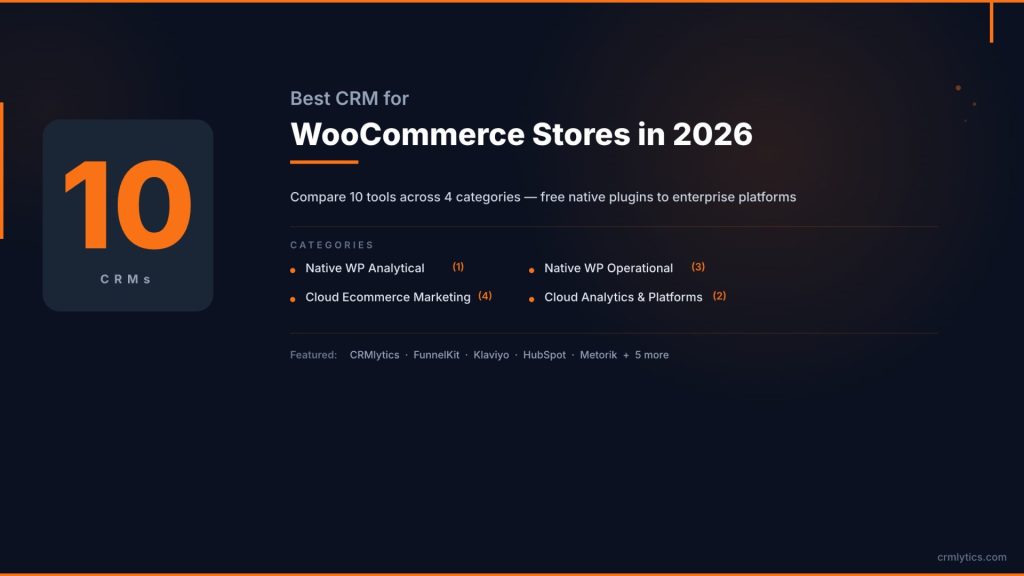
Best CRM for WooCommerce Stores in 2026 (10 Tools Compared)
Most WooCommerce store owners start tracking customers in a spreadsheet. Then the list hits a few hundred names, then a thousand. Suddenly you don’t know who buys what, who’s about to leave, or where your next sale is coming from.
That’s when you start hunting for the best CRM for WooCommerce stores. The market splits into two very different worlds: cloud platforms that lock your data behind monthly fees that climb as you grow, and native WordPress plugins that keep everything on your own server.
I tested and compared the CRMs that actually do something useful with your WooCommerce order data, not the ones that give you a pretty contact list and call it a day.
What to Look for in a WooCommerce CRM
Finding the best CRM for WooCommerce stores means looking past the sales pages and checking whether a tool actually reads your order history or just imports names and emails. Here’s what matters.
- Real WooCommerce data, not just contacts. Does it pull in order history, purchase frequency, and product data? A generic CRM that only syncs names and emails won’t help you understand your customers.
- Pricing model that fits your size. Per-contact pricing works fine at 500 customers. At 10,000, it can cost more than your hosting. Flat-rate or free options matter as you scale.
- Native plugin vs cloud platform. A native WordPress CRM keeps your customer data on your server. A cloud platform syncs it externally. Both have trade-offs.
- Type of CRM. Operational CRMs run workflows and send emails. Analytical CRMs predict churn and segment customers. You may need both as your store grows.
Quick Comparison: The Top 10 CRMs at a Glance
| CRM | Type | Hosting | Starting Price | Best For |
|---|---|---|---|---|
| CRMlytics | Analytical CRM | Native WP | Free | Predicting churn and customer health scores |
| Klaviyo | Marketing CRM | Cloud | Free / $20/mo | Deep email and SMS revenue attribution |
| ActiveCampaign | Marketing + Sales CRM | Cloud | $49/mo | Complex automation and sales pipelines |
| FunnelKit Automations | Operational CRM | Native WP | Free / $99.50/yr | Abandoned cart recovery in WordPress |
| FluentCRM | Operational CRM | Native WP | $129/yr | Email marketing without contact fees |
| Drip | Ecommerce CRM | Cloud | $39/mo | Behavior-based email automation |
| Brevo | Multi-channel CRM | Cloud | Free / $9/mo | Budget email and SMS for large lists |
| HubSpot | All-in-One CRM | Cloud | Free / $20/mo | Marketing, sales, and support in one |
| Metorik | Analytics Platform | Cloud | $25/mo | Deep reporting and profit tracking |
| Groundhogg | Operational CRM | Native WP | $20/mo | Developer and agency control |
1. CRMlytics
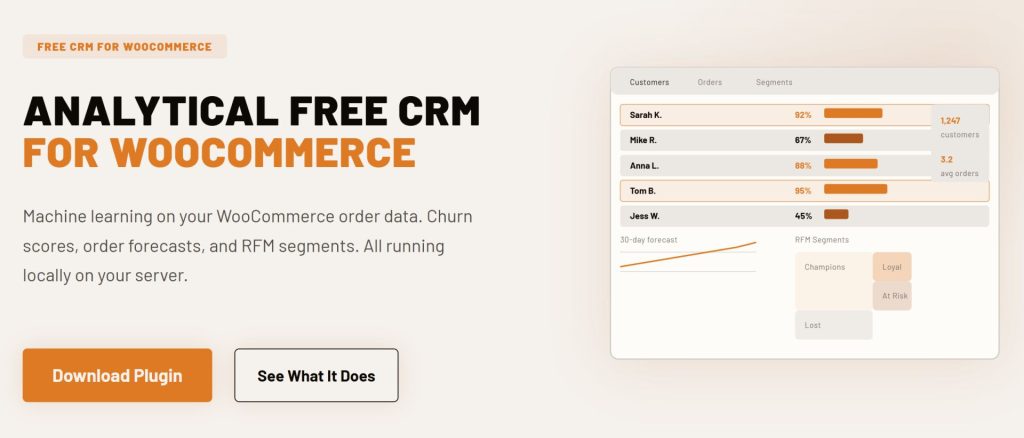
CRMlytics takes a different path from every other tool on this list. It is a native analytical CRM built specifically for WooCommerce that tells you who is about to stop buying before they go silent.
Instead of building email workflows or recovering abandoned carts, CRMlytics reads your complete WooCommerce order history and runs predictive models directly on your server. Your customer data never leaves your WordPress database.
Key Features
- Predictive Churn Risk: Every customer gets a health score from 0 to 100. See who is slipping into critical territory before revenue walks out the door.
- Expected Future Orders: The plugin estimates how many orders each customer will place in the next 30, 90, and 180 days.
- Automatic RFM Segmentation: Customers are sorted into actionable segments like Champions, Loyal, At Risk, and Lost based on their actual buying patterns.
- Smart Tags: Tags apply and remove themselves automatically as customer behavior changes. No manual list maintenance.
- Built-in Email Campaigns: Target individuals, custom segments, or tagged groups with click tracking that feeds back into each customer’s timeline.
- 100% Data Sovereignty: Everything processes locally on your server. No API keys, no external syncing, no monthly subscription for number crunching.
Pricing
- Free: Completely free with no paid tiers, no contact limits, and no feature gating. Available on the WordPress.org plugin directory.
Pros
- Enterprise-grade predictive analytics at zero cost.
- You own all your customer data. Nothing syncs to a third party.
- Works with your existing WooCommerce order history immediately after activation.
Cons
- No visual drag-and-drop workflow builder for complex marketing automations.
- Does not include SMS marketing or abandoned cart recovery.

2. Klaviyo
Klaviyo is the heavyweight champion of ecommerce marketing. It is a cloud-based CRM built from the ground up for stores that drive serious revenue through email and SMS.
Where Klaviyo dominates is in segmentation depth and revenue attribution. You can build lists based on hyper-specific behaviors like “bought product X in the last 30 days but not product Y.” Then Klaviyo tells you exactly how much revenue each email and SMS generated.
Smile Brilliant, a WooCommerce store selling oral care products to nearly 1 million customers, drove a 47% year-over-year increase in automated revenue after switching to Klaviyo and reported a 39x return on their platform investment.
Key Features
- Best-in-Class Segmentation: Filter by purchase history, browsing behavior, predicted customer lifetime value, and custom properties.
- Predictive Analytics: AI-powered churn risk predictions and expected next order dates on higher plans.
- Pre-built Ecommerce Flows: Ready-to-use templates for abandoned cart recovery, post-purchase follow-ups, win-back campaigns, and welcome series.
- Revenue Attribution: Clear dashboards showing exactly what each campaign and flow contributed to your bottom line.
- Unified Email and SMS: Manage both channels from one platform with shared segments and automation triggers.
Pricing
- Free Tier: Up to 250 active profiles, 500 emails per month, and 150 SMS credits.
- Paid Plans: Start at $20/month for 500 profiles. Scales aggressively: about $150/month for 10,000 profiles, roughly $700/month for 50,000 profiles.
Pros
- The deepest WooCommerce order data integration in the cloud CRM space.
- Revenue attribution reporting is accurate and immediately actionable.
- Pre-built flows get you from install to active campaigns fast.
Cons
- Pricing scales steeply. Growing your list past 10,000 contacts gets expensive fast.
- Inactive profiles still count toward your bill unless you actively clean your list.
- Your customer data lives on Klaviyo’s servers, not your own.
3. ActiveCampaign
ActiveCampaign straddles the line between a marketing automation powerhouse and a full CRM. While Klaviyo is laser-focused on ecommerce, ActiveCampaign is the better pick if your business has a wholesale or B2B side, needs a real sales pipeline, or requires branching automation logic that simpler tools can’t handle.
With over 3,500 verified reviews and a 4.5 out of 5 rating on G2, it is one of the highest-rated platforms in the CRM category. Its visual automation builder has more than 950 pre-built recipes, making it the most flexible workflow tool in this list.
Key Features
- Advanced Visual Automation: Build complex conditional workflows with splits, waits, and actions that go far beyond simple email sequences.
- Built-in CRM and Sales Pipelines: Manage deals, B2B accounts, and retail customers from one place.
- Predictive Sending: Analyzes each contact’s behavior to send emails at the exact time they are most likely to open.
- Site and Event Tracking: Follow what visitors do on your store and trigger automations based on browsing behavior.
- Multi-Channel: Email, SMS (add-on), landing pages, and site messaging in one hub.
Pricing
- Starter: $49/month for 1,000 contacts with basic automation.
- Plus (Includes CRM): Starts at $79/month for 1,000 contacts.
- Professional: $119/month for 1,000 contacts with advanced segmentation and attribution.
- Enterprise: Custom pricing with dedicated support and SSO.
Pros
- The visual automation builder is the most flexible in its class.
- Often 30 to 40 percent cheaper than Klaviyo for large contact lists.
- Works well for stores that also handle B2B sales or wholesale accounts.
Cons
- The ecommerce segmentation is not as deep or intuitive as Klaviyo’s.
- The interface can feel dense because of the sheer number of features.
- Contact-based pricing means your costs still climb as your list grows.
4. FunnelKit Automations
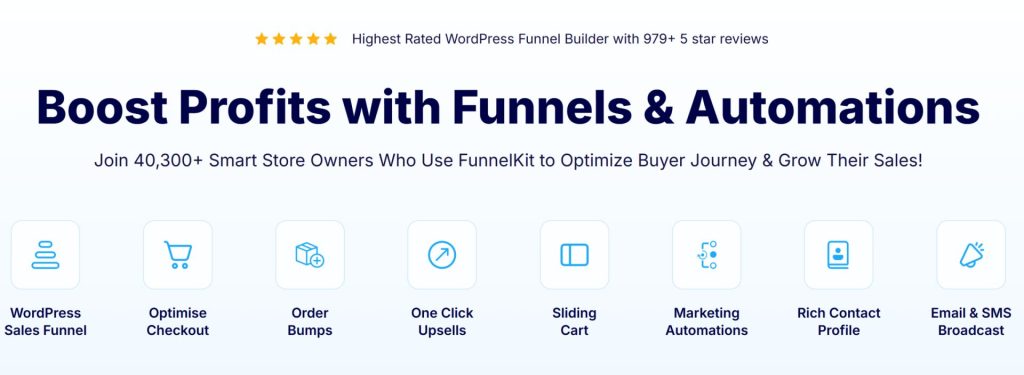
FunnelKit Automations (formerly Autonami) is a self-hosted operational CRM built specifically for WooCommerce. Over 40,000 stores use it and it holds a 4.9 out of 5 rating on WordPress.org from nearly 1,000 reviews.
It is the native WordPress answer to cloud marketing automation, giving you a visual workflow builder right inside your WordPress dashboard. You own the data, you own the automation, and there are no monthly contact fees.
Key Features
- Abandoned Cart Recovery: Pre-built workflows that trigger when someone adds a product to their cart but does not check out.
- Visual Automation Builder: Drag-and-drop canvas to design email and SMS sequences directly in WordPress.
- Deep Order Sync: Contact profiles auto-populate with complete order history, items purchased, coupon usage, and average order value.
- Customer Journey Tracking: See what automations each contact entered, on what date, their engagement, and current status.
- A/B Testing: Available when bundled with the FunnelKit Funnel Builder for testing checkout flows and upsells.
Pricing
- Lite: Free version with real WooCommerce triggers and basic automation.
- Standalone: $99.50 per year for 1 site with unlimited contacts and full automation.
- Bundle (with Funnel Builder): $249.50 per year for the complete suite.
Pros
- Flat yearly pricing with no contact limits or per-email fees.
- All customer data stays on your own server.
- The workflow builder is intuitive and designed for WordPress users.
Cons
- No predictive analytics or churn risk scoring.
- You need to set up your own SMTP service like Amazon SES or SendGrid for reliable email delivery.
5. FluentCRM
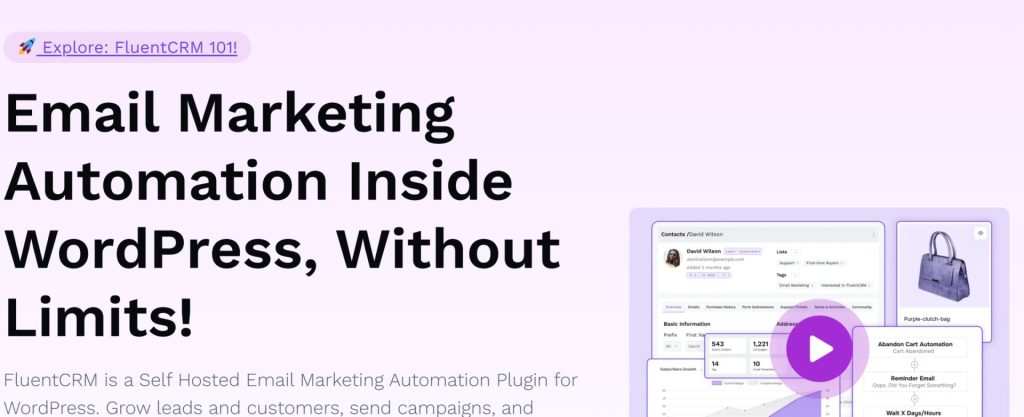
FluentCRM is the most popular self-hosted WordPress CRM plugin, with over 70,000 active installations. It focuses on email marketing and contact management from inside your WordPress dashboard with a clean, modern interface.
WPFcom built a case study showing how they streamlined their entire email marketing operation using FluentCRM, cutting their previous Mailchimp costs entirely while keeping all customer data on their own server.
Key Features
- 360-Degree Contact Overview: See emails, purchase history, form submissions, and engagement data in a single profile.
- Unlimited Contacts: You pay for the software, not the size of your customer list.
- Smart Segmentation: Tag and segment users based on WooCommerce purchase behavior, email engagement, and custom rules.
- Email Sequences: Build automated welcome series, drip campaigns, and re-engagement flows.
- 45+ Free Integrations: Works with popular form plugins, membership tools, and learning management systems.
Pricing
- Free Version: Basic contact management with limited sequences and automations. WooCommerce data sync requires Pro.
- Pro (Solo): $129 per year for 1 site with unlimited contacts and all features.
- Small Business: $249 per year for 5 sites.
- Agency: $499 per year for 50 sites.
Pros
- Extremely budget-friendly for stores with large customer lists.
- Deep integration with WooCommerce and other WordPress ecosystem plugins.
- Data stays 100 percent on your server with no external syncing.
Cons
- The free version’s WooCommerce features are limited. Most stores need the Pro plan.
- No predictive analytics, churn scoring, or expected future order estimates.
- You need to configure your own SMTP provider for reliable email delivery.
6. Drip
Drip is a cloud-based ecommerce CRM built entirely around behavioral email automation. It positions itself as a friendlier, more accessible alternative to Klaviyo, especially for mid-size direct-to-consumer brands.
Nifty Gifts, a gift retailer, increased their revenue by 77 percent in their first two months with Drip. Their best-performing cart recovery flow drove a 30 percent higher average order value, and new customers who went through the welcome flow spent 48 percent more than those who shopped on the site alone.
Key Features
- Dynamic Segmentation: Filter by purchase history, RFM data, browsing behavior, and lifecycle stage.
- Visual Workflow Builder: Clean canvas for building multi-step ecommerce automations without complexity.
- Onsite Campaigns: Built-in pop-ups, bars, and embedded forms to capture leads and reduce cart abandonment.
- Single Feature Set: Every pricing tier unlocks all features. You do not pay more for advanced tools.
- Sub-Accounts: Manage multiple stores or brands from one Drip account with no extra charge.
Pricing
- 2,500 contacts: $39 per month with unlimited email sends and up to 50 workflows.
- 10,000 contacts: $154 per month.
- 50,000 contacts: $699 per month.
- No free plan: 14-day free trial only.
Pros
- All features are included on every plan. No upgrade needed for advanced tools.
- The workflow builder is easier to learn and navigate than Klaviyo’s.
- Deep behavioral tracking goes beyond just purchases to browsing and engagement.
Cons
- $39 per month is steep for brand-new stores just getting started.
- Pricing climbs sharply past 5,000 contacts. At 100,000 contacts, it reaches $1,199 per month.
- Email marketing only. No built-in SMS capabilities.
7. Brevo
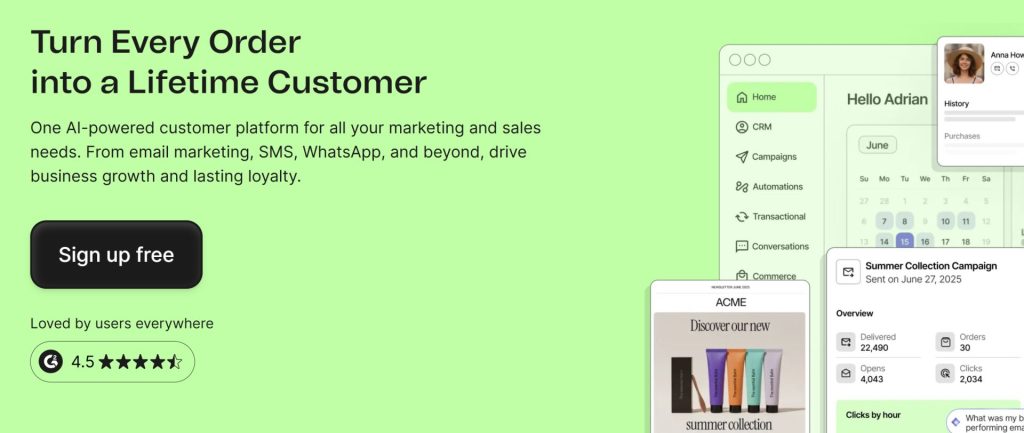
Brevo (formerly Sendinblue) takes the most budget-friendly approach to CRM pricing. Instead of charging per contact like every other cloud platform, Brevo charges based on how many emails you send.
That distinction matters if you have a large customer list but do not blast emails every day. More than 500,000 business accounts use Brevo, and it holds a 4.5 out of 5 rating on G2 from over 2,300 reviews.
Key Features
- Multi-Channel: Email, SMS, WhatsApp, web push notifications, and a live chat widget from one platform.
- Transactional Emails: Built-in SMTP relay for order confirmations, shipping updates, and password resets.
- Unlimited Contacts: Store as many customer profiles as you want on the free plan. You pay per email sent, not per contact.
- Marketing Automation: Visual workflow builder for cart recovery, welcome emails, and re-engagement sequences.
- Contact Scoring: RFM and customer lifetime value scoring available on the Professional plan.
Pricing
- Free: 300 emails per day to unlimited contacts with basic templates and segmentation.
- Starter: $9 per month for 5,000 emails per month and no daily limit.
- Standard: $18 per month for 5,000 emails with automation and A/B testing.
- Professional: $499 per month for 150,000 emails with advanced segmentation, RFM scoring, and multi-channel.
Pros
- The per-email pricing model can save 60 to 80 percent compared to per-contact platforms if your list is large.
- Transactional emails and SMTP are included out of the box.
- Multi-channel support covers email, SMS, WhatsApp, and live chat in one subscription.
Cons
- The WooCommerce integration is shallower than dedicated ecommerce CRMs like Klaviyo or Drip.
- Advanced features like RFM scoring require the Professional plan at $499 per month.
- Email deliverability can be inconsistent on lower plans compared to dedicated sending services.
8. HubSpot
HubSpot is the enterprise heavyweight of the CRM world. It unifies marketing, sales, and customer service into one platform, making it the best fit for stores that have dedicated teams and complex operations.
HubSpot has 288,706 customers as of December 2025 and a 4.4 out of 5 rating on G2 from over 12,000 verified reviews. The free CRM tier is genuinely useful for contact management, but the paid tiers come with a significant jump in cost.
Key Features
- All-in-One Ecosystem: Marketing Hub, Sales Hub, and Service Hub talk to each other seamlessly from one login.
- Free CRM: Contact management, deal pipeline, live chat, meeting scheduling, and 2,000 marketing emails per month at no cost.
- Helpdesk and Ticketing: Full customer support ticket management linked to contact records.
- Ad Management: Built-in tools for Facebook, Instagram, LinkedIn, and Google Ads targeting.
- Massive App Marketplace: Thousands of integrations including multiple WooCommerce connector options.
Pricing
- Free CRM: Up to 1,000 contacts with basic tools and HubSpot branding.
- Marketing Starter: $20 per month for 1,000 marketing contacts.
- Marketing Professional: $890 per month for 2,000 contacts with automation, A/B testing, and analytics.
- Marketing Enterprise: $3,600 per month for 10,000 contacts with advanced attribution and custom reporting.
Pros
- The best user interface and experience in the CRM industry.
- Excellent for businesses that have both B2B sales and direct retail.
- The free CRM is genuinely powerful for contact management and basic pipeline tracking.
Cons
- It is a general-purpose CRM adapted for ecommerce, not purpose-built for WooCommerce.
- The pricing cliff from Starter ($20/mo) to Professional ($890/mo) is the most aggressive in the industry.
- Syncing WooCommerce data often requires a third-party connector plugin rather than working natively.
9. Metorik
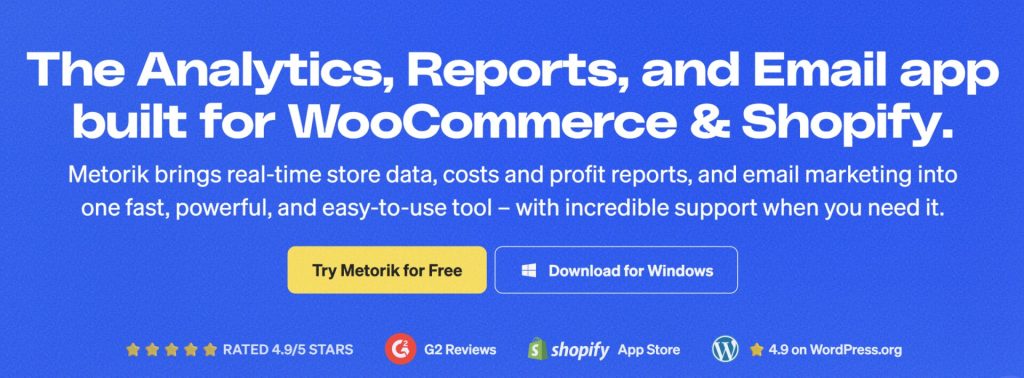
Metorik is not a traditional email-sending CRM. It is a powerful ecommerce analytics and reporting platform that plugs into WooCommerce and gives you an external dashboard that is significantly faster and more detailed than the built-in WooCommerce reports.
Metorik’s strength is in its 500-plus segmentation filters and profit tracking. It accurately calculates Cost of Goods Sold and net margins, something no other tool on this list does natively. It also supports connecting multiple stores under one subscription.
Key Features
- Deep Analytics: Revenue reports, customer reports, cohort analysis, product analytics, and cart and checkout reports.
- Advanced Segmentation: Filter customers by hundreds of different metrics to find your best and worst-performing segments.
- Profit Tracking: Tracks COGS and net margins so you know your real profitability, not just top-line revenue.
- Metorik Engage (Add-on): Send automated emails based on your advanced customer segments.
- Multi-Store: One subscription covers multiple WooCommerce stores at no extra charge.
Pricing
- Small: $25 per month for up to 100 orders per month with all reports and email tools.
- Medium: $50 per month for up to 500 orders per month.
- Large: $100 per month for up to 2,500 orders per month with advanced segmentation.
- Extra Large: $200 per month for up to 5,000 orders per month.
- Engage Email Add-on: Priced separately based on usage.
Pros
- The analytics interface is dramatically faster and more usable than the native WooCommerce dashboard.
- Profit tracking and 500-plus segmentation filters are unmatched in this space.
- One subscription can connect and manage multiple WooCommerce stores.
Cons
- Pricing is based on order volume. Your bill increases as your store succeeds.
- Email marketing is an add-on, not a core feature. It is an analytics tool first.
- Your store data syncs to Metorik’s cloud servers. It is not self-hosted.
10. Groundhogg
Groundhogg is a self-hosted WordPress CRM built for developers, agencies, and privacy-conscious store owners. It is fully GPL-licensed, meaning you own the code and your data completely.
What sets Groundhogg apart is its grandfathered pricing model. Your renewal price never increases, and the Agency plan includes white-labeling so you can rebrand the CRM for clients. It also has a visual funnel builder that rivals cloud platforms.
Key Features
- Visual Funnel Editor: Modern drag-and-drop builder for multi-step marketing and sales funnels.
- Flat-Rate Pricing: Unlimited contacts and unlimited emails on all paid plans.
- Sales Pipeline: Basic deal tracking with customizable stages for B2B or wholesale operations.
- White-Labeling: Agency plan lets you rebrand the entire CRM interface for client work.
- Open Source (GPL): Full access to the codebase. Modify and extend as needed.
Pricing
- Basic: $20 per month billed annually with unlimited contacts and emails.
- Pro: $50 per month with WooCommerce integration, SMS, and advanced reporting.
- Agency: $100 per month with white-labeling, partner certification, and commission program.
Pros
- Complete data ownership with open-source GPL licensing.
- Grandfathered pricing means your rate is locked in forever.
- Excellent white-label and commission options for agencies managing client stores.
Cons
- The interface, while improved, still feels more developer-oriented than FluentCRM or FunnelKit.
- You are fully responsible for setting up SMTP and maintaining email deliverability.
- Smaller community and fewer third-party integrations compared to FluentCRM or HubSpot.
Which CRM Fits Your Store?
There is no single best CRM for WooCommerce stores that works for everyone. Your choice depends on your store size, how you communicate with customers, and whether you value owning your data or having the deepest cloud features.
- If you want to know who is about to churn before they leave: CRMlytics is the only free tool that gives you predictive health scores and RFM segmentation running locally on your server. It tells you who to target. Pair it with FunnelKit Automations to execute the campaigns on those insights.
- If email marketing drives a large share of your revenue: Klaviyo has the deepest WooCommerce data integration and the best revenue attribution reporting among cloud platforms, but you will pay for it as your list grows.
- If you want a WordPress-native operational CRM with flat annual pricing: FunnelKit Automations at $99.50 per year gives you cart recovery and visual workflows. FluentCRM at $129 per year gives you unlimited email marketing. Both keep your data on your server.
- If you have a large list but do not send high volumes: Brevo’s per-email pricing is the most cost-effective model for stores that store many contacts but email occasionally.
- If you need both B2B sales pipelines and ecommerce marketing: ActiveCampaign or HubSpot handle both sides better than ecommerce-only tools.
- If deep analytics and profit tracking matter most: Metorik gives you the best reporting and cohort analysis outside of building your own data warehouse.
The Two-Tool Setup That Scales
Stores at scale don’t run on one tool. Klaviyo users still rely on Google Analytics for deeper reporting, and ActiveCampaign stores bolt on a separate analytics dashboard. HubSpot shops add dedicated reporting add-ons.
When you’re evaluating the best CRM for WooCommerce stores, the smart move is not to look for one tool that does everything. It is to pick the right operational tool and the right analytical tool and let them complement each other.
The pattern is the same everywhere: an operational tool handles the execution while a separate analytical tool handles the intelligence. Emails and workflows on one side. Who to target, who’s leaving, and where the revenue is going on the other.
For WordPress-native stores, that pairing looks like FunnelKit Automations handling the operational side with its workflow builder and cart recovery, and CRMlytics handling the analytical side with its health scores, churn predictions, and RFM segments. CRMlytics identifies which customers are slipping into At Risk territory, and those segments feed directly into FunnelKit’s triggers for targeted retention campaigns. All of it runs on your own server with no data leaving your WordPress environment.
This is the WordPress-native version of the same architecture that high-revenue stores have used for years. The difference is that now it is free, it is on your server, and it takes about two minutes to set up.