Best CRM with Native WooCommerce Integration (2026)
You run a WooCommerce store. Your customer data lives in WordPress. So why are you paying a SaaS platform $200 a month to copy that data somewhere else?
It’s a question more store owners are asking. The answer usually comes down to one thing: the CRM you picked doesn’t actually run on WordPress. It has a “WooCommerce integration,” but that integration is really just an API connector that ships your order data to servers in Virginia or Frankfurt and charges you per contact for the privilege.
This article is about the other kind. CRMs that are WordPress plugins. Not plugins with a thin WordPress frontend bolted onto a SaaS backend. Actual plugins that install from your dashboard, store everything in your database, and read your WooCommerce data directly. No API keys. No third-party accounts. No data leaving your server.
We tested and compared seven of them. Here’s what we found.
What “Native WooCommerce Integration” Actually Means
Let’s get this out of the way first, because a lot of CRM marketing pages are deliberately vague about it.
A native WooCommerce CRM is a WordPress plugin that reads your WooCommerce data (orders, customers, products) directly from your WordPress database. It runs on your hosting. Your customer records live in your MySQL tables. When a new order comes in, the CRM sees it immediately because it’s querying the same database.
A connector-based CRM (HubSpot, ActiveCampaign, Klaviyo, Metrilo) works differently. You install a WordPress plugin, but that plugin’s job is to push your WooCommerce data to the vendor’s servers via API. The CRM itself lives on their infrastructure. You access it through their website or an iframe embedded in your WordPress admin.
The difference matters for a few reasons:
- Data ownership. With a native CRM, your customer data is in your database. You can export it, back it up, or move it whenever you want. With a connector CRM, your data lives on someone else’s servers, and getting it all back can be a pain.
- Pricing. SaaS CRMs charge per contact. Hit 10,000 contacts and your $29/month plan becomes $149/month. Native CRMs charge a flat annual fee regardless of list size.
- Speed. Native automations fire instantly because there’s no API round-trip. A purchase trigger in FluentCRM executes in milliseconds. The same trigger pushed through a Zapier webhook to ActiveCampaign can take 5 to 15 seconds.
- Privacy. If you serve EU customers, GDPR cares about where data lives. Keeping everything on your own server simplifies compliance considerably.
- No vendor lock-in. Cancel your hosting and you still have your database. Cancel a SaaS CRM and your data disappears after the retention period.
That said, connector CRMs aren’t useless. If you need multi-channel orchestration across email, SMS, push notifications, and direct mail, or if you’re running a large operation with dedicated marketing teams, the SaaS tools have features that native plugins haven’t caught up with yet. But for most WooCommerce stores doing under $5M in annual revenue, a native CRM handles the job and costs a fraction of the price.
The 7 Best Native WooCommerce CRMs
Here are the seven CRMs we’re covering, in order of WooCommerce integration depth:
- FluentCRM (best overall for email automation)
- CRMlytics (Best for data-driven decision-making)
- FunnelKit Automations (best for WooCommerce revenue optimization)
- Jetpack CRM (best for simple contact management and invoicing)
- Mail Mint (best for WPFunnels users)
- Groundhogg (best for developers who want open-source)
- WP ERP (best for businesses that also need HR and accounting)
1. FluentCRM: Best Overall for Email Automation
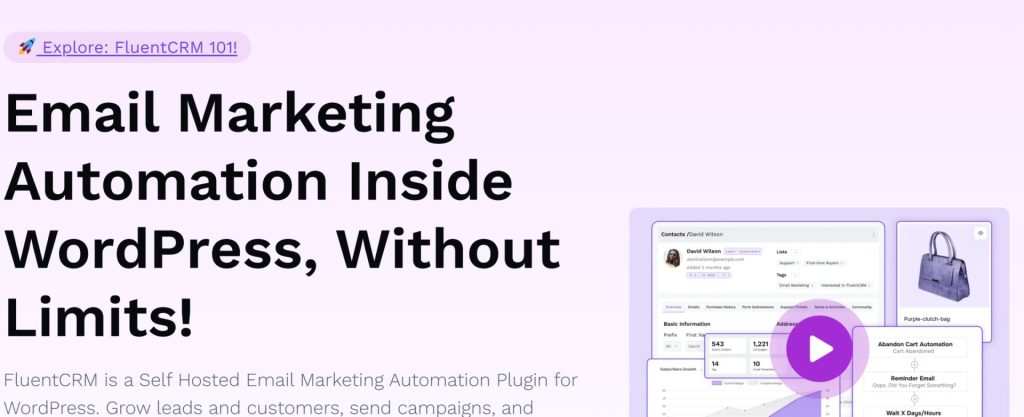
FluentCRM is the most widely used self-hosted CRM in the WordPress ecosystem, with over 70,000 active installs. It’s built by WPManageNinja, the same team behind Fluent Forms. The interface is clean and the feature set is broad.
WooCommerce integration: FluentCRM syncs WooCommerce customers automatically and gives you segmentation by purchased products, product categories, order count, total spent, and lifetime value. You can trigger automations on purchase events, refunds, subscription renewals, and subscription cancellations. The WooCommerce Advanced Reports add-on lets you view sales by product and compare time periods.
Standout features: The visual automation builder is the best in this category. It supports conditional branching, time delays, A/B testing for email subject lines, and dynamic segments that update in real time. There are 45+ native integrations with popular WordPress plugins (LearnDash, MemberPress, AffiliateWP, Gravity Forms, and more). Email analytics include revenue attribution, so you can see which campaigns actually drove sales.
Pricing: Free version available with basic features. Pro starts at $103/year for a single site. No contact limits on any plan.
Best for: WooCommerce stores that want sophisticated email automation without leaving WordPress. If your primary need is “send the right email to the right customer at the right time,” FluentCRM is the safest pick.
Limitation: No built-in abandoned cart recovery. No sales pipeline or deal tracking. If you need either of those, you’ll need to pair it with another tool.
2. CRMlytics: Best WooCommerce CRM for data-driven decision-making
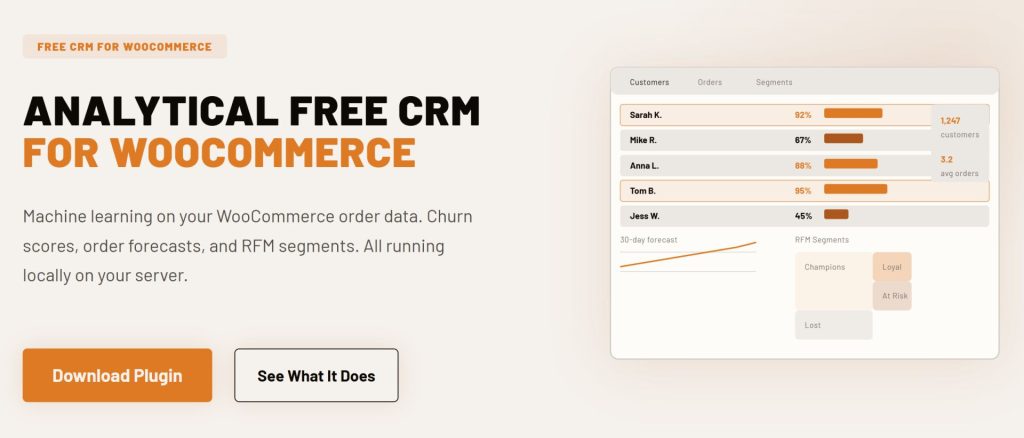
CRMlytics is a data-driven CRM with email campaign capabilities. It combines customer management and predictive analytics (churn prediction, RFM scoring, health scores) with email campaigns that let you target customers by segment or tag. CRMlytics focuses on telling you which customers to target and why, then lets you send campaigns to those segments.
WooCommerce integration: CRMlytics reads your WooCommerce order data directly from the database. It processes every order, calculates purchase metrics, and builds customer profiles with predictive scores. Everything runs locally on your server using a BG/NBD statistical model (the same model used by enterprise analytics platforms like Metrilo and Klaviyo’s higher tiers). Real-time sync hooks into WooCommerce events, and batch sync handles historical data import.
Standout features: Customer management with single-page customer profiles, custom fields and unified timeline per customer. RFM scoring (Recency, Frequency, Monetary) that segments your customers into categories like Champions, Loyal, At Risk, and Lost. Health scores based on churn probability. Expected future order counts per customer. Customer lifetime value predictions. Email campaigns with targeting by segment or tag, plus open and click tracking. All of this runs on your server with no API calls and no external processing.
Pricing: Free. Available on WordPress.org.
Best for: WooCommerce stores that want predictive analytics paired with targeted email campaigns. If you want to take your decision based on data and know which customers are about to churn, which segments drive the most revenue, and then send campaigns to those specific groups, CRMlytics handles both the analysis and the sending in one plugin.
Limitation: Email campaigns are basic (send to a segment/tag, track clicks) rather than complex drip sequences with conditional branching. No abandoned cart recovery.
3. FunnelKit Automations: Best for WooCommerce Revenue Optimization
FunnelKit Automations (formerly Autonami) is part of the FunnelKit suite and was built specifically for WooCommerce. It’s less of a general-purpose CRM and more of a revenue optimization tool that happens to include CRM features.
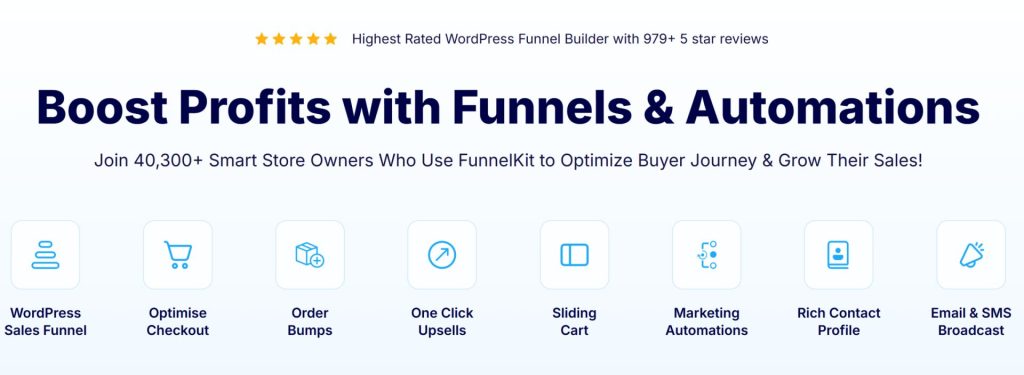
WooCommerce integration: FunnelKit was built around WooCommerce, so the integration goes deeper than most. It understands WooCommerce order data natively: order bumps, one-click upsells, post-purchase sequences, and abandoned cart recovery are all built in. You can trigger automations based on checkout page visits, cart abandonment, order status changes, specific products purchased, and subscription events. It supports HPOS (High-Performance Order Storage) for modern WooCommerce setups.
Standout features: Abandoned cart recovery with customizable email sequences. Order bumps and one-click upsells managed from the same dashboard. CRM contact profiles show purchase history, lifetime value, and order frequency. The visual automation builder handles complex branching logic.
Pricing: Basic plan starts at $99.50/year (funnel builder only). Full Automations Pro with CRM, SMS, and segmentation starts at $249.50/year for up to 3 sites.
Best for: WooCommerce stores where recovering abandoned carts and maximizing average order value through upsells is the priority. If your store’s biggest problem is “people add to cart but don’t buy,” this is your tool.
Limitation: The CRM features feel secondary to the funnel building. If you need robust contact management, detailed email analytics, or integrations with non-WooCommerce tools, FunnelKit falls short. It’s also tightly coupled to the FunnelKit ecosystem.
4. Jetpack CRM: Best for Simple Contact Management and Invoicing
Jetpack CRM is built by Automattic, the company behind WordPress.com, WooCommerce, and Jetpack. It’s been around since 2016 (originally as Zero BS CRM) and has over 30,000 active installs.
WooCommerce integration: The free core includes a WooSync module that automatically syncs WooCommerce orders, customers, and transactions into CRM contact profiles. It also supports PayPal and Stripe sync through paid extensions. Order data flows into contact timelines, so you can see every purchase a customer has made at a glance.
Standout features: Built-in invoicing and quote generation with a client portal where customers can view and pay invoices. B2B mode for tracking company-contact relationships. Contact-centric design with detailed activity timelines. It’s lightweight and doesn’t bloat your WordPress admin.
Pricing: Free core with WooSync included. Freelancer plan at $11/month adds Invoice Pro, PayPal Connect, and basic automations. Entrepreneur plan at $17/month unlocks all extensions. Elite plan at $30/month adds email marketing campaigns.
Best for: Small businesses and freelancers who need a straightforward CRM with invoicing. If you send quotes and invoices to clients alongside running a WooCommerce store, Jetpack CRM handles both without extra plugins.
Limitation: Email automation requires the Elite tier ($30/month), which makes it one of the more expensive options for marketing features. The automation builder is also less sophisticated than FluentCRM’s or Groundhogg’s. It’s a solid contact manager, but not a marketing powerhouse.
5. Mail Mint: Best for WPFunnels Users
Mail Mint is an email marketing and automation plugin by the WPFunnels team. It’s relatively new (launched 2023) but has grown to over 5,000 active installs and is actively developed.
WooCommerce integration: Pro version syncs WooCommerce customers and supports automation triggers for order placed, order failed, status changed, first order placed, and subscription events. It includes abandoned cart recovery with automatic tracking, cart detail recording, and auto-generated coupon codes for recovery emails. You can also customize WooCommerce transactional emails directly from Mail Mint.
Standout features: The visual canvas integration with WPFunnels is unique. You can plan your sales funnel pages and email automation flows on the same visual canvas, which is genuinely useful if you’re already in the WPFunnels ecosystem. The email builder is clean and the automation workflow builder supports conditional flows based on open rates, link clicks, contact details, and segmentation.
Pricing: Free version with 500 subscribers and 5,000 emails/month. Starter at $104.99/year adds WooCommerce integration, sequences, and abandoned cart. Pro at $139.99/year bundles WPFunnels and Checkoutify.
Best for: WooCommerce store owners who already use WPFunnels or want a visual approach to planning funnels and email flows together. Also a solid pick if abandoned cart recovery is important to you but you don’t want FunnelKit’s funnel-heavy approach.
Limitation: Smaller ecosystem with fewer integrations than FluentCRM. The contact management features are basic compared to dedicated CRMs. If you don’t use WPFunnels, the main differentiator disappears and FluentCRM becomes the stronger choice at a similar price.
6. Groundhogg: Best for Developers Who Want Open-Source
Groundhogg is a fully open-source CRM and marketing automation plugin (GPL licensed). It’s been around since 2018 and positions itself as a self-hosted alternative to ActiveCampaign and HubSpot.
WooCommerce integration: Here’s the catch. WooCommerce integration requires either the Pro plan ($600/year) or a separate paid extension. The free version gives you basic contact management and email sending, but the WooCommerce triggers, conditional logic, and advanced segmentation are locked behind the premium tier. Once you’re on Pro, the integration is solid: purchase-based segmentation, order history in contact profiles, and automation triggers for WooCommerce events.
Standout features: Full access to the source code, which matters if you’re a developer who wants to customize behavior or audit what the plugin does with your data. The Flow Editor 4.0 is a capable visual automation builder with conditional branching and A/B testing. SMS support is included. The flat-rate pricing means unlimited contacts and unlimited users.
Pricing: Free core plugin. Basic at $240/year. Pro at $600/year (this is the tier you need for WooCommerce). The jump from free to useful is steep.
Best for: Developers and agencies who want full code access and are comfortable self-hosting. Also good for businesses in regulated industries where auditing the source code is a compliance requirement.
Limitation: The pricing structure is awkward. You need the $600/year Pro plan for WooCommerce integration, which makes it the most expensive option on this list for that specific use case. The free version is too limited to evaluate properly, so you’re essentially buying blind unless you trial the Pro tier.

7. WP ERP: Best for Businesses That Also Need HR and Accounting
WP ERP is the only full ERP system built natively for WordPress. It bundles three modules in the free core: CRM, HR Management, and Accounting. It’s made by weDevs and has been in active development since 2014.
WooCommerce integration: The WooCommerce integration extension syncs customer data, order history, and transactions into both the CRM and accounting modules. Customer life stages update automatically (subscriber to lead to customer). You can assign default contact owners, filter customers by order status, product purchased, or location, and keep CRM and accounting records in sync without manual data entry.
Standout features: The three-module architecture is the draw. When you sync WooCommerce customers, they flow into both the CRM and the accounting module. Payroll entries auto-record into your accounting ledger. There are 20+ paid extensions including Deals (visual sales pipeline), Workflow automation, and integrations with Salesforce, HubSpot, and Mailchimp for contact sync. The free core is genuinely usable for basic CRM and HR.
Pricing: Free core with all three modules. WP ERP Pro at $9.99/month plus $3/user. Extensions are a la carte: WooCommerce Integration at $5.99/month, Deals at $9.49/month, Workflow at $9.49/month.
Best for: Small to medium businesses that need CRM, HR, and accounting managed from one WordPress dashboard. If you’re already juggling separate tools for each, WP ERP consolidates them. The WooCommerce integration is the glue that ties store data to customer records and financial reporting.
Limitation: The CRM module on its own is basic. Contact management works, but there’s no visual automation builder, no email campaign tools, and no marketing features in the free version. The value proposition only makes sense if you actually need all three modules. If you just want a CRM, FluentCRM or Jetpack CRM are better fits.
Comparison Table
| CRM | WooCommerce Sync | Email Campaigns | Abandoned Cart | Analytics | Starting Price | Free Version |
|---|---|---|---|---|---|---|
| CRMlytics | Deep (predictive models) | Yes | No | Predictive churn, RFM, LTV | Free | Yes (fully free) |
| FluentCRM | Deep (products, categories, LTV) | Yes | No | Revenue attribution | $103/yr | Yes |
| FunnelKit Automations | Deep (bumps, upsells, HPOS) | Yes | Yes | Funnel analytics | $99.50/yr | Limited |
| Jetpack CRM | Good (orders, transactions) | Elite tier only | No | Basic | $11/mo | Yes |
| Mail Mint | Good (orders, cart recovery) | Yes | Yes (Pro) | Basic | $104.99/yr | Yes |
| Groundhogg | Pro tier only | Yes | No | Basic | $600/yr (for Woo) | Yes |
| WP ERP | Good (CRM + accounting sync) | Extension | No | Growth reports | $9.99/mo + extensions | Yes |
How to Choose the Right One
The “best” CRM depends entirely on what problem you’re trying to solve. Here’s a quick decision framework:
If your main need is email marketing automation (drip sequences, segmented broadcasts, purchase-triggered emails), start with FluentCRM. It has the largest integration ecosystem, the best automation builder, and the most active community. The free version is good enough to evaluate before committing to Pro.
If abandoned carts and upsells are costing you money, FunnelKit Automations is purpose-built for that. Its WooCommerce integration understands order bumps, one-click upsells, and checkout behavior in ways the general-purpose CRMs don’t. Pair it with FluentCRM if you also need sophisticated email sequences.
If you care about customer retention, figuring out which customers are slipping away and which segments deserve your attention, CRMlytics is the best fit here. It’s built around prediction: churn scores, lifetime value estimates, segment targeting. Campaigns are simple: pick a segment, send, track opens and clicks. And it’s completely free.
If you need a simple CRM with invoicing and don’t care much about marketing automation, Jetpack CRM is the pragmatic choice. The free core handles WooCommerce sync, and the paid tiers are reasonably priced. Being backed by Automattic also means it’s not going anywhere.
If you’re already using WPFunnels, Mail Mint gives you a unified visual canvas for funnels and email flows. The abandoned cart recovery is solid, and the pricing is competitive. Just know that outside the WPFunnels ecosystem, it doesn’t offer much that FluentCRM doesn’t do better.
If you need CRM plus HR plus accounting in one place, WP ERP is the only native WordPress option that covers all three. The WooCommerce integration ties store data to both customer records and financial reporting. Just don’t expect the CRM module alone to compete with FluentCRM on marketing features.
Final Thoughts
Native WooCommerce CRMs are better now than they were five years ago. Back then, the self-hosted options were clunky and missing features that SaaS alternatives had. That gap has mostly closed. FluentCRM, FunnelKit, Jetpack CRM and CRMlytics are mature, well-maintained plugins that handle what most WooCommerce stores need without sending data to a third party.
The biggest mistake we see store owners make is picking the CRM with the longest feature list instead of the one that solves their actual problem. If you’re losing sales to abandoned carts, FunnelKit or Mail Mint will pay for themselves in recovered revenue. If you need to segment customers and send targeted campaigns, FluentCRM is the tool. If you want to predict churn and send data-driven campaigns to the right segments, CRMlytics handles both without costing you anything.
Start with the free versions. Most of these plugins offer capable free tiers that let you evaluate the fit before spending money. Install two or three, import a subset of your WooCommerce data, and see which interface you actually want to use every day. The best CRM is the one you’ll actually open, not the one with the most checkboxes on a comparison page.