Best Native WordPress CRM Plugins for WooCommerce (2026 Comparison)
Most WooCommerce CRMs are not what they seem. A plugin promises deep WooCommerce integration, so you install it and connect your store. But the CRM runs on someone else’s servers. Your customer data gets pushed to the cloud through an API bridge. And your monthly bill grows every time a new customer places an order.
That is not a native CRM. A native WordPress CRM is a plugin that installs from your dashboard, stores everything in your own database, and reads your WooCommerce data directly. No API keys. No third-party accounts. No data leaving your server. If you are searching for the best native WordPress CRM plugins for WooCommerce, you want tools that respect that boundary.
I researched and verified 18 plugins that meet this standard. Every entry includes specific pricing, active installation counts, WordPress.org ratings, and confirmed feature details. I also checked which plugins include WooCommerce sync in their free tier versus locking it behind a paid upgrade. This article covers all of them so you can find the best native WordPress CRM plugins for WooCommerce without wading through affiliate marketing fluff.
What Makes a CRM Native to WordPress?
A native WordPress CRM runs as a plugin on your own hosting. It reads WooCommerce orders, customers, and products straight from your WordPress database. When a new order comes in, the CRM sees it instantly because it is querying the same MySQL tables. Your customer records live in your database, not on someone else’s infrastructure.
Data ownership is the biggest one. With a native CRM, you can export everything, back it up, or move it whenever you want. Cancel a SaaS CRM and your data disappears after the retention period. Pricing is another factor. Native plugins charge a flat annual fee or are completely free. SaaS CRMs charge per contact, so hitting 10,000 customers can turn a $29 plan into $149 overnight. Privacy ties it together. Keeping everything on your server simplifies GDPR compliance considerably.
The 18 plugins below all meet this definition. They install from the WordPress directory. They run on your server. And they work with WooCommerce data natively. Some include WooCommerce sync for free. Others require a paid plan. I have noted which is which so there are no surprises. If you are evaluating the best native WordPress CRM plugins for WooCommerce, this is your starting point.
The 18 Best Native WordPress CRM Plugins for WooCommerce
I sorted these 18 plugins by what they do best. Comparing feature checkboxes is a waste of time. Picking the right category first is faster.
Category A: Predictive Analytics with Email Campaigns
These plugins tell you which customers are about to leave and when they will order next, then let you send emails to the right segments. Only one plugin in the best native WordPress CRM plugins for WooCommerce list falls into this category.
1. CRMlytics
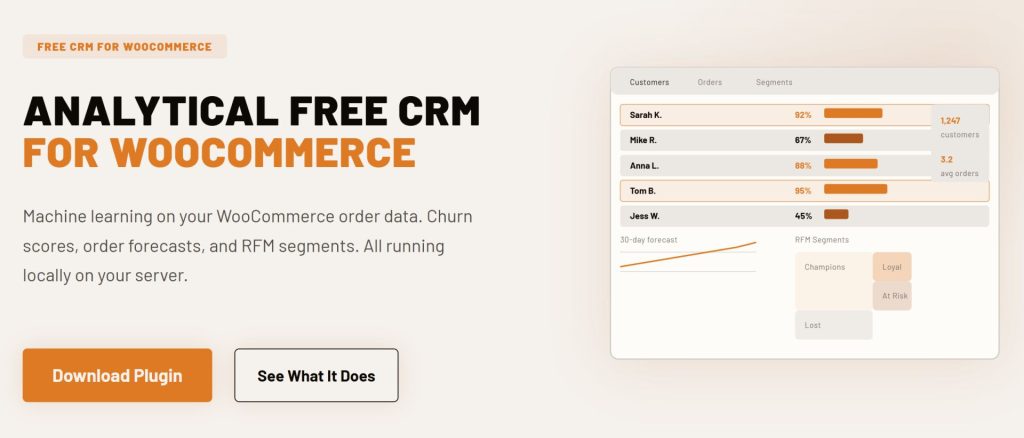
CRMlytics is an analytical CRM that runs machine learning models directly on your server. It does not try to replace your email automation tool. Instead, it tells you exactly who needs attention and why. Every customer gets a health score from 0 to 100 based on their buying rhythm. Customers below 40 are at critical risk of churning. The system uses the BG/NBD statistical model to calculate these scores, the same framework that enterprise platforms like Klaviyo use at their higher pricing tiers.
Beyond churn prediction, CRMlytics calculates RFM scores (Recency, Frequency, Monetary) automatically and sorts customers into segments like Champions, Loyal, At Risk, and Lost. It also forecasts how many orders each customer will place in the next 30, 90, and 180 days. You can build custom segments by stacking rules, use color-coded smart tags that update automatically, and send email campaigns to any segment or tag group. Click tracking feeds back into each customer’s timeline so your data keeps improving with every send.
The plugin includes customer profiles with custom fields, notes, activity timelines, and manual activity logging. Everything runs on your server with no external API calls. CRMlytics launched version 1.0.0 in June 2026 and is brand new on the market.
WooCommerce sync: Included in free version. Reads order data directly from your database.
Pricing: 100% free. No paid tiers, no contact limits, no upsells.
Best for: Store owners who want predictive analytics and targeted email campaigns without paying per contact or sending data off their server.
Limitation: No visual automation builder. Campaigns are straightforward sends to segments rather than complex drip sequences. No abandoned cart recovery.
Category B: Email Marketing and Automation
These plugins focus on sending emails, building automations, and managing subscriber lists from inside WordPress. Four of the best native WordPress CRM plugins for WooCommerce fit here.
2. FluentCRM
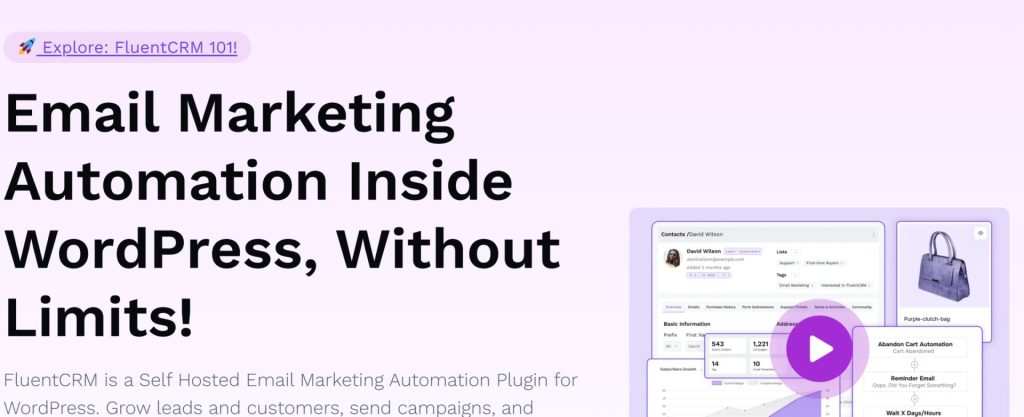
FluentCRM is the most popular self-hosted CRM in the WordPress ecosystem with over 80,000 active installations and a 4.8 out of 5 star rating from 240 reviews. WPManageNinja built it, and the same team maintains Fluent Forms and FluentSMTP. The plugin handles email campaigns, automation workflows, and contact management entirely from your WordPress dashboard.
The visual automation builder is the strongest in this category. It supports conditional branching, time delays, A/B testing for subject lines, and dynamic segments that update as customer behavior changes. There are 45+ native integrations with plugins like LearnDash, MemberPress, AffiliateWP, and Gravity Forms. Email analytics include revenue attribution so you can see which campaigns actually drove sales.
One catch: the WooCommerce integration is a Pro feature. The free version handles basic contact management and email sending. It does not sync WooCommerce customers or purchase data. FluentCRM’s own support team confirmed this on their forum. They said the free version has “very limited syncing functions, mainly basic WordPress user profile sync, but not deep WooCommerce checkout or purchase data integration.”
WooCommerce sync: Pro only ($129/yr). Free version does not sync WooCommerce customers or purchase data.
Pricing: Free version with basic features. Pro starts at $129 per year per site (often discounted to $103). Unlimited contacts on all plans.
Best for: Stores that need sophisticated email automation and are comfortable paying for Pro to unlock WooCommerce triggers.
Limitation: No abandoned cart recovery in the core plugin. No built-in email sending service (requires SMTP setup).

3. MailPoet
MailPoet has 500,000+ active installations and a 4.4 out of 5 star rating. Think of it as an email marketing tool that happens to cover most CRM needs for WooCommerce stores. The big advantage is the built-in MailPoet Sending Service, which delivers a 98.5 percent deliverability rate. No separate SMTP provider to configure.
The free Starter plan includes WooCommerce-specific features like abandoned cart recovery emails, first-purchase follow-ups, product recommendation emails, and automated post-purchase sequences. You can segment customers by total spent, number of orders, country, and subscription status. MailPoet also lets you customize WooCommerce transactional emails using its drag-and-drop builder. The free tier covers up to 1,000 subscribers and 5,000 emails per month.
WooCommerce sync: Included in free plan up to 1,000 subscribers.
Pricing: Free for up to 1,000 subscribers. Business plan starts at $10 per month for up to 500 subscribers with unlimited emails.
Best for: New and small WooCommerce stores that want email marketing and basic CRM features without leaving WordPress. The free tier is generous enough to run real automations.
Limitation: Not a full CRM. No predictive analytics, no sales pipeline, no custom fields for customers.
4. Mail Mint
Mail Mint comes from the WPFunnels team and has 5,000+ active installations with a 4.7 out of 5 star rating. It launched in 2023, so it is newer than most options on this list. The unique differentiator is the visual canvas integration with WPFunnels, which lets you plan your sales funnel pages and email automation flows on the same screen.
The free version covers lead forms, email campaigns, and automation workflows. But WooCommerce integration requires the Starter plan at $104.99 per year. That unlocks customer sync, WooCommerce automation triggers (order placed, order failed, status changed, first order), and abandoned cart recovery with auto-generated coupon codes. The Pro plan at $139.99 per year bundles WPFunnels and Checkoutify.
WooCommerce sync: Starter plan ($104.99/yr) and above. Not included in the free version.
Pricing: Free version with 500 subscribers and 5,000 emails per month. Starter at $104.99 per year adds WooCommerce integration. Pro at $139.99 per year bundles WPFunnels.
Best for: Store owners who already use WPFunnels or want a visual approach to planning funnels and email flows together.
Limitation: Smaller ecosystem than FluentCRM. Without WPFunnels, the main differentiator disappears.
5. GemCRM
GemCRM is the newest entry on this list, built by Kodezen. It does something most CRM plugins will not touch: lifetime pricing on every plan. All tiers include unlimited contacts, unlimited campaigns, unlimited automation, and WooCommerce sync. There are no per-contact fees, no annual renewals, and no SaaS-style pricing where your bill grows as your list grows.
The plugin reads WooCommerce data natively within WordPress and automatically creates contacts from purchases. It supports contact management with lists and tags, email campaigns with a drag-and-drop builder, drip sequences, and recurring campaigns. The current limitations are that it is still in public beta, and some advanced automation features on the roadmap are not yet released.
WooCommerce sync: Included on all paid plans. No free version available.
Pricing: Solo at $119 lifetime (1 site), Team at $149 lifetime (10 sites), Agency at $199 lifetime (100 sites), Enterprise at $299 lifetime (unlimited sites).
Best for: Store owners who want to make a single payment and never deal with CRM subscription renewals again.
Limitation: Public beta. Smaller user base and fewer community resources than established options.
Category C: Revenue and Abandoned Cart Recovery
These plugins are built specifically to recover lost sales and maximize revenue from each customer. Two of the best native WordPress CRM plugins for WooCommerce specialize in this area.
6. FunnelKit Automations
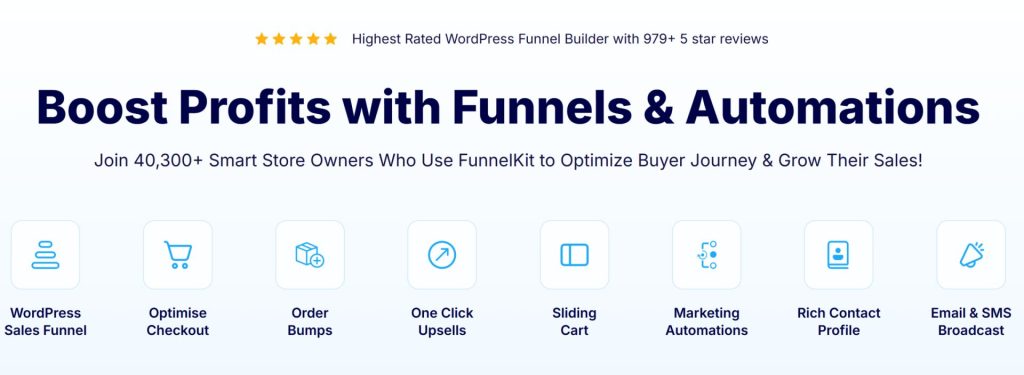
FunnelKit Automations (formerly Autonami) has over 40,000 stores using it and a 4.9 out of 5 star rating from 979+ reviews on WordPress.org. It is built specifically for WooCommerce. Its whole reason for existing is recovering abandoned carts and raising average order value through order bumps and one-click upsells.
The free Lite version includes real WooCommerce triggers: cart abandoned, cart recovered, order created, order status changed, order refunded, and review received. You can build basic abandoned cart sequences and post-purchase follow-ups without paying anything. The Pro version ($99.50 per year) unlocks 360-degree contact profiles, broadcast campaigns, SMS marketing, advanced segmentation, conditional branching, and 30+ pre-built automation recipes. A recent update moved WooCommerce customer import from Pro to Lite, making the free version more useful than before.
WooCommerce sync: Lite includes basic WC triggers and import. Full CRM features need Pro ($99.50/yr).
Pricing: Free Lite version on WordPress.org. Automations Pro at $99.50 per year. Full suite bundle at $249.50 per year.
Best for: Stores where abandoned carts and upsell opportunities are leaving money on the table. The built-in cart recovery alone often pays for the subscription.
Limitation: The CRM features feel secondary to the funnel tools. Email analytics are basic compared to FluentCRM.

7. AutomateWoo
AutomateWoo is the official WooCommerce marketing automation plugin sold through the WooCommerce.com marketplace. Over 30,000 stores use it. It is not a full CRM, but it is the deepest WooCommerce automation engine available as a native plugin with 190+ WooCommerce-specific triggers.
Triggers include cart abandonment, order status changes, product purchases, subscription renewals, failed payments, wishlist activity, and membership changes. You combine triggers with rules and actions to build automated workflows. Abandoned cart recovery includes guest customer tracking, which many native plugins cannot do. SMS notifications via Twilio are supported as an add-on. The plugin also supports dynamic coupon generation and review requests.
WooCommerce sync: Built-in. Paid plugin with no free version.
Pricing: $119 per year for a single site. Includes 1 year of updates and support. 30-day refund policy.
Best for: Stores that want a deeply integrated WooCommerce automation tool from the official marketplace. If you already buy extensions from WooCommerce.com, the purchasing flow is familiar.
Limitation: Not a full CRM. No contact management dashboard, no custom fields for customers, no sales pipeline.
Category D: Contact Management and Invoicing
These plugins focus on organizing customer data, managing relationships, and handling B2B workflows like invoicing and quotes. Three of the best native WordPress CRM plugins for WooCommerce belong in this group.
8. Jetpack CRM
Jetpack CRM is built by Automattic, the company behind WordPress.com and WooCommerce. It has 30,000+ active installations and a 4.3 out of 5 star rating. Originally launched as Zero BS CRM in 2016, it keeps a clean, no-nonsense interface focused on practical customer management.
The free core includes the WooSync module, which automatically pulls WooCommerce orders, customers, and transactions into CRM contact profiles. I checked Automattic’s own documentation on this. It says plainly: “the free core is fully integrated with WooCommerce using the built-in WooSync module.” So that one is settled. You also get invoicing, quote generation, and a client portal where customers can view and pay invoices. Paid extensions add Stripe sync, PayPal sync, Mail Campaigns, advanced segments, and CRM automations. There are 30+ premium extensions available individually or through bundle plans.
WooCommerce sync: Included in the free core via WooSync module.
Pricing: Free core with WooSync. Freelancer bundle at $11 per month. Entrepreneur bundle at $17 per month unlocks all extensions.
Best for: Small stores and freelancers who need a lightweight CRM with built-in invoicing alongside WooCommerce.
Limitation: Email campaigns require the Elite tier or a separate $79 per year Mail Campaigns extension. The automation builder is simpler than FluentCRM.
9. Groundhogg
Groundhogg has 2,000+ active installations on WordPress.org and a 4.9 out of 5 star rating from 145 reviews. It is fully open source under GPLv3, with the source code on GitHub. Version 4.0 introduced a redesigned Flow Editor with drag-and-drop triggers, actions, conditional branching, and A/B testing, making it one of the more capable automation builders among native plugins.
The WooCommerce integration requires the Pro plan at $600 per year or a separate paid extension. The free version handles basic contact management and email sending but skips all WooCommerce triggers and purchase data. Once on Pro, you get purchase-based segmentation, order history in contact profiles, automation triggers for WooCommerce events, SMS via Twilio, and WhatsApp messaging. The flat-rate pricing means unlimited contacts and unlimited users at every paid tier. The Agency plan at $1,200 per year includes white-labeling for client projects.
WooCommerce sync: Pro plan ($600/yr) or separate paid extension. Not included in the free version.
Pricing: Free core. Basic at $240 per year. Pro at $600 per year (required for WooCommerce). Agency at $1,200 per year with white-labeling.
Best for: Developers and agencies who want full source code access and the ability to white-label the CRM for client projects.
Limitation: The jump from free to WooCommerce-ready is steep at $600 per year. The free version is too limited to properly evaluate WooCommerce features.

10. WP ERP
WP ERP is the only full ERP system built natively for WordPress. weDevs maintains it, and the free core bundles three modules: CRM, HR Management, and Accounting. It has over 7,000 active installations and a 4.4 out of 5 star rating on WordPress.org.
The WooCommerce Integration extension is a separate paid add-on at $5.99 per month. It syncs customer data, order history, and transactions into both the CRM and accounting modules. Customer life stages update automatically as people move from subscriber to lead to customer. You can filter customers by order status, product purchased, or location. The Deals extension at $9.49 per month adds a visual sales pipeline with drag-and-drop deal tracking. If you need CRM plus HR plus accounting in one dashboard, WP ERP is the only native option that covers all three.
WooCommerce sync: Separate extension at $5.99 per month. Not included in the free core.
Pricing: Free core with CRM, HR, and Accounting modules. WP ERP Pro at $9.99 per month plus $3 per user. Extensions are a la carte.
Best for: Small to medium businesses that need CRM, HR, and accounting managed from one WordPress dashboard.
Limitation: The CRM module on its own is basic. No visual automation builder. No email campaign tools in the free version.
Category E: Specialized Niche Tools
These plugins solve specific CRM problems like WhatsApp communication, loyalty programs, B2B sales pipelines, and customer analytics. The remaining eight of the best native WordPress CRM plugins for WooCommerce live here.
11. Notiqoo Pro
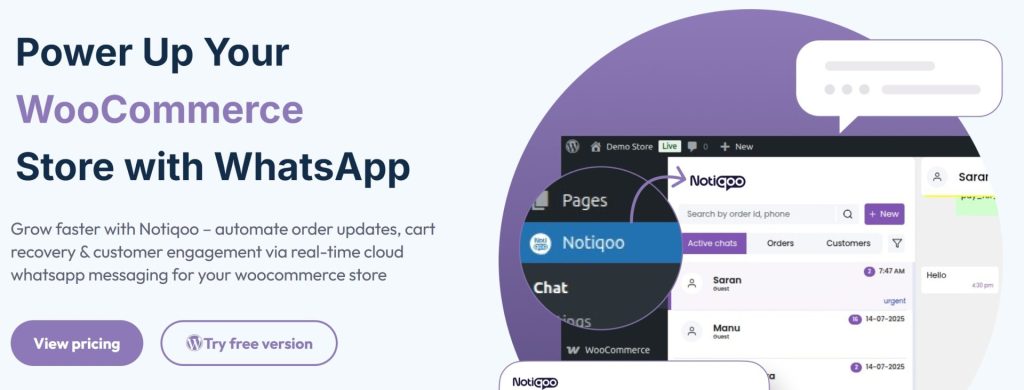
Notiqoo Pro is a WhatsApp CRM plugin built exclusively for WooCommerce. The free version includes WhatsApp order notifications via the official WhatsApp Cloud API, abandoned cart recovery messaging, and custom trigger buttons on the WooCommerce order page. The Pro version at around $49 per year adds two-way customer messaging, a dedicated chat menu, quick replies, document sharing, interactive WhatsApp flows, and a WhatsApp chat widget for your site.
WooCommerce sync: Included in the free version for order notifications and abandoned cart recovery.
Pricing: Free version available. Pro starts around $49 per year.
Best for: Stores where customers expect to communicate through WhatsApp. Particularly useful in markets where WhatsApp is the primary messaging channel.
Limitation: This is a communication CRM, not a general-purpose customer management tool. Limited to WhatsApp-based workflows.

12. QuillCRM
QuillCRM bundles sales pipeline management, email marketing, SMS campaigns, and a native WhatsApp Business API integration into one self-hosted WordPress plugin. It is the only WordPress CRM with native WhatsApp integration alongside email and SMS. The Basic plan at $69 per year or $199 lifetime includes unlimited contacts and users, WooCommerce sync with abandoned cart recovery, email campaigns with a drag-and-drop builder, A/B split testing, and an automation builder with 11+ automation types. The Plus plan at $139 per year or $299 lifetime adds SMS campaigns. All plans include unlimited contacts and unlimited users.
WooCommerce sync: Included on all paid plans. No free version.
Pricing: Basic at $69 per year or $199 lifetime. Plus at $139 per year or $299 lifetime. Enterprise at $259 per year or $599 lifetime.
Best for: Stores that need WhatsApp marketing alongside standard email and SMS communication channels.
Limitation: Newer product with a smaller user base. WhatsApp integration requires Meta Business API approval.
13. Webkul WooCommerce CRM
Webkul offers a WooCommerce-specific CRM plugin focused on B2B sales agent workflows. The plugin lets store admins create sales agent profiles, manage leads from different sources, track opportunities through a pipeline, and convert them into customer accounts. Sales agents only see their assigned leads, which keeps things organized when multiple people handle sales. The dashboard shows gross profit, new contacts, won and lost opportunities, and lead conversion rates in graphical format. The one-time payment of $59 is reasonable compared to subscription-based CRMs.
WooCommerce sync: Built-in. Paid plugin with a one-time fee.
Pricing: $59 one-time payment. No recurring subscription.
Best for: B2B WooCommerce stores with multiple sales agents managing leads and customer accounts.
Limitation: Focused on B2B sales agent use cases. Not suitable for standard retail stores without sales teams.
14. Customer Info for WooCommerce
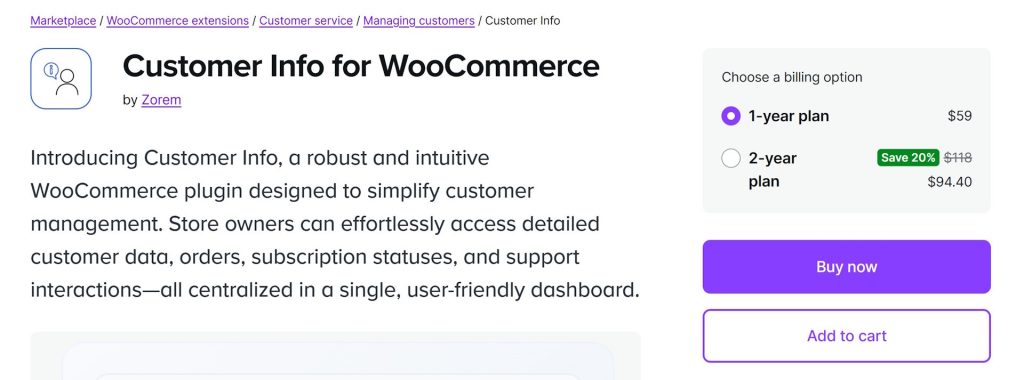
Customer Info for WooCommerce comes from zorem and is available on the official WooCommerce marketplace. It is a customer management dashboard that gives support teams a unified view of every customer. The plugin shows order history, lifetime value, active subscriptions, support tickets from HelpScout or Intercom, and license details if you use WooCommerce API Manager. You can search customers by name or email from a sidebar on the WooCommerce orders list. Data loads on demand so it does not slow down your admin.
WooCommerce sync: Built-in. WooCommerce-specific plugin.
Pricing: Paid. Available on WooCommerce.com. No free version.
Best for: Support teams that need instant access to complete customer order, subscription, and ticket data inside WooCommerce.
Limitation: Not a full CRM. No lead pipeline, no campaign builder, no automation engine.

15. Account Manager for WooCommerce
Account Manager for WooCommerce is a lightweight plugin that lets you assign account managers to specific customers and track commissions at the customer or order level. It has fewer than 20 active installations but is included here because it is a genuinely native WooCommerce CRM plugin listed in the WordPress directory. The plugin provides a customer overview dashboard with insights about each account. Managers can be assigned individually, and commissions calculate automatically based on orders or customer activity.
WooCommerce sync: Built-in. WooCommerce-specific and free.
Pricing: Free. No paid tiers.
Best for: Stores that need to assign dedicated account managers and track per-customer commissions.
Limitation: Very small user base. Minimal feature set beyond account manager assignment and commission tracking.
16. FavCRM for WooCommerce
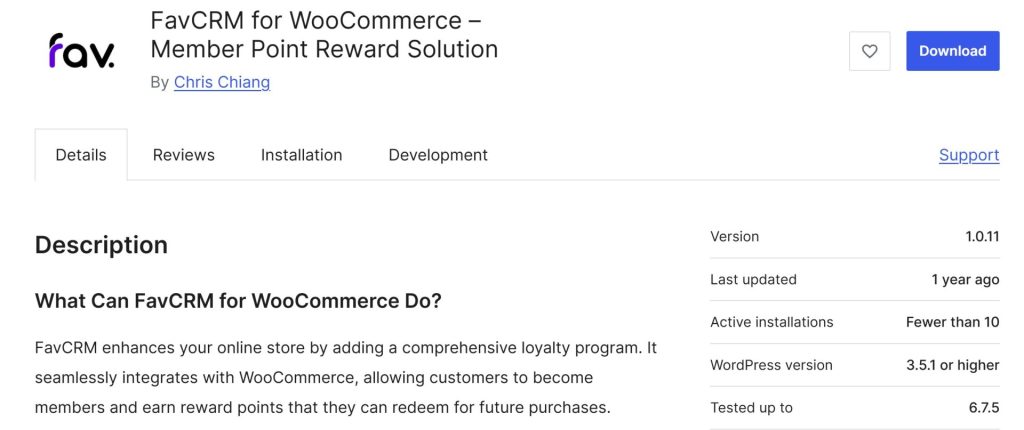
FavCRM for WooCommerce is a member point reward solution built specifically for WooCommerce. Customers register as members, earn reward points through purchases and engagement, and redeem those points for discounts on future orders. It connects to the FavCRM API to track spending and calculate rewards. The free Starter plan includes customizable point schemes, member registration, gift rewards, and a member widget. It has fewer than 10 active installations but fills a specific niche for stores that want a native loyalty program tied to WooCommerce order data without installing a separate loyalty platform.
WooCommerce sync: Built-in. WooCommerce-specific and free.
Pricing: Free. No paid tiers for the WooCommerce plugin.
Best for: Stores that want a built-in loyalty program tied directly to WooCommerce customer purchase data.
Limitation: Very small user base. The plugin relies on an external FavCRM API connection for reward calculations.

17. EdenPersona
EdenPersona is a customer insights and analytics plugin built specifically for WooCommerce. The free version gives you a complete analytics dashboard inside WordPress with no subscription required. It identifies VIP customers, detects dormant customers who are at risk of churning, and shows revenue trends, top products, and geographic sales distribution. The analytics suite includes purchase frequency analysis, retention metrics, and configurable dormancy thresholds. Everything exports to CSV for use in external tools. An optional premium tier at $26 per month connects to the EdenPersona platform for AI-powered buyer persona generation and strategic advice, but the free analytics dashboard works independently without any external account.
WooCommerce sync: Included in the free version. WooCommerce analytics are the core purpose of the plugin.
Pricing: Free core analytics. Premium AI features at $26 per month (optional).
Best for: Stores that want free customer analytics and insights without the complexity of a full CRM.
Limitation: Analytics only. No email campaigns, no automation builder, no contact management beyond what WordPress already provides.
18. WP-CRM System
WP-CRM System is a free, open-source CRM plugin focused on GDPR compliance and privacy. It includes a GDPR dashboard with real-time consent status, auto-generated DSAR reports in PDF and CSV format, built-in anonymization for test environments, and contact management with transaction history. It has zero external CDN dependencies and loads in under 180 milliseconds. However, it does not include WooCommerce-specific integration. It is included in this list because it is a native WordPress CRM plugin, but it will not sync your WooCommerce customer data automatically.
WooCommerce sync: Not included. No WooCommerce-specific features.
Pricing: Free. No paid tiers, no upsells.
Best for: Businesses in regulated industries that need an auditable, privacy-compliant contact management system.
Limitation: No WooCommerce integration. No email campaigns. No automation builder.
Comparison Table
Here is a side-by-side look at all 18 plugins. The table focuses on what matters most when choosing among the best native WordPress CRM plugins for WooCommerce.
| Plugin | Starting Price | Rating | Automation Builder | Abandoned Cart | Predictive Analytics |
|---|---|---|---|---|---|
| CRMlytics | Free | New | No | No | Yes |
| FluentCRM | $129/yr | 4.8/5 | Visual | No | No |
| MailPoet | $10/mo | 4.4/5 | Basic | Yes | No |
| Mail Mint | $104.99/yr | 4.7/5 | Visual | Yes (Pro) | No |
| GemCRM | $119 lifetime | New | Roadmap | No | No |
| FunnelKit Automations | $99.50/yr | 4.9/5 | Visual | Yes | No |
| AutomateWoo | $119/yr | – | Workflow | Yes | No |
| Jetpack CRM | $11/mo | 4.3/5 | Basic | No | No |
| Groundhogg | $600/yr WC | 4.9/5 | Flow editor | Add-on | No |
| WP ERP | $9.99/mo + WC ext | 4.4/5 | Extension | No | No |
| Notiqoo Pro | $49/yr | – | No | Yes (WhatsApp) | No |
| QuillCRM | $69/yr | New | Visual | Yes | No |
| Webkul WC CRM | $59 one-time | – | No | No | No |
| Customer Info | Paid | – | No | No | No |
| Account Manager | Free | – | No | No | No |
| FavCRM | Free | – | No | No | No |
| EdenPersona | Free | – | No | No | Basic |
| WP-CRM System | Free | – | No | No | No |
How to Choose the Right Native WordPress CRM for Your Store
With 18 options on the table, the right choice depends on what problem you are trying to solve first. Here is a simple framework based on the most common scenarios I see. The best native WordPress CRM plugins for WooCommerce are not one-size-fits-all.
Predicting churn and targeting at-risk customers before they leave. CRMlytics is the only native plugin with predictive machine learning. It is free, so there is no risk in testing it. The health scores and RFM segments tell you exactly who needs a nudge. You can send campaigns to those segments directly from the plugin or export them to your existing email tool.
If email marketing automation is your primary need. FluentCRM has the best automation builder among native plugins, but budget for the Pro tier to get WooCommerce triggers. MailPoet is a strong alternative with a more generous free tier and a built-in sending service that removes SMTP headaches.
If abandoned carts are costing you money. FunnelKit Automations starts with a free Lite version that includes cart recovery triggers. AutomateWoo is the deepest WooCommerce-specific automation engine if you need 190+ triggers and guest cart tracking.
If you need invoicing and client portals alongside WooCommerce. Jetpack CRM is the pragmatic choice. The free core handles WooCommerce sync and invoicing. Paid extensions add more features when you need them.
If WhatsApp is your primary customer channel. Notiqoo Pro has a generous free tier for WhatsApp notifications and abandoned cart recovery. QuillCRM adds email and SMS alongside WhatsApp on paid plans.
If you run a B2B store with sales agents. Webkul WooCommerce CRM handles agent-scoped lead management for a one-time $59 fee.
If you want free customer analytics without a full CRM. EdenPersona gives you VIP detection, dormant customer identification, and purchase frequency analysis at no cost.
If you need CRM plus HR plus accounting in one place. WP ERP is the only native option. The WooCommerce extension adds store data sync to both CRM and accounting modules.
One thing I have learned from researching all 18 of these: do not try to solve every problem with one tool. I see successful stores run two plugins together all the time. They use CRMlytics (free) to figure out which customers are slipping away, then use FluentCRM or FunnelKit to send the actual automated campaigns. The combination costs less than a single Klaviyo subscription and keeps your data on your own server.
Final Thoughts
The market for native WordPress CRM plugins is better now than it was three years ago. The gap between self-hosted tools and cloud platforms has narrowed. FluentCRM, FunnelKit, and Jetpack CRM are mature, well-maintained plugins that handle what most WooCommerce stores need without sending data to a third party. Newer plugins like CRMlytics, QuillCRM, and GemCRM are pushing into areas that previously required expensive SaaS subscriptions.
The best native WordPress CRM plugins for WooCommerce are the ones that actually solve your specific problem. Need predictive analytics? Start with CRMlytics. Need email automation? Try FluentCRM or MailPoet. Cart recovery is your pain point? FunnelKit or AutomateWoo have you covered. Download the free versions, import a subset of your WooCommerce data, and see which one you actually want to open every day. That is the one that will actually help you grow your store.
But the stores getting the most out of their customer data are running two tools, not one. An operational CRM handles what to send: email sequences, cart recovery, automation workflows. An analytical CRM handles who to send it to: churn predictions, customer segments, order forecasts. This is how it works everywhere. Klaviyo pairs with Metorik. ActiveCampaign pairs with Google Analytics. HubSpot pairs with its own reporting add-ons. Separating analytics from execution is standard practice at scale.
For WooCommerce, that two-tool pattern looks like CRMlytics for the intelligence layer and FunnelKit Automations for the execution layer. CRMlytics runs predictive models locally and identifies segments like “At-Risk” or “Champions” on your own server. FunnelKit picks those up and triggers the retention campaigns. Your customer data never leaves WordPress.