Free CRM WooCommerce Integration Plugin: 4 Tools That Actually Work With Your Store in 2026
Are there any free CRM solutions specifically for WooCommerce? The short answer is yes.
But you have to know where to look for a free CRM WooCommerce integration plugin that actually works with your store.
Most CRM tools advertise a free plan and then hide the WooCommerce connection behind a paywall. You install the plugin, connect your store, and realize you need to upgrade just to see your order history.
This guide covers four tools that do not do that. Every one connects directly to your store data and stays free without asking for your credit card.
We checked the free tiers, the WooCommerce sync quality, and the limits you need to know about.
What makes a CRM “specifically for WooCommerce”
This matters more than you think. A general CRM like HubSpot or Salesforce can connect to WooCommerce through a plugin, but that plugin is just an API bridge that pushes your data to external servers.
A CRM specifically for WooCommerce is a WordPress plugin that reads your database directly. Your customer records stay in your own MySQL tables.
When a new order comes in, the CRM sees it immediately because it is querying the same database. All four tools on this list work that way.
They install from your WordPress dashboard and store everything in your database. No third-party accounts, no data leaving your server.
WooCommerce powers over 6 million websites and holds 33.4% of the ecommerce market. More than 60% of its stores are run by small business owners (source).
1. CRMlytics: Best for customer intelligence (and it is 100% free)
CRMlytics is the only analytical CRM on this list. The other three tools focus on sending emails and building automation workflows.
CRMlytics does something different.
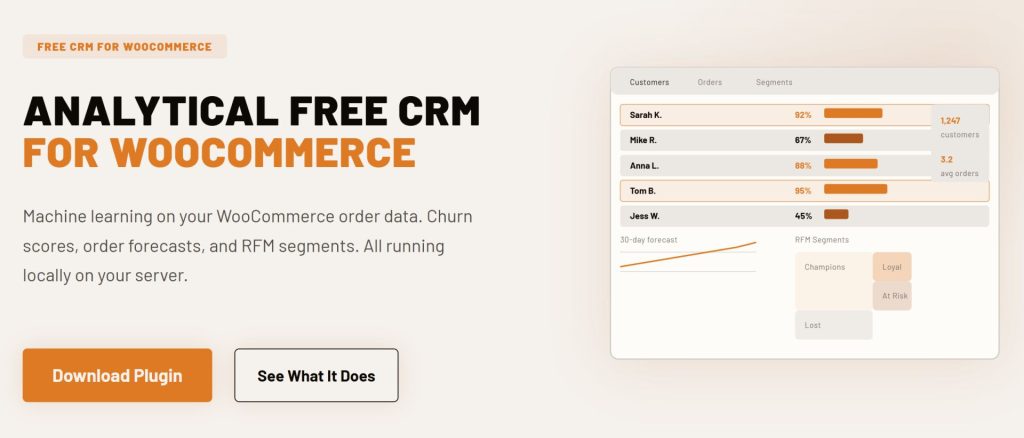
It runs machine learning models on your WooCommerce data to tell you who is about to leave and who is likely to buy again. Every customer gets a health score from 0 to 100 based on their buying rhythm.
Customers below 40 are in critical territory. Research shows that improving retention by just 5% can increase profits by 25% to 95% (source).
You see a real-time list of who is slipping away before the revenue is gone. The system also calculates RFM scores automatically and groups customers into segments like Champions, Loyal, At Risk, and Lost.
Order forecasts are another feature that most paid CRMs charge extra for. CRMlytics predicts how many orders each customer will place in the next 30, 90, and 180 days.
The email campaign feature is basic but functional. You can send to individuals, saved segments, or tagged groups using five included templates.
Open and click tracking feeds back into each customer timeline. All of this runs on your server with no API calls and no external processing.
Details
- 100% free. No paid tiers, no contact limits, no feature gating.
- Predictive churn scoring, RFM segmentation, order forecasts.
- Built-in email campaigns with click tracking.
- Unlimited contacts and unlimited orders.
- Available on WordPress.org.
2. Jetpack CRM: Best for invoicing and B2B sales
Jetpack CRM is built by Automattic, the company behind WooCommerce. The core plugin is free and includes a built-in WooSync module that pulls in your orders and customers automatically.
It has over 30,000 active installs and a 4.3-star rating on WordPress.org. Jetpack CRM’s invoicing and quoting features are what make it different from the rest.
You can create professional quotes from your dashboard, send them to customers, and convert accepted quotes into invoices with one click. The client portal gives customers a secure login area to view their invoices and transaction history.
For B2B sellers, the B2B mode lets you track company-contact relationships. You can see every employee tied to a business account and manage them as a group.
Advanced features like email campaigns and Stripe sync require paid extensions. The Freelancer plan costs $129 per year and includes the core integrations.
The Entrepreneur plan at $199 per year gives you all 30+ extensions. But the free WooCommerce sync and contact management work out of the box with no credit card needed.
Details
- Free core with WooCommerce sync included.
- 30,000+ active installs, 4.3-star rating on WordPress.org.
- Built-in invoicing, quotes, and client portals.
- B2B mode for company-contact tracking.
- Unlimited contacts on the free plan. Paid extensions from $129/year.
3. FunnelKit Automations Lite: Best for abandoned cart recovery
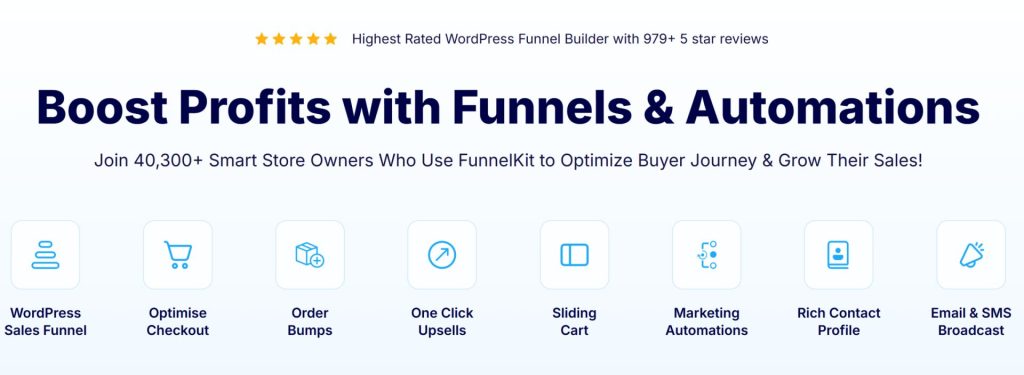
FunnelKit Automations is a marketing automation plugin made for WooCommerce. The free Lite version includes abandoned cart recovery and a visual workflow builder, two features most competitors lock behind a paywall.
Combined across all FunnelKit plugins, the user base exceeds 400,000 installs. The abandoned cart recovery workflow in the free version works well.
It captures cart data when customers enter their email at checkout and sends automated follow-up emails. The average WooCommerce store loses over 70% of carts to abandonment (source).
For a small store, a structured recovery sequence can recover 10 to 15 percent of that lost revenue.
One ecommerce case study showed a fashion accessories brand recovering $52,000 in a single quarter after implementing a structured cart recovery sequence with a 14.8% recovery rate (source). The visual workflow builder lets you create automation sequences using drag and drop.
You set triggers based on WooCommerce events like new orders or status changes. You can import pre-built automation recipes for welcome emails, post-purchase follow-ups, and review collection with one click.
The free version supports unlimited contacts and includes transactional email handling. Broadcast campaigns, SMS marketing, and advanced segmentation require the Pro plan, which starts at $99.50 per year.
Details
- Free Lite version with abandoned cart recovery and visual workflow builder.
- 400,000+ combined installs across FunnelKit plugins.
- Unlimited contacts on the free plan.
- Pre-built automation recipes included.
- Pro plan at $99.50/year adds SMS, broadcasts, and advanced segmentation.
- Available on WordPress.org.

4. MailPoet: Best for email newsletters and transactional emails
MailPoet is an email marketing plugin that doubles as a lightweight CRM for WooCommerce stores. It runs entirely inside your WordPress dashboard.
You write emails, check open rates, and manage subscriber lists right inside WordPress.
It has over 500,000 active installs and a 4.4-star rating on WordPress.org. MailPoet does two things that WooCommerce store owners really need.
First, it lets you customize your transactional emails using a drag-and-drop builder. Second, it handles email deliverability through its built-in sending service, which keeps your bulk emails out of spam folders.
The free plan includes up to 500 subscribers and 5,000 emails per month using the MailPoet Sending Service. If you use your own SMTP server instead, you can have up to 1,000 subscribers at no cost.
The free version supports automated emails for abandoned cart recovery and first purchase follow-ups. You get access to over 70 email templates.
MailPoet branding appears in emails sent through the free plan. Paid plans start at $10 per month and remove branding, add multi-condition segmentation, and include detailed WooCommerce purchasing statistics.
For a store with fewer than 500 subscribers, the free tier is worth using. It costs nothing.
Details
- Free plan: 500 subscribers, 5,000 emails/month with MailPoet Sending Service.
- 500,000+ active installs, 4.4-star rating on WordPress.org.
- WooCommerce email customizer for transactional emails.
- Automated abandoned cart, first purchase, and product recommendation emails.
- 70+ email templates included.
- Paid plans from $10/month remove branding and add advanced features.
- Available on WordPress.org.
Comparison table
| CRM | Best For | Free Contacts | Active Installs | Rating | Paid Plan Starts At |
|---|---|---|---|---|---|
| CRMlytics | Predictive analytics and churn prevention | Unlimited | Newer release | New | 100% free (no paid plan) |
| Jetpack CRM | Invoicing, quotes, B2B sales | Unlimited | 30,000+ | 4.3 stars | $129/year for extensions |
| FunnelKit Automations Lite | Abandoned cart recovery, email automation | Unlimited | 400,000+ | N/A | $99.50/year for Pro |
| MailPoet | Email newsletters, transactional emails | 500 (1,000 with own SMTP) | 500,000+ | 4.4 stars | $10/month |
How to choose the right one for your store
The right tool depends on what problem you are trying to solve first. Returning customers spend 67% more than first-time buyers (source), which is why a CRM is worth setting up now.
If you want to understand your customers better and predict who is about to leave, start with CRMlytics.
The health scores and RFM segmentation give you insights that usually cost hundreds per month on other platforms. If you need to send invoices or manage B2B relationships, Jetpack CRM is the obvious pick.
The free core handles WooCommerce sync and invoicing without extra plugins. If abandoned carts are costing you money, install FunnelKit Automations Lite.
Most stores recover 10 to 15 percent of lost cart revenue with a structured recovery sequence. The free version gives you a working one out of the box.
If email newsletters are your main channel, go with MailPoet. The built-in sending service fixes deliverability problems, and the email customizer makes your transactional emails look professional.
Start with a free plugin for your WooCommerce store today
You do not need a big budget to manage your customers properly. Every tool on this list gives you a working connection to your store data with no hidden paywalls.
Pick the one that matches your biggest pain point. If I had to pick one starting point, I would install CRMlytics for the customer intelligence and pair it with FunnelKit for cart recovery or MailPoet for email outreach.
That combination gives you the data to know who needs attention and the tools to reach them. Both are completely free.
Pick a tool from this list and connect it to your store. Your customers are more than order numbers, and a good CRM helps you see that.