Free & Open Source WooCommerce CRM Software: The 3 Native WordPress Plugins That Actually Cost Nothing
WordPress plugins hand you a free core but lock the WooCommerce features inside a paid tier. It is exhausting to sort through, and most comparison posts skip the part that actually matters.
Under the GNU General Public License (GPLv2) that powers WordPress, plugins count as derivative works. That means every plugin on WordPress.org is open source by law, and you can audit the code, modify it, and redistribute it.
Monthly SaaS tools like Klaviyo and HubSpot are not open source. Their code is proprietary and runs on their servers, not yours.
All of the native WordPress CRMs are open source. The real filter is: which ones work with WooCommerce for free?
After digging through every native WordPress CRM, the answer surprised me. Only three make the cut.
Why Most “Free” WordPress CRMs Do Not Support WooCommerce
Several popular WordPress CRMs advertise a free version. But their WooCommerce features sit behind a paywall.
FluentCRM is the most popular self-hosted CRM in the ecosystem with 80,000+ active installs and a 4.8-star rating. The free version gives you basic contact management and purchase history tracking.
The WooCommerce automation triggers that make it useful (new order, order refund, abandoned cart, purchase conditionals) all need FluentCRM Pro at $103 per year. Without Pro, WooCommerce is just a contact list.
Groundhogg has a free core with a 4.9-star rating and 2,000+ active installs. Its WooCommerce integration (automated flow triggers, dynamic coupons, order-based segmentation) lives on the Pro plan at $600 per year.
Mail Mint has a free tier with 500 subscribers and 5,000 emails per month. But WooCommerce sync, abandoned cart recovery, and product-based automation all need the Starter plan at $104.99 per year.
WP ERP bundles a free CRM module inside its ERP suite. The WooCommerce extension that syncs orders, customer data, and purchase history costs an extra $5.99 per month on top of the base Pro plan.
These are not bad tools. In fact, two of them are excellent at what they do.
But if you need a free WooCommerce CRM software open source that works with your store today at zero cost, they do not qualify. The three below do.
1. CRMlytics: Predictive Analytics at Zero Cost
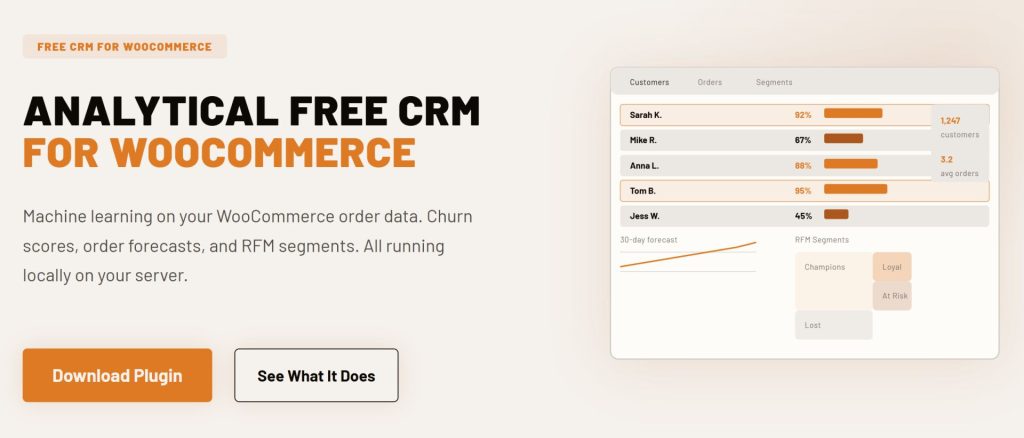
CRMlytics does something none of the other free options attempt. Instead of a visual automation builder or cart recovery flows, it runs machine learning on your WooCommerce order history to predict customer behavior.
You get a health score for every customer from 0 to 100. It tells you who is about to churn before the revenue walks out the door.
The plugin calculates RFM scores (Recency, Frequency, Monetary) for every customer automatically. It sorts them into actionable groups like Champions, Loyal, At Risk, and Lost.
Smart tags apply and remove themselves as customer behavior shifts. Someone drops into the “Critical” health zone and gets tagged automatically.
Someone climbs back into “Healthy” and the tag comes off. You also get expected order forecasts for the next 30, 90, and 180 days per customer, so you can target customers the data says are about to buy instead of blasting your entire list.
The built-in email campaigns let you send to any segment or tagged group directly from WordPress. Clicks feed back into each customer’s timeline, so your targeting data keeps getting sharper with every send.
WooCommerce integration: Reads your order data straight from the WordPress database and runs all calculations locally on your server. No APIs, no data syncing to external servers, and no monthly subscriptions.
Key features: Predictive churn risk scores (0-100), automatic RFM segmentation, expected future orders (30/90/180 days), color-coded smart tags that update automatically, dynamic custom segments with stacked rules, email campaigns with click tracking, full customer timelines, 1-click CSV export.
Pricing: Completely free with no paid tiers, no contact limits, and no feature gating. Everything is included.
Best for: Store owners who want to know which customers are about to leave and which ones are worth their next marketing dollar. If predictive analytics matter to your retention strategy, this is the only free option that handles it natively.
Limitation: No visual automation builder and no abandoned cart recovery. Campaigns are straightforward sends to segments rather than complex drip sequences, and the predictions need a reasonable amount of order history to be reliable.
2. FunnelKit Automations Lite: Cart Recovery Meets Email Automation
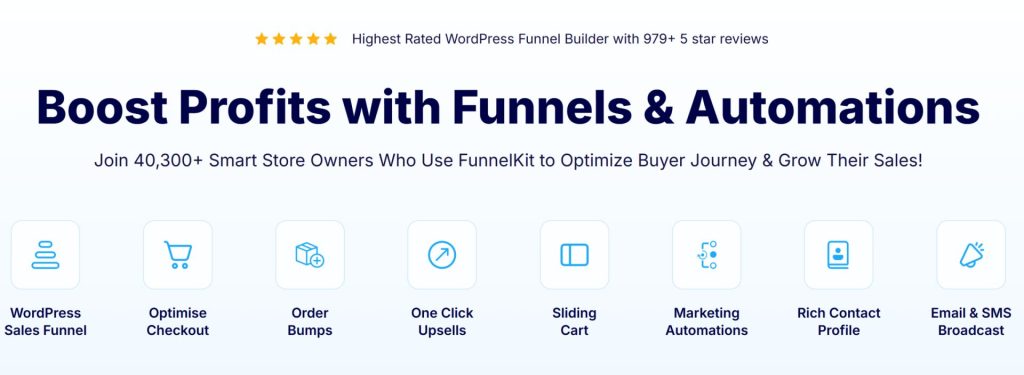
FunnelKit Automations (formerly Autonami) is purpose-built for WooCommerce. The free Lite version on WordPress.org punches well above its weight.
With over 20,000 active installs, it is the go-to free option for stores that want abandoned cart recovery and email automation without a subscription.
The free version includes pre-built automation recipes you can import with one click. You get abandoned cart recovery, welcome email sequences for new customers, review collection emails, and first purchase anniversary campaigns.
Customize the email copy and delay timing, hit go, and the automations run. The visual workflow builder is included in the free tier too.
You can create your own automations from scratch using WooCommerce events as triggers. Unlimited contacts means your list can grow without your costs climbing alongside it.
WooCommerce integration: Native understanding of WooCommerce order data including order bumps, upsells, and checkout behavior, with triggers for checkout page visits, cart abandonment, order status changes, and specific product purchases. Supports HPOS.
Key features (free tier): Abandoned cart recovery with tracking, pre-built automation recipes, visual workflow builder, unlimited contacts, triggered emails (welcome, post-purchase), transactional emails, basic contact profiles, cart tracking dashboard.
Pricing: Lite version completely free on WordPress.org. Pro adds drag-and-drop email builder, SMS marketing, smart segmentation, dynamic coupons, and plugin integrations for $99.50 per year standalone or $249.50 per year bundled with FunnelKit Funnel Builder.
Best for: WooCommerce stores where recovering abandoned carts and automating post-purchase follow-ups is the priority. If people add to cart but walk away, the free Lite version already handles recovery.
Limitation: The free tier uses a text-based email builder rather than a visual drag-and-drop editor, with no SMS marketing or smart segmentation. CRM features take a back seat to the automation engine.
3. Jetpack CRM: Invoicing and Contact Management by Automattic
Jetpack CRM is built by Automattic, the company behind WordPress.com, WooCommerce, and Jetpack itself. With 30,000+ active installs, a 4.3-star rating, and over 1.9 million total downloads, it is the most battle-tested free option on this list.
Originally launched as “Zero BS CRM” in 2016, it keeps a clean, no-nonsense interface. In version 5.0, Automattic made WooCommerce Sync (WooSync) a core module, meaning it became free for everyone.
Flip a single switch and your WooCommerce customers, orders, transactions, and invoices flow into the CRM automatically. Refunds sync too.
Jetpack CRM stands apart from the other two because it has built-in invoicing and a client portal. You create quotes, send invoices, and let customers view and pay them through a front-end portal on your own site.
The B2B mode supports company-contact relationships, making it useful for wholesale operations alongside retail. Dynamic segments let you group contacts based on WooCommerce data.
A task scheduler with calendar integration helps you stay on top of follow-ups. Front-end forms collect leads from your site directly into the CRM.
WooCommerce integration: Built-in WooSync module pulls WooCommerce customers, orders, transactions, and invoices into CRM contact profiles with order data appearing in contact timelines. Supports multi-store sync for connecting several WooCommerce stores into one CRM.
Key features (free core): WooCommerce sync (WooSync), contact management with activity timelines, invoice builder and quote builder, client portal for customers, dynamic segments, task scheduler, front-end lead capture forms, B2B company mode.
Pricing: Free core with WooSync included. Paid extensions unlock additional features such as Invoice Pro and PayPal Connect (Freelancer at $11/mo), all extensions (Entrepreneur at $17/mo), or email marketing campaigns (Elite at $30/mo).
Best for: Small businesses and freelancers who need invoicing and payment collection alongside CRM. If you send quotes and invoices while running a WooCommerce store, Jetpack CRM handles both inside one plugin.
Limitation: Email marketing needs the Elite tier at $30 per month, making it the most expensive route for campaign features. The automation builder is simpler than what you get with FunnelKit Automations Lite, and there is no predictive analytics.
Comparison Table
| CRM | Active Installs | Rating | Email Campaigns | Automation Builder | Abandoned Cart | Predictive Analytics | Invoicing | Price |
|---|---|---|---|---|---|---|---|---|
| CRMlytics | Newer | New | Yes (built-in) | No | No | Yes (churn, RFM, forecasts) | No | Free |
| FunnelKit Automations Lite | 20,000+ | High | Yes (text-based) | Yes (visual) | Yes | No | No | Free |
| Jetpack CRM | 30,000+ | 4.3 | Elite tier ($30/mo) | Basic | No | No | Yes | Free |
How to Pick the Right Free WooCommerce CRM Software Open Source for Your Store
These three tools solve different problems, and a single CRM cannot do everything well. Depending on what your store needs right now, here is how I would pick.
If you want to know who is about to leave and who is about to buy: Start with CRMlytics. It is the only one that predicts churn and forecasts future orders, and the health scores and RFM segments are visible the moment it finishes processing your order history.
If abandoned carts are bleeding revenue: FunnelKit Automations Lite was built for exactly that. Import the pre-built cart recovery recipe, customize the email timing, and start recovering sales today.
If you need invoicing and payment collection alongside CRM: Jetpack CRM is the only one with built-in billing. Quotes, invoices, and a client portal come standard in the free core, and Automattic backing it means long-term stability.
Why Separating Analytics From Execution Is Standard at Scale
I have noticed something watching successful ecommerce stores operate. They rarely rely on a single tool and instead run two engines side by side: one that analyzes and segments customers, and another that executes the campaigns.
This pattern shows up across the industry.
Stores pair Klaviyo (campaign execution) with Metorik (analytics and reporting). Others run ActiveCampaign for email automation alongside Google Analytics for behavioral insight, while HubSpot users bolt on reporting add-ons to get the segmentation depth the core platform lacks.
Separating analytics from execution is not a hack. It is how stores that scale actually work.
Operational automation (triggering emails, recovering carts, managing sequences) and predictive analytics (calculating churn, forecasting orders, scoring customer health) need different database handling. One system fires events in real time while the other runs statistical models on historical data.
Forcing both into one codebase makes each weaker.
The WordPress-native version of this dual-engine pattern is CRMlytics paired with FunnelKit Automations. CRMlytics identifies your At-Risk customers and high-value segments locally on your server.
Those segments feed into FunnelKit’s automation triggers for targeted retention campaigns. All of it runs inside your own WordPress install with no data leaving your environment.
You do not need both on day one. Start with whichever engine your store is missing.
If you already run automations but have no idea who is about to churn, add the analytics. If you already track customer health but have no way to act on it automatically, add the execution layer.
Either way, you end up with a stack that understands your customers and knows what to do about it. And every piece of it is free WooCommerce CRM software open source running on your own server.
Real Results From Self-Hosted WordPress CRMs
WPFactory, a WordPress plugin development company, published a case study after switching to a self-hosted CRM for their WooCommerce operations. Their contact growth increased by 24 percent.
Email open rates jumped by 34.8 percent after they implemented behavior-based segmentation and automated follow-up sequences. A single targeted email campaign generated over $5,000 in revenue at a $500 average order value.
Their abandoned cart recovery automation brought back four figures in otherwise lost sales. The team noted that keeping all customer data on their own server eliminated the friction of third-party tools.
A 2024 Barilliance study of cart abandonment data across ecommerce stores found that cart recovery emails achieve an average 18.64 percent conversion rate when sent within the first hour. Behavioral segmentation plus prompt follow-up directly increases revenue.
Self-hosted CRMs let you run those workflows without per-contact fees eating into the margin.
Final Word
If you are searching for free WooCommerce CRM software open source, you have three solid options. CRMlytics gives you predictive analytics no other free tool attempts.
FunnelKit Automations Lite recovers abandoned carts and automates follow-ups. Jetpack CRM handles invoicing and contact management backed by Automattic.
All three are GPL licensed, run on your own server, and cost nothing to start using. Download two of them and point them at your WooCommerce data.
You will know within a day which one belongs in your daily workflow. And since every native WordPress plugin is open source by definition, your data stays yours no matter which one you pick.