How to Connect CRM to WooCommerce: Native Plugins vs. Cloud CRMs Explained
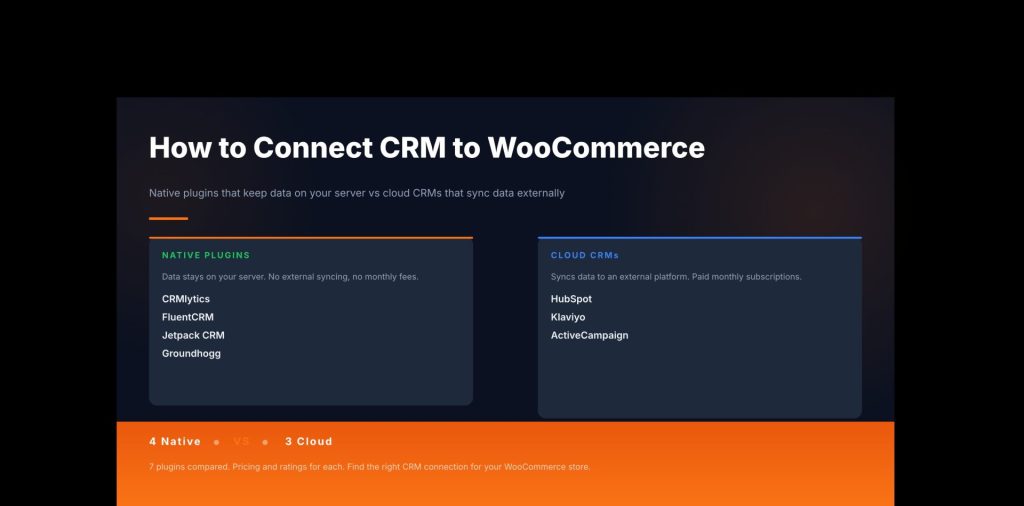
If you run a WooCommerce store, you already have more customer data than most businesses ever collect. Every order tells you who bought, what they bought, and when. The problem is that WooCommerce on its own does not show you what that data actually means for your next move. Figuring out how to connect CRM to WooCommerce is one of the most useful steps you can take, and it is not complicated once you understand the two options. There are native plugins that live inside WordPress and keep everything on your server, and cloud CRMs that use a sync plugin to push your order data up to an external platform. This guide covers both, with real pricing, ratings, and install numbers for each.
What does it mean to connect a CRM to WooCommerce?
A CRM (customer relationship management) tool brings your WooCommerce order history, customer profiles, and purchase patterns into one place so you can actually use that information. When you know how to connect CRM to WooCommerce the right way, you stop guessing who your best customers are. Instead, your CRM tells you who bought recently, who buys often, and who has gone quiet.
When you connect CRM to WooCommerce, it generally happens in one of two ways:
- Native CRMs install as a WordPress plugin and read your WooCommerce data directly from your own database. Nothing leaves your server. The CRM runs inside your WordPress dashboard alongside WooCommerce.
- Cloud CRMs are external platforms (like HubSpot, Klaviyo, or ActiveCampaign) that live outside WordPress. To get your WooCommerce data into them, you install a separate sync plugin that pushes your orders and customer records up to the cloud platform via its API.
Each approach has genuine trade-offs worth understanding before you pick a tool:
| Native CRM | Cloud CRM | |
|---|---|---|
| Where your data lives | Your server | External cloud platform |
| Setup complexity | Install plugin, done | Install sync plugin + configure API connection |
| Monthly cost | Free to low | Usually paid, based on contact count |
| Data privacy | Full control | Depends on platform’s terms |
| Best for | Privacy-conscious stores, tight budgets | Stores needing advanced email automation or SMS |
Native CRMs: your data stays on your server
Native CRMs run entirely within WordPress. They read your WooCommerce orders and customers directly, with no data ever leaving your hosting environment. No monthly fees for data storage, no third-party privacy concerns, and no API keys to manage. If you want to connect CRM to WooCommerce and keep full ownership of your customer data, a native plugin does exactly that. Here are the four main options:
CRMlytics
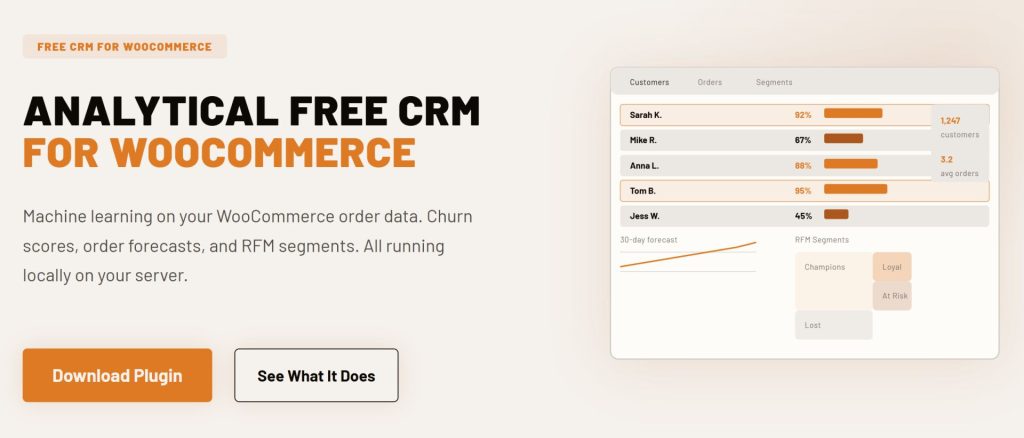
CRMlytics is the only free, native WordPress CRM built around predictive analytics. Install it, and within minutes it reads your entire WooCommerce order history and calculates a churn risk score (0 to 100) for every customer, RFM segments (Champions, Loyal, At Risk, Lost), and order forecasts showing how many purchases each customer is likely to make in the next 30, 90, and 180 days. All of this runs locally on your server using machine learning models, so there are no API keys, no monthly fees, and no data sent anywhere.
Beyond predictions, CRMlytics includes full customer profiles with custom fields, color-coded tags and smart tags that apply automatically based on behavior, a timeline of every order and email interaction, custom segments, built-in email campaigns, and a 1-click CSV export. It works with your existing WordPress mail setup and has been tested on stores with over 200,000 orders without any storefront impact.
- Price: Free, no paid tier
- WooCommerce sync: Built-in, reads historical data on activation
- Standout feature: Churn risk scores and order forecasts powered by machine learning, running on your own server
- Requirements: WordPress 6.0+, WooCommerce, PHP 7.4+
FluentCRM
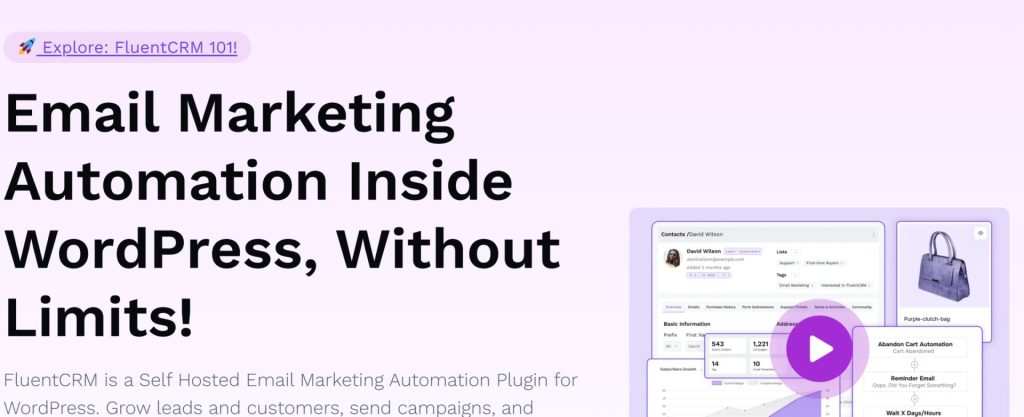
FluentCRM is a self-hosted email marketing and CRM plugin with over 80,000 active installs and a 4.8-star rating on WordPress.org. The free version gives you contact management, email campaigns, and basic automations, but the WooCommerce integration (segmenting by purchased products, lifetime value, and triggering automations on purchases or refunds) is a Pro feature. Pro plans start at $103 per year for one site and go up to $399 per year for agency licenses covering 50 sites. If you already use FluentCRM for email and want to layer in WooCommerce-triggered automation, upgrading to Pro is the logical path. Your data stays on your WordPress server.
- Price: Free core; Pro from $103/year (1 site)
- WooCommerce sync: Pro only (purchase history, triggers, segmentation by product/category)
- WP.org rating: 4.8 stars, 80,000+ active installs
- Standout feature: Visual automation builder with WooCommerce purchase triggers
Jetpack CRM
Jetpack CRM, made by Automattic (the same company behind WordPress.com and WooCommerce), has 30,000+ active installs and a 4.3-star rating. The free core includes contact management, invoicing, a client portal, and the WooSync module, which connects directly to your WooCommerce store and pulls in all orders, syncing them to customer records automatically. Paid bundles add extensions like PayPal Sync, Stripe Sync, and Gravity Forms Sync. Bundles start at around $11 per month billed annually for a single site. Because both WooCommerce and Jetpack CRM are Automattic products, the integration is tight and well-maintained. All data stays on your WordPress server.
- Price: Free core; paid bundles from ~$11/month (billed yearly, 1 site)
- WooCommerce sync: Free, via built-in WooSync module
- WP.org rating: 4.3 stars, 30,000+ active installs
- Standout feature: Invoicing, quotes, and client portal alongside WooCommerce order sync
Groundhogg
Groundhogg is a WordPress CRM and marketing automation plugin with 2,000+ active installs and a 4.9-star rating on WordPress.org. The free core covers contact management, funnels, and basic email broadcasts, but the WooCommerce integration is a paid extension included in Pro plans. Paid plans start at $20 per month and give you access to 45+ extensions, including the WooCommerce connector that triggers automations based on order events, status changes, and cart activity. Groundhogg uses flat-rate pricing, so you are never charged more as your contact list grows. Data stays on your WordPress server.
- Price: Free core; paid plans from $20/month
- WooCommerce sync: Paid extension (included in Pro plans)
- WP.org rating: 4.9 stars, 2,000+ active installs
- Standout feature: Flat-rate pricing regardless of contact count, visual funnel builder
Cloud CRMs: sync your WooCommerce data to an external platform
Cloud CRMs are full platforms that live outside your WordPress site. To connect CRM to WooCommerce using one of these, you install a dedicated sync plugin in WordPress. That plugin acts as a bridge, sending your WooCommerce order data, customer records, and events (like abandoned carts or completed purchases) to the cloud platform via its API. The trade-off is that your customer data then lives on a third-party server, and the cost of the CRM itself is separate from the free sync plugin.

HubSpot
HubSpot has a free CRM tier that many small stores use as a starting point. To get your WooCommerce data into it, you install the MWB HubSpot for WooCommerce plugin, which is free and has 7,000+ active installs on WordPress.org. The plugin syncs customers, orders, and abandoned carts into HubSpot and maps WooCommerce order statuses to HubSpot deal stages. The WordPress.org rating is 3.8 stars, with some negative reviews pointing to occasional sync issues. HubSpot’s free CRM tier handles contacts and basic deal tracking. If you want marketing automation, email sequences, or advanced segmentation, you will need a paid HubSpot plan, and those scale up quickly in cost.
- CRM price: Free tier available; paid Marketing Hub plans from $20/month
- WooCommerce sync plugin: MWB HubSpot for WooCommerce (free)
- Sync plugin WP.org rating: 3.8 stars, 7,000+ active installs
- Standout feature: Free CRM with deals, pipelines, and contact timelines

Klaviyo
Klaviyo is an email and SMS marketing platform used by over 13,000 WooCommerce brands. The free plan covers up to 250 active profiles and 500 email sends per month, which works for very small stores getting started. Paid plans start at $20 per month for 251 to 500 profiles, scaling with your contact count. The Klaviyo plugin on WordPress.org has over 100,000 active installs, making it the most-installed cloud CRM sync plugin on the list. However, it carries a 2.8-star rating, with several reviews citing tracking issues and support response times. The plugin syncs real-time order events, product views, and cart activity from WooCommerce into your Klaviyo account, where you can build flows and campaigns around that data.
- CRM price: Free up to 250 profiles; paid from $20/month
- WooCommerce sync plugin: Klaviyo (free plugin)
- Sync plugin WP.org rating: 2.8 stars, 100,000+ active installs
- Standout feature: Deep ecommerce segmentation, SMS + email flows, 300+ integrations
ActiveCampaign
ActiveCampaign combines email marketing, marketing automation, and a CRM in one cloud platform. There is no free plan. The Starter plan starts at around $15 per month for 1,000 contacts (billed annually), with the Plus plan from around $49 per month adding advanced automation and landing pages. To sync WooCommerce with ActiveCampaign, you install the free ActiveCampaign for WooCommerce plugin, which has 6,000+ active installs and a 4.0-star rating on WordPress.org. The plugin syncs orders, customer data, and abandoned carts into your ActiveCampaign account. Note that historical order sync is not available on the Starter plan; you need Plus or higher for that.
- CRM price: No free plan; Starter from ~$15/month (1,000 contacts)
- WooCommerce sync plugin: ActiveCampaign for WooCommerce (free plugin)
- Sync plugin WP.org rating: 4.0 stars, 6,000+ active installs
- Standout feature: Sophisticated automation builder, predictive sending, cross-channel campaigns
Native vs. cloud: which is right for your store?
Which one fits your store comes down to a few practical questions. If you are still deciding how to connect CRM to WooCommerce and are not sure which type to pick, the checklist below should help:Go native if:
- You want your customer data to stay on your own server
- You are on a tight budget and want to avoid monthly SaaS fees
- You want predictive analytics (churn risk, order forecasts) without paying enterprise prices
- You already use WordPress and want everything in one dashboard
- You have historical order data you want to mine immediately
Go cloud if:
- You need advanced SMS marketing or multi-channel campaign management
- Your team already works inside HubSpot, Klaviyo, or ActiveCampaign
- You want a visual drag-and-drop automation builder with complex branching logic
- You run advertising campaigns on Facebook or Google and want CRM data to feed your ad targeting
Also worth knowing: native and cloud tools work well together. Some store owners use CRMlytics to identify the customers worth targeting (for example, everyone with a churn risk score below 40), export that segment to CSV, and upload it to Klaviyo or ActiveCampaign to run the actual campaign. You get the analytical intelligence running on your own server, and the email platform handles the sending. That combination costs a lot less than paying a cloud CRM to do both.
Comparison table: all 7 options side by side
| Plugin | Type | Free tier | Paid starts at | WP.org rating | Active installs |
|---|---|---|---|---|---|
| CRMlytics | Native | Yes (fully free) | None | N/A (new) | Fewer than 10 (new) |
| FluentCRM | Native | Yes (WC is Pro) | $103/year | 4.8 stars | 80,000+ |
| Jetpack CRM | Native | Yes (WC free via WooSync) | ~$11/month | 4.3 stars | 30,000+ |
| Groundhogg | Native | Yes (WC is paid) | $20/month | 4.9 stars | 2,000+ |
| HubSpot | Cloud | Yes (CRM free) | $20/month (Marketing Hub) | 3.8 stars (sync plugin) | 7,000+ (sync plugin) |
| Klaviyo | Cloud | Yes (up to 250 profiles) | $20/month | 2.8 stars (sync plugin) | 100,000+ (sync plugin) |
| ActiveCampaign | Cloud | No | ~$15/month | 4.0 stars (sync plugin) | 6,000+ (sync plugin) |
Which one should you actually use?
Knowing how to connect CRM to WooCommerce is not about picking the most popular tool. It is about picking the right type. If data privacy, zero monthly fees, and built-in customer analytics matter to you, a native plugin fits better. If you need SMS campaigns, complex multi-step automations, or your team already lives in a cloud platform, a sync plugin bridging WooCommerce to that platform is the practical choice.
If you are starting from scratch and want to understand your customers before you start sending campaigns, CRMlytics is worth trying first. It is free, installs in minutes, and shows you churn scores and order forecasts as soon as it finishes reading your WooCommerce history. No API keys, no monthly bill, no data leaving your server.
Most stores that get serious about retention end up running two tools: one for analytics, one for execution. That is standard practice. Klaviyo pairs with Metorik. ActiveCampaign pairs with Google Analytics. For WooCommerce, the native version of that pattern is CRMlytics for the intelligence and FunnelKit Automations for the action. One identifies who is at risk, the other triggers the campaign. Both run on your server.