Open-Source CRM for WooCommerce: 10 Native WordPress Plugins Compared (All Are GPL)
Search for “open-source CRM for WooCommerce” and you get a confusing mix of results. Some are cloud platforms that ship your data to external servers. Others are WordPress plugins running on your own hosting. The difference matters more than most articles let on.
Here is the thing. If you want a genuinely open-source CRM for WooCommerce, you need a WordPress-native plugin. Why? Because every plugin on WordPress.org inherits the GPL license from WordPress itself. That means the code is open source by law, whether the plugin costs money or not. SaaS platforms like Klaviyo, HubSpot, and ActiveCampaign are proprietary. Their code is not public. You cannot modify it, redistribute it, or audit it. They are not open source, even with a “free tier.”
So I went looking for the real ones. The 10 native WordPress CRMs below are all GPL licensed, self-hosted, and truly open source. I cover pricing, features, what each does well, and where it falls short. By the end, you will know which one fits your store.
What “Open Source” Actually Means for WordPress Users
WordPress itself runs on the GNU General Public License (GPLv2+). The Free Software Foundation created this license, and it gives you four fundamental freedoms:
- The freedom to run the software for any purpose
- The freedom to study how it works and change it
- The freedom to redistribute copies
- The freedom to distribute modified versions
When someone builds a WordPress plugin, that plugin counts as a derivative work. Under the GPL, derivative works must also be GPL licensed. WordPress’s own license page spells this out. It means every plugin in the WordPress.org directory is open source whether the developer likes it or not. The plugin guidelines are blunt about it: “Plugins must be compatible with the GNU General Public License.”
This is where people get confused. You can buy a premium CRM plugin for $249 per year and it is still GPL. You are not buying the software. You are paying for support, updates, and convenience. The code itself stays open source. You can download it, modify it, and redistribute it under the GPL terms. That is very different from SaaS, where your monthly fee buys access to proprietary software running on someone else’s servers.
So when people point to Klaviyo or HubSpot as an “open-source CRM for WooCommerce,” they are wrong. Those are proprietary cloud platforms. Their WordPress plugin is just an API connector pushing your data to their servers. The CRM itself runs on their infrastructure, not yours. You cannot see the code. You cannot modify it. You definitely cannot self-host it.
The 10 CRMs below are different. They are all WordPress plugins. They all run on your own server. They are all, genuinely, open source. And that makes them the only real answer when you need an open-source CRM for WooCommerce.
The 10 Best Native Open-Source CRMs for WooCommerce
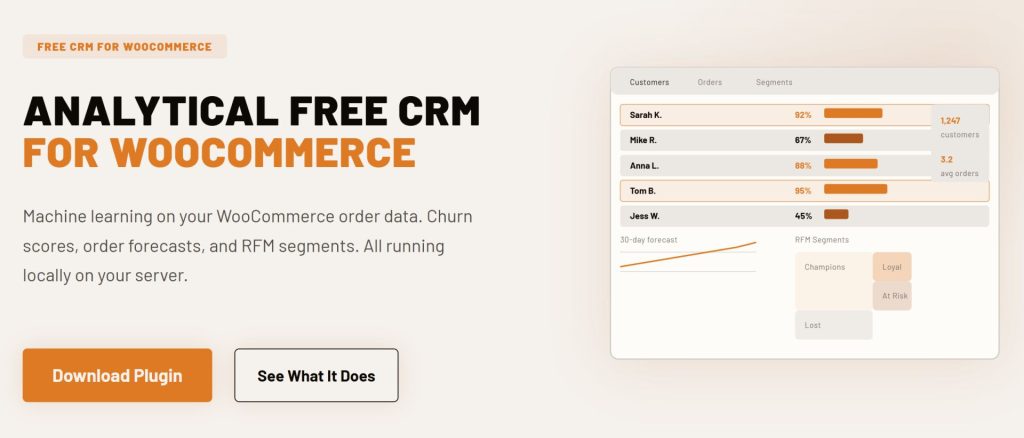
1. CRMlytics: Best Free Analytical CRM for WooCommerce
CRMlytics takes a different approach from the rest. Instead of a visual automation builder or complex workflow tools, it focuses on answering one question: which customers are about to leave, and why? It runs machine learning on your WooCommerce order history to predict churn, calculate RFM scores, and forecast future orders. You get a health score for every customer (0 to 100), automatic segmentation into groups like Champions and At Risk, and email campaigns that target those segments directly.
WooCommerce integration: Reads your order data straight from the WordPress database. Syncs in real time with no external API calls. Works with historical data from the moment you activate it.
Key features: Predictive churn risk scores (0-100), automatic RFM segmentation (Recency, Frequency, Monetary), expected future orders per customer (30, 90, and 180 day forecasts), color-coded smart tags that apply and remove themselves, dynamic custom segments, email campaigns with click tracking, customer timelines, manual activity logging.
Pricing: Completely free. No paid tiers. No contact limits. You can grab it right now from WordPress.org with zero commitment.
Best for: Store owners who want predictive analytics without paying SaaS prices. If knowing who is about to churn matters to you, this is the open-source CRM for WooCommerce that handles both the analysis and the email targeting in one plugin.
Limitation: There is no visual automation builder here, and no abandoned cart recovery. Campaigns are straightforward sends to segments rather than complex drip sequences. The predictions also need a reasonable amount of order data to be reliable.
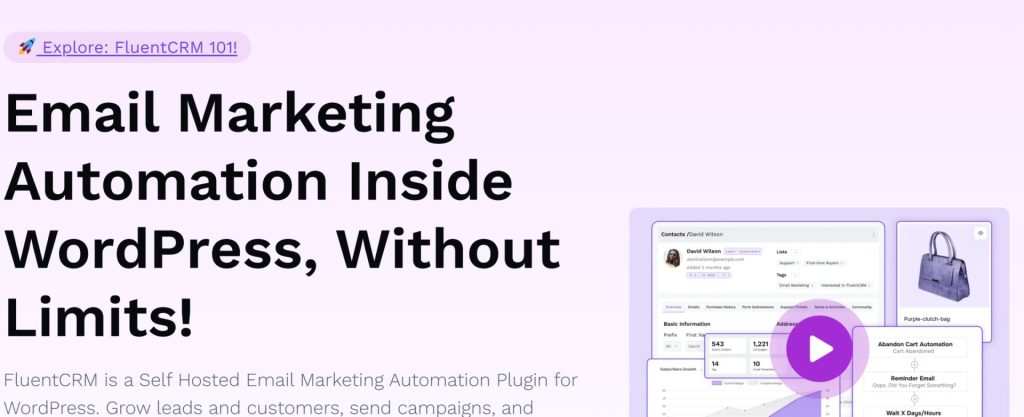
2. FluentCRM: Best for Email Marketing Automation
FluentCRM is the most popular self-hosted CRM in the WordPress ecosystem, and for good reason. WPManageNinja built it, and it now sits on over 80,000 sites with a 4.8-star rating (219 five-star reviews). The visual automation builder is the best in this category by a decent margin.
WooCommerce integration: Customers sync automatically. You can segment by purchased products, product categories, order count, total spent, and customer lifetime value. Automations trigger on purchase events, refunds, subscription renewals, and cancellations. The Advanced Reports add-on gives you sales-by-product views and time period comparisons.
Key features: Visual automation builder with conditional branching and time delays, A/B testing for email subject lines, dynamic real-time segments that update as customer behavior changes, 45+ native integrations (LearnDash, MemberPress, AffiliateWP, Gravity Forms, and others), email analytics with revenue attribution so you see which campaigns actually drive sales, unlimited contacts on every plan.
Pricing: Free version with basic features. Pro starts at $103/year for a single site (normally $129, often on sale). No contact limits on any tier.
Best for: Stores that need sophisticated email automation. If sending the right email to the right person at the right time is your main goal, FluentCRM is the safest bet among self-hosted options.
Limitation: Does not include abandoned cart recovery natively, and there is no sales pipeline or deal tracking. You will need a separate tool to fill those gaps.
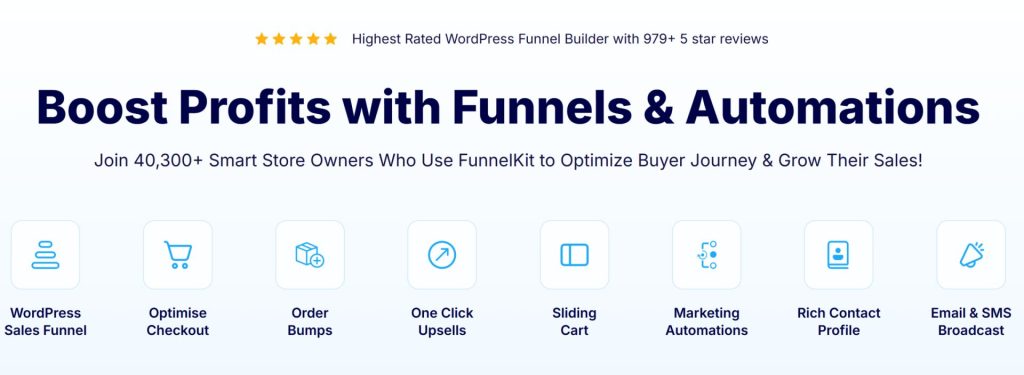
3. FunnelKit Automations: Best for WooCommerce Revenue Optimization
FunnelKit Automations (formerly Autonami) is purpose-built for WooCommerce. It has over 20,000 active installations and focuses on recovering lost revenue through abandoned cart sequences, order bumps, and one-click upsells.
WooCommerce integration: Native understanding of WooCommerce order data including order bumps, upsells, and checkout behavior. Triggers for checkout page visits, cart abandonment, order status changes, specific product purchases, and subscription events. Supports HPOS (High-Performance Order Storage).
Key features: Abandoned cart recovery with customizable email sequences, order bumps and one-click upsells managed from the same dashboard, CRM contact profiles with purchase history and lifetime value, visual automation builder with complex branching, 30+ pre-built automation recipes.
Pricing: Lite version free on WordPress.org. Automations standalone at $99.50/year for 1 site. Automations + Funnel Builder Pro at $249.50/year for 3 sites.
Best for: WooCommerce stores where recovering abandoned carts and maximizing average order value is the priority. If people add to cart but do not buy, this is the tool.
Limitation: The CRM features feel secondary to the funnel tools. Email analytics are basic compared to FluentCRM. Tightly coupled to the FunnelKit ecosystem.
4. Jetpack CRM: Best Lightweight CRM for Small Stores
Jetpack CRM is built by Automattic (the company behind WordPress.com, WooCommerce, and Jetpack itself). It has over 30,000 active installations and a 4.3-star rating on WordPress.org. Originally launched as “Zero BS CRM” in 2016, it keeps a clean, no-nonsense interface.
WooCommerce integration: The free core includes a WooSync module that automatically pulls WooCommerce orders, customers, and transactions into CRM contact profiles. Order data appears in contact timelines. Also supports PayPal and Stripe sync through paid extensions.
Key features: Built-in invoicing and quote generation with a client portal where customers view and pay invoices, B2B mode for company-contact relationships, contact-centric design with detailed activity timelines, lightweight performance. Paid extensions add CSV importer, advanced segments, Mail Campaigns, PayPal Sync, Stripe Sync, and more.
Pricing: Free core with WooSync included. Freelancer plan at $11/month adds Invoice Pro and PayPal Connect. Entrepreneur at $17/month unlocks all extensions. Elite at $30/month adds email marketing campaigns.
Best for: Small businesses and freelancers who need a straightforward CRM with invoicing. If you send quotes and invoices alongside running a WooCommerce store, Jetpack CRM handles both in one plugin.
Limitation: Email marketing requires the Elite tier ($30/month), making it one of the pricier options for campaign features. The automation builder is simpler than FluentCRM or Groundhogg.
5. Groundhogg: Best for Agencies That Need White-Labeling
Groundhogg is built for agencies and developers who need white-label capabilities. Licensed under GPLv3, the full source code lives on GitHub. It has over 2,000 active installations and a 4.9-star rating (135 five-star reviews). Development has been active since 2018, and it now serves over 3,000 businesses in 35+ countries.
WooCommerce integration: This lives on the Pro plan ($600/year). You get purchase-based segmentation, order history in contact profiles, and automation triggers for WooCommerce events. The free version handles basic contact management and email sending but skips all WooCommerce triggers.
Key features: Full access to the source code for customization and auditing. The Flow Editor is a capable visual automation builder with conditional branching and A/B testing. SMS support is included on Pro. Flat-rate pricing means unlimited contacts and unlimited users. The Agency plan includes white-labeling.
Pricing: Free core. Basic at $240/year ($20/month billed annually). Pro at $600/year ($50/month) for WooCommerce integration and SMS. Agency at $1,200/year ($100/month) with white-labeling.
Best for: Agencies that need to white-label a CRM for client sites. The Agency plan ($1,200/year) lets you rebrand the entire CRM as your own. Also works for businesses in regulated industries that need source code audits. If you just need basic CRM, there are cheaper options.
Limitation: The jump from free to WooCommerce-ready is steep at $600/year. And the free version is too limited to properly evaluate the WooCommerce features, so you are buying somewhat blind unless you spring for Pro.

6. WP ERP: Best All-in-One Business Management Suite
WP ERP is the only full ERP system built natively for WordPress. weDevs (13 years in the WordPress space) maintains it, and the free core bundles three modules: CRM, HR Management, and Accounting. It has over 7,000 active installations and a 4.4-star rating (114 five-star reviews).
WooCommerce integration: A separate WooCommerce Integration extension ($5.99/month) syncs customer data, order history, and transactions into both the CRM and accounting modules. Customer life stages update automatically (subscriber to lead to customer). You can filter customers by order status, product purchased, or location.
Key features: Three-module architecture (CRM + HR + Accounting), payroll entries auto-record into accounting ledger, visual sales pipeline (Deals extension), 20+ paid extensions for workflow automation and third-party integrations (Salesforce, HubSpot, Mailchimp), free CRM module is genuinely usable for basic needs.
Pricing: Free core with all three modules. WP ERP Pro at $9.99/month plus $3/user. Extensions are a la carte: WooCommerce Integration at $5.99/month, Deals at $9.49/month, Workflow at $9.49/month.
Best for: Small to medium businesses that need CRM, HR, and accounting in one WordPress dashboard. If you are juggling separate tools for each, WP ERP consolidates them.
Limitation: The CRM module on its own is basic. No visual automation builder, no email campaign tools. The value only makes sense if you actually use all three modules.
7. Mail Mint: Best for WPFunnels Users
Mail Mint comes from the WPFunnels team and sits at 5,000+ active installations with a 4.7-star rating (115 five-star reviews). It launched in 2023, so it is newer than most on this list, but development is active and the visual canvas approach to planning funnels and email flows is genuinely different.
WooCommerce integration: Pro version syncs customers and supports automation triggers for order placed, order failed, status changed, first order, and subscription events. Includes abandoned cart recovery with automatic tracking, cart detail recording, and auto-generated coupon codes for recovery emails. You can also customize WooCommerce transactional emails directly.
Key features: Visual canvas integration with WPFunnels (plan sales funnels and email flows on the same canvas), email builder with conditional automation flows based on open rates, link clicks, and segmentation, abandoned cart recovery, WooCommerce transactional email customization.
Pricing: Free version with 500 subscribers and 5,000 emails/month. Starter at $104.99/year adds WooCommerce integration, sequences, and abandoned cart. Pro at $139.99/year bundles WPFunnels and Checkoutify.
Best for: WooCommerce store owners who already use WPFunnels or want a visual approach to planning funnels and email flows together. The abandoned cart recovery is solid.
Limitation: Smaller ecosystem with fewer integrations than FluentCRM. If you do not use WPFunnels, the main differentiator disappears and FluentCRM becomes the stronger choice at a similar price.
8. AutomateWoo: Best for Deep WooCommerce Workflow Automation
AutomateWoo is the official WooCommerce marketing automation plugin, sold through the WooCommerce.com marketplace. Over 30,000 stores use it, and a single site subscription runs about $119/year.
WooCommerce integration: Built specifically for WooCommerce, so the integration is as deep as it gets. Triggers include cart abandonment, order status changes, product purchases, subscription events (renewals, failed payments, status changes), and wishlist activity. You combine triggers with rules (conditions) and actions to build automated workflows.
Key features: Abandoned cart recovery with session tracking (including guest customers), follow-up emails, review requests, win-back campaigns for inactive customers, SMS notifications via Twilio integration, subscription automation for WooCommerce Subscriptions, cross-sell and upsell workflows.
Pricing: $119/year for a single site subscription (bought through WooCommerce.com). Includes 1 year of updates and support. 30-day refund policy.
Best for: Stores that want a deeply integrated WooCommerce automation tool from the official WooCommerce extension marketplace. If you already buy extensions from WooCommerce.com, the purchasing flow is familiar.
Limitation: Not a full CRM. There is no contact management dashboard, no custom fields for customers, no sales pipeline. It is an automation engine, not a customer management system. You will likely need a separate CRM alongside it.
9. GemCRM: Best Lifetime Pricing
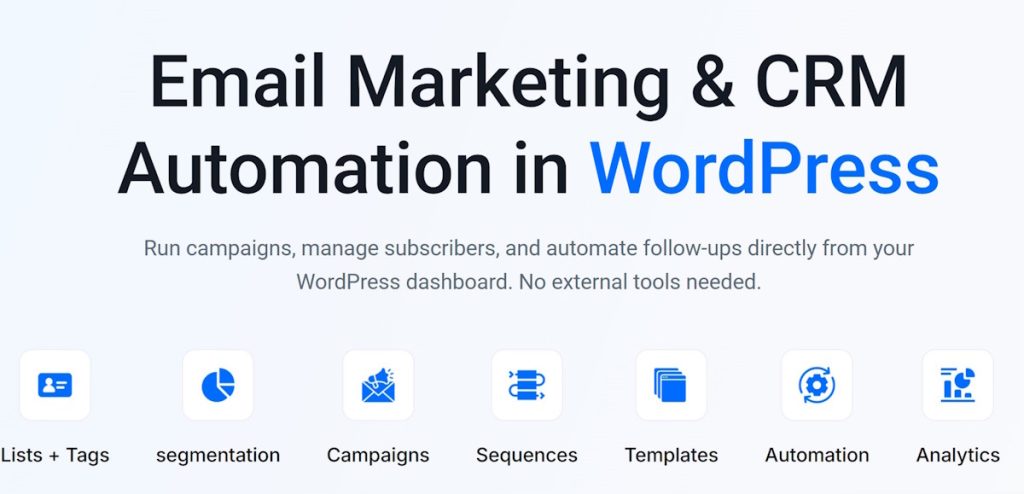
GemCRM is the newest name here, built by Kodezen, and it does something most CRMs will not touch: lifetime pricing on every plan. All tiers include unlimited contacts, unlimited campaigns, and unlimited automation. No per-contact fees, no annual renewals, and no SaaS-style “success taxes” where your bill grows as your list grows.
WooCommerce integration: Reads WooCommerce data natively within WordPress. Automatically creates contacts from purchases. No external API connectors needed. Also integrates with StoreEngine and Academy LMS.
Key features: Contact management with lists and tags, email campaigns with drag-and-drop builder, drip sequences and recurring campaigns, WordPress-native sync (registrations and comments auto-create contacts), full data portability in your WordPress database.
Pricing: Solo at $119 lifetime (1 site), Team at $149 lifetime (10 sites), Agency at $199 lifetime (100 sites), Enterprise at $299 lifetime (unlimited sites). Early bird pricing is in effect with limited spots remaining.
Best for: Store owners who want to make a single payment and never think about CRM subscription costs again. The lifetime model is rare in this space.
Limitation: Currently in public beta. Some advanced automation features on the roadmap are not yet released. Smaller user base and fewer community resources than established options.
10. QuillCRM: Best for Multi-Channel Communication
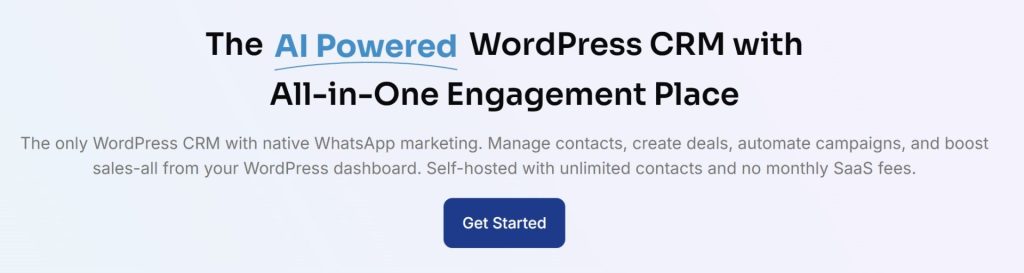
QuillCRM bundles sales pipeline management, email marketing, SMS campaigns, and a native WhatsApp Business API integration all into one self-hosted WordPress plugin. No contact limits, and you can pick between annual or lifetime licensing.
WooCommerce integration: Automatic sync of customer data and order history. Includes built-in abandoned cart recovery. Triggers and actions for WooCommerce events to automate follow-ups and campaigns.
Key features: Native WhatsApp Business API integration (the only WordPress CRM with this), visual sales pipeline with drag-and-drop deal tracking, email campaigns with drag-and-drop builder, A/B split testing for emails, SMS campaigns, automation builder with 11+ automation types, 12+ plugin integrations including Gravity Forms, LearnDash, Contact Form 7, and Elementor.
Pricing: Basic plan at $69/year or $199 lifetime (1 site). Plus at $139/year or $299 lifetime (5 sites). Enterprise at $259/year or $599 lifetime (50 sites). All plans include unlimited contacts and unlimited users.
Best for: Stores that need WhatsApp marketing alongside standard email and SMS. Particularly useful if you serve markets where WhatsApp is the primary communication channel.
Limitation: Newer product with a smaller user base. The WhatsApp integration depends on the Business API, which requires approval from Meta. Some advanced automation features are still maturing.
Comparison Table
Here is a side-by-side comparison of all 10 open-source CRMs for WooCommerce:
| CRM | Active Installs | Rating | WooCommerce Sync | Email Campaigns | Automation Builder | Abandoned Cart | Starting Price |
|---|---|---|---|---|---|---|---|
| CRMlytics | Newer | – | Deep | Yes | No | No | Free |
| FluentCRM | 80,000+ | 4.8 | Deep | Yes | Visual | No | $103/yr |
| FunnelKit Automations | 20,000+ | – | Deep | Yes | Visual | Yes | $99.50/yr |
| Jetpack CRM | 30,000+ | 4.3 | Good | Elite tier | Basic | No | Free |
| Groundhogg | 2,000+ | 4.9 | Pro tier | Yes | Flow editor | No | $240/yr |
| WP ERP | 7,000+ | 4.4 | Good | Extension | Extension | No | Free CRM |
| Mail Mint | 5,000+ | 4.7 | Good | Yes | Visual | Yes (Pro) | $104.99/yr |
| AutomateWoo | 30,000+ | – | Deepest | Yes | Workflow | Yes | ~$119/yr |
| GemCRM | Newer | – | Yes | Yes | Roadmap | No | $119 lifetime |
| QuillCRM | Newer | – | Yes | Yes | Visual | Yes | $69/yr |
How to Choose the Right Open-Source CRM for WooCommerce
With 10 options on the table, here is how I would think through the choice:
If you want predictive analytics (churn prediction, RFM scoring, order forecasts) with email campaigns to act on those insights, CRMlytics is the only choice. It is free, so there is no risk in testing it. It tells you who is about to leave and lets you target them directly.
If your priority is sophisticated email automation with visual workflows, FluentCRM has the biggest integration ecosystem and the most mature automation builder. The free version is good enough for evaluation before committing to Pro.
If abandoned carts and upsells are costing you money, start with FunnelKit Automations. Its WooCommerce understanding of order bumps and checkout behavior is unmatched. For deeper email sequences, pair it with FluentCRM.
If you need invoicing and quote management alongside CRM, Jetpack CRM is the pragmatic choice. The free core is solid, and having Automattic behind it means long-term stability.
If you are an agency that needs white-label CRM for client sites, Groundhogg is the only native option with white-labeling on the Agency plan. Budget for Pro to get WooCommerce integration working.
If you need CRM plus HR plus accounting in one place, WP ERP is the only native option. The WooCommerce integration ties store data to customer records and financial reporting.
If you already use WPFunnels, Mail Mint gives you a unified canvas for funnels and email flows. The abandoned cart recovery is solid.
If you want a deeply integrated WooCommerce automation tool from the official marketplace, AutomateWoo is built specifically for WooCommerce workflows. Note that it is an automation engine, not a full CRM.
If you want lifetime pricing and hate recurring subscriptions, GemCRM has a one-time payment model. It is in public beta, so expect some rough edges.
If WhatsApp is your primary communication channel with customers, QuillCRM is the only WordPress CRM with native WhatsApp Business API integration alongside email and SMS.
Which One Is the Best Open-Source CRM for WooCommerce?
There is no single winner here. The best open-source CRM for WooCommerce depends on what your store actually needs. Predictive analytics at zero cost? CRMlytics. A visual automation builder for complex email campaigns? FluentCRM. Recovering abandoned carts and maximizing order value? FunnelKit Automations was built for that.
But here is what matters: all 10 options are genuinely open source. You can install them, test them, and switch between them without losing your data. Because they are WordPress plugins, your customer information stays in your own database. You control it. You own it. That alone is reason enough to pick a native GPL plugin over a proprietary SaaS platform.
The stores getting the most out of their CRM data are running two tools, not one. An operational CRM handles what to send: email sequences, cart recovery, automation workflows. An analytical CRM handles who to send it to: churn predictions, customer segments, order forecasts. This is how it works everywhere. Klaviyo pairs with Metorik. ActiveCampaign pairs with Google Analytics. HubSpot pairs with its own reporting add-ons. Separating analytics from execution is standard practice at scale.
For WooCommerce, that two-tool pattern looks like CRMlytics for the intelligence layer and FunnelKit Automations for the execution layer. CRMlytics runs predictive models locally and identifies segments like “At-Risk” or “Champions” on your own server. FunnelKit picks those up and triggers the retention campaigns. Your customer data never leaves WordPress.
Download two or three free versions. Import your WooCommerce data. See which one you actually want to open every day. That is what the right open-source CRM for WooCommerce comes down to.