WooCommerce CRM Comparison: HubSpot vs Salesforce vs Zoho vs Pipedrive vs ActiveCampaign vs CRMlytics
You know the names. HubSpot, Salesforce, Zoho, Pipedrive, ActiveCampaign. Every CRM comparison guide stacks them against each other for general businesses. But you run a WooCommerce store. Your customers place orders, not just enter a pipeline. You need a CRM that understands ecommerce data, not just lead forms and meeting logs. That is a different problem entirely.
This WooCommerce CRM comparison takes a different angle. I am comparing HubSpot vs Salesforce vs Zoho vs Pipedrive vs ActiveCampaign vs CRMlytics. I work on the CRMlytics team. The feature data below comes from each platform’s official pricing pages, documentation, and public reviews. I did not pad the lists or skip the limitations. My opinion shapes how I discuss who should pick what, but it did not change anything in the table.
By the end of this guide, you will know exactly how these six CRMs compare on WooCommerce fit, pricing, and real features. No fluff. No marketing spin. Just a straight WooCommerce CRM comparison with the numbers to back it up.
At a Glance: The Six CRMs
Here is a quick snapshot of each tool and who it works best for. Use this to decide which sections to read closely.
HubSpot CRM
HubSpot is the most adopted CRM on this list. 288,706 customers as of December 2025, $3.1 billion in annual revenue. Its free tier has unlimited users and 1 million contacts with no expiration. Paid plans start at $20 per seat per month for Sales Hub Starter. On G2, it has a 4.4-star rating from over 10,000 reviews.
The catch for WooCommerce stores: no native integration. You need a third-party connector like WP Fusion or a custom API setup. Best for stores already using HubSpot for marketing who want one platform for everything.
Salesforce
Salesforce has been the number one CRM provider for 13 consecutive years with a 20% market share, according to IDC. Over 150,000 customers, $37.9 billion in FY2026 revenue. Pricing starts at $25 per user per month for Starter Suite (includes Slack) and goes to $100 per user per month for Pro Suite.
Enterprise is custom quoted. On G2, Salesforce Sales Cloud has a 4.4-star rating from 20,537 reviews, the highest review count in CRM. For WooCommerce integration, you need an AppExchange connector like Rutter or Zapier. Best for enterprise stores with dedicated admin resources.
Zoho CRM
Zoho CRM has over 300,000 businesses. The parent company, Zoho Corporation, crossed 1 million paying customers in February 2026 with 32% year-over-year growth. The free tier supports up to 3 users forever. Paid plans start at $14 per user per month (Standard), $23 (Professional), $40 (Enterprise), and $52 (Ultimate), all billed annually.
G2 has recognized it as a Leader in the CRM Grid. For WooCommerce, you connect through Zoho Flow, which is sold separately. Best for budget-conscious stores that need a full CRM without enterprise pricing.
Pipedrive
Pipedrive has over 100,000 companies across 179 countries. No free tier, just a 14-day trial. Plans start at $14 per seat per month (Lite, billed annually), then $39 (Growth), $59 (Premium), and $79 (Ultimate). On G2, Pipedrive has a 4.3-star rating from 2,456 reviews and ranked number 6 in G2’s Best Sales Software Products 2026 list.
For WooCommerce, you need a third-party connector like Zapier. Best for stores that think of CRM primarily as a sales pipeline tool.
ActiveCampaign
ActiveCampaign has 180,000 customers and a 4.5-star rating on G2 from over 14,000 reviews. Pricing is contact-based: Starter starts at $15 per month for 1,000 contacts, Plus at $49, Pro at $79, and Enterprise at $145. These scale up fast. At 10,000 contacts, Pro costs $419 per month.
ActiveCampaign is one of the few tools here with a native WooCommerce integration. CRM features are add-ons (Pipelines or Sales Engagement) on Plus plans and above. Best for stores that prioritize email marketing over pipeline management.
CRMlytics
CRMlytics is the newest tool on this list (version 1.0.0 launched in June 2026 on WordPress.org), and it is completely free. No paid tiers, no contact limits, no upsells. It is built specifically for WooCommerce and runs entirely inside your WordPress dashboard. CRMlytics has been tested on stores with over 200,000 orders and 15,000 customers with zero storefront impact.
It uses the BG/NBD statistical model to predict churn risk, forecast future orders, and automatically calculate RFM segments. Your data stays on your server. There is no cloud sync, no API keys, and no monthly bill. CRMlytics is best for WooCommerce store owners who want predictive analytics without paying per contact or sending data to a third party.
WooCommerce CRM Comparison: Feature Table
Here is the full feature breakdown across all six platforms. I have verified every entry against each tool’s official documentation and pricing pages as of June 2026.
| Feature | HubSpot | Salesforce | Zoho | Pipedrive | ActiveCampaign | CRMlytics |
|---|---|---|---|---|---|---|
| Starting Price | $20/seat/mo (Starter) | $25/user/mo (Starter Suite) | $14/user/mo (Standard) | $14/seat/mo (Lite) | $15/mo (Starter, 1K contacts) | Free |
| Free Tier | Yes (unlimited users, 1M contacts) | Yes (Free Suite, limited features) | Yes (up to 3 users, forever) | No (14-day trial only) | No (14-day trial only) | Yes (full product, no limits) |
| Native WooCommerce Integration | No (third-party needed) | No (AppExchange connector needed) | No (Zoho Flow needed) | No (Zapier needed) | Yes (official plugin) | Yes (built for WooCommerce) |
| Predictive Churn Scoring | No (Enterprise only has predictive lead scoring) | No (Einstein AI add-on at Enterprise level) | Zia AI (Enterprise tier) | No | Predictive sending (Pro tier) | Yes (BG/NBD model, all tiers) |
| Order Forecasting | No | No | No | Revenue forecasting (Growth+) | No | Yes (30/90/180 day forecasts) |
| RFM Segmentation | No | No | No | No | No | Yes (automatic for all customers) |
| Built-in Email Campaigns | Yes (Marketing Hub) | Yes (Marketing Cloud) | Yes (Email Campaigns module) | Add-on (Campaigns from $13.33/mo) | Yes (core feature) | Yes (via WordPress mail) |
| Email Click Tracking | Yes | Yes | Yes | Yes (Growth+) | Yes | Yes |
| Customer Timelines | Yes (contact timeline) | Yes (activity timeline) | Yes (feed view) | Yes (activity log) | Limited (contact history) | Yes (full timeline with orders, emails, tags, notes) |
| Custom Fields | Yes | Yes | Yes (paid plans only) | Yes (Lite: 30 fields) | Yes | Yes |
| Lead/Deal Pipeline | Yes (1 pipeline free, unlimited on Enterprise) | Yes | Yes | Yes (multiple pipelines) | Yes (add-on feature) | No (analytical CRM, not pipeline-focused) |
| Marketing Automation | Yes (Marketing Hub) | Yes (Marketing Cloud) | Yes (Professional+) | Limited (Growth+: 50 automations) | Yes (core feature) | No (focuses on insight, not automation) |
| Custom Segments | Yes (lists and properties) | Yes (reports and filters) | Yes (advanced filters) | Yes (filters and views) | Yes (Pro tier: advanced segmentation) | Yes (stackable rule-based segments) |
| Smart/Auto Tags | No (manual lists only) | No (manual assignment) | No (manual tags) | No (manual labels) | No (manual lists) | Yes (auto-applying behavior-based tags) |
| CSV Export | Yes (free and paid) | Yes | Yes | Yes | Yes | Yes (1-click, any segment) |
| Data Stays on Your Server | No (cloud only) | No (cloud only) | No (cloud only) | No (cloud only) | No (cloud only) | Yes (100% on your server) |
| G2 Rating | 4.4 stars (10K+ reviews) | 4.4 stars (20K+ reviews) | G2 Leader | 4.3 stars (2.4K+ reviews) | 4.5 stars (14K+ reviews) | New (not yet rated) |
Detailed Breakdown: Each CRM for WooCommerce
The table above has the raw comparison. But data only goes so far. Here is each tool from the perspective of a WooCommerce store owner deciding where to spend time and money.
HubSpot CRM: All-in-One Inbound Platform
HubSpot’s CRM is popular for a reason. The free tier is actually useful. Contact management, deal pipelines, a meeting scheduler, live chat, forms, and email tracking at zero cost. Hard to beat when you are just starting out.
For WooCommerce stores, the main friction point is integration. HubSpot does not have a native WooCommerce connector. You will need a third-party solution like WP Fusion or a custom API setup. That adds cost and complexity. A WP Fusion license starts at $297 per year, which essentially becomes part of your CRM budget.
HubSpot really shines when you already use its ecosystem. If you are on Marketing Hub, the handoff between marketing and sales data is seamless. But if you just need a WooCommerce CRM, you are paying for a lot of features you may never use. The Professional tier ($100 per seat per month) also has a mandatory onboarding fee, which is not always obvious when you first look at pricing.
What this means for WooCommerce stores:
- No native WooCommerce integration. You either pay for a connector or build custom development.
- No predictive churn scoring or order forecasting. HubSpot does not touch purchase patterns.
- Email automation requires Marketing Hub, which jumps from $20 per month (Starter) to $890 per month (Professional).
- Your customer data lives on HubSpot’s cloud, not your own server.

Salesforce: The Enterprise Standard
Salesforce is the biggest name in CRM, and for enterprise teams with dedicated admins and six-figure budgets, it still sets the standard. The product breadth is unmatched. Sales Cloud, Service Cloud, Marketing Cloud, Commerce Cloud, and Slack all work together as a unified platform.
Here is the problem with Salesforce for a WooCommerce store. It was designed for enterprise sales cycles, not ecommerce customer behavior. The Starter Suite at $25 per user per month is accessible enough, but you hit its limits fast. Want lead scoring? That is Enterprise. Want AI predictions? Agentforce starts at $550 per user per month.
Integrating Salesforce with WooCommerce is possible but requires work. The AppExchange has connectors like Rutter or you can build a custom integration via the Salesforce APIs. Either way, you are looking at ongoing maintenance and developer time.
The WooCommerce reality check:
- Steep learning curve. Salesforce is notorious for needing dedicated admin resources.
- Predictive AI features sit behind Enterprise and Agentforce tiers at premium pricing.
- WooCommerce integration requires AppExchange connectors or custom APIs.
- Cost escalates fast as you add users and features. The $25/user/month entry point is only the start.
Zoho CRM: The Value Champion
Zoho CRM is the cheapest full-featured CRM on this list. The free tier gives three users full access forever, which covers many small WooCommerce stores. Paid plans are well below the competition: $14 per user per month for Standard, $23 for Professional, and $40 for Enterprise when billed annually.
Zoho has over 60 integrated apps covering email, accounting, inventory, and customer support. If you already use Zoho Books or Zoho Mail, adding CRM makes sense.
The catch is the same as HubSpot and Salesforce: no native WooCommerce connection. Zoho Flow can bridge the gap, but it is a separate purchase and requires setup. Zoho also lacks built-in ecommerce features like order forecasting, churn prediction, or RFM scoring. You would need to build those manually with Zoho’s analytics tools or use third-party apps.
What holds it back for WooCommerce stores:
- No native WooCommerce connector. Zoho Flow costs extra.
- No predictive analytics for churn or order behavior out of the box.
- Zia AI (predictive assistant) is Enterprise tier only at $40/user/month.
- Custom fields and advanced features require paid plans.
Pipedrive: Pipeline-First CRM
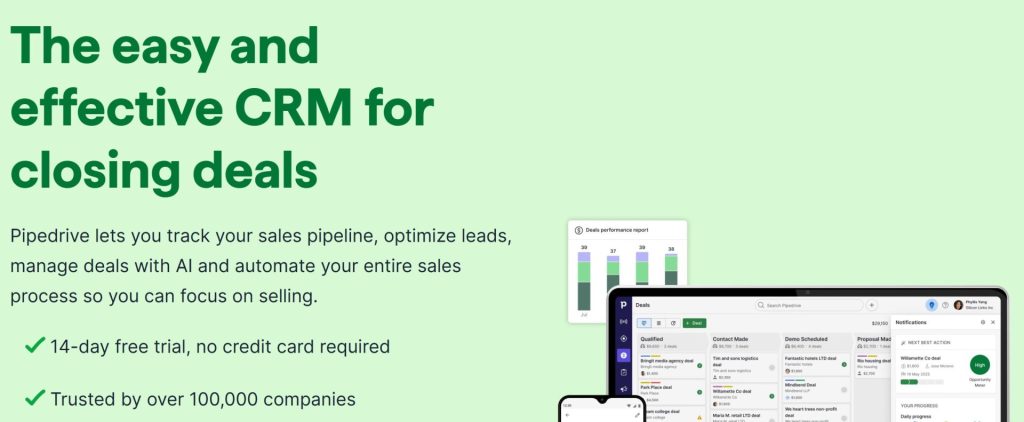
Pipedrive started as a pipeline management tool, and that remains its strength. The visual deal pipeline is clean, intuitive, and easy to customize. If your WooCommerce store involves B2B sales, Pipedrive’s workflow is a natural fit.
However, Pipedrive’s features are heavily gated by plan tier. Automation unlocks only at Growth ($39 per seat per month). Lead scoring requires Premium ($59 per seat per month). Key add-ons like Campaigns (email marketing) and LeadBooster (chatbot and web forms) are billed separately, even on the highest plans. When you add it all up, the true cost can run 70% above the base license price, according to analysis from sources like CostBench.
Like HubSpot and Salesforce, Pipedrive has no native WooCommerce integration. You will need Zapier or a similar connector to sync orders and customers between the two platforms.
Where Pipedrive falls short for WooCommerce:
- No free tier. You pay before you can properly evaluate it.
- No native WooCommerce integration. Zapier is another subscription.
- No predictive churn scoring or customer health insights.
- Email marketing needs the Campaigns add-on at an additional monthly cost.
ActiveCampaign: Email Marketing First, CRM Second
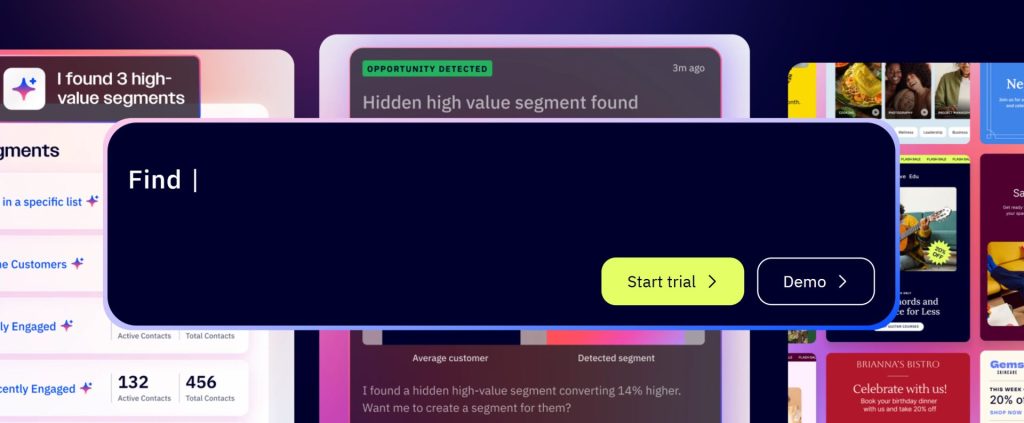
ActiveCampaign is the only tool on this list with a native WooCommerce integration. That alone makes it worth a close look for WooCommerce store owners. The integration syncs customer data and order history directly into ActiveCampaign, so you can build automation based on purchase behavior without custom development.
ActiveCampaign’s marketing automation is the best on this list. The visual automation builder, predictive sending, and conditional content features are genuinely useful. If email marketing is your primary retention channel, ActiveCampaign is the best fit among the five established tools here.
But ActiveCampaign is an email marketing platform with a CRM add-on, not the other way around. The CRM features (deal pipeline, lead scoring, account records) require purchasing one of two add-on packages (Pipelines or Sales Engagement) on top of your base plan. The pricing is also contact-based, which means your bill grows every time your mailing list grows. A Pro plan with 10,000 contacts costs $419 per month.
What to watch for with ActiveCampaign:
- CRM features are add-ons, not part of the base price.
- Contact-based pricing means your bill grows with your list. More subscribers equals higher cost.
- No predictive churn scoring or order forecasting for individual customers.
- Your customer data lives on ActiveCampaign’s cloud servers.
CRMlytics: Predictive Analytics, Free, for WooCommerce
CRMlytics is different from every other tool on this list. It is a CRM with a single focus: figuring out which customers are about to leave, who your best customers are, and when each customer will order again. Then it gives you the tools to act on that information inside your WordPress dashboard.
Every feature in CRMlytics is free. There are no paid tiers, no contact limits, and no hidden costs. You install it from the WordPress.org plugin directory, activate it, and it starts crunching your WooCommerce order history within minutes. All the machine learning runs on your own server. No data ever leaves your hosting environment.
Here is what CRMlytics includes:
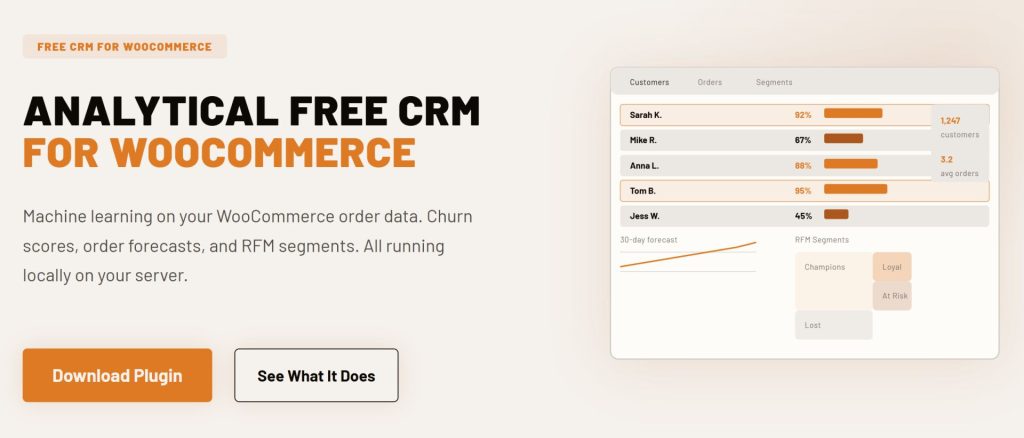
- Churn risk scores (0-100). Every customer gets a health score based on their individual buying pattern. Below 40 means they are at critical risk of never buying again.
- Order forecasts. The plugin predicts how many orders each customer will place in the next 30, 90, and 180 days using the BG/NBD statistical model.
- Automatic RFM segmentation. Customers are sorted into groups like Champions, Loyal, At Risk, and Lost based on Recency, Frequency, and Monetary value. No manual work required.
- Store performance dashboard. A 360-degree view of your store’s revenue, active customers, conversion rates, and exactly how many customers are at risk right now.
- Full customer profiles. Custom fields, notes, tags, email history, and a complete activity timeline for every customer.
- Color-coded tags and smart tags. Tag customers manually or let the system auto-tag based on behavior (like “Spent over $500” or “High churn risk”). Smart tags update automatically as customer behavior changes.
- Custom segments. Stack rules on any combination of data to build live, dynamic customer groups. Save them for reuse.
- Built-in email campaigns. Send to individuals, segments, or tagged groups using your WordPress mail setup. Includes 5 built-in email templates.
- Email click tracking. Clicks feed back into each customer’s timeline, so your data keeps getting sharper with every send.
- One-click CSV export. Export any customer list or segment to CSV in seconds for use in other platforms.
- Onboarding wizard. Guided setup gets you to your first insights in under two minutes.
CRMlytics does not have deal pipelines or marketing automation workflows. That is intentional. It focuses on prediction and insight so you can feed better targeting into whatever automation tools you already use. If you run FluentCRM, FunnelKit, or Mailchimp alongside WooCommerce, CRMlytics tells you who to email and when. Those tools handle the actual sending.
Key considerations for WooCommerce stores:
- Requires WooCommerce and WordPress 6.0 or higher.
- No deal pipeline or sales automation features.
- Data predictions improve as your order history grows, but there is no minimum order requirement to start.
How to Choose Based on Your Store’s Needs
Every store is different, so there is no single right answer in this WooCommerce CRM comparison. Here is how I would think about it based on your situation.
If you are on a tight budget. CRMlytics is the only completely free option with no limits at all. Zoho’s free tier (3 users) is also solid if you need a traditional CRM with deal pipelines and you do not mind setting up Zoho Flow for integration.
If email marketing is your primary retention channel. ActiveCampaign has the best native WooCommerce integration and the most powerful marketing automation. Just watch the contact-based pricing as your list grows. CRMlytics can complement it by feeding churn scores and order forecasts into your ActiveCampaign segments.
If you are running B2B sales through WooCommerce. Pipedrive or HubSpot are better suited for managing deal pipelines and long sales cycles. Pipedrive is simpler and cheaper. HubSpot offers more if you already use their ecosystem.
If you need predictive analytics to reduce churn. CRMlytics is the only tool on this list that offers churn prediction, order forecasting, and automatic RFM segmentation out of the box at no cost. HubSpot and Salesforce have predictive features, but they are locked behind expensive Enterprise tiers.
If data privacy is a priority. CRMlytics is the only option that keeps 100% of your customer data on your own server. All other tools require syncing to external cloud servers.
If you need the full enterprise suite. Salesforce remains the gold standard for large organizations with dedicated teams. Just be prepared for the cost and complexity.
Final Verdict
This WooCommerce CRM comparison shows that each tool has a different purpose. HubSpot, Salesforce, and Zoho are general-purpose CRMs that work with WooCommerce through integrations. Pipedrive is a pipeline specialist. ActiveCampaign is an email marketing platform with CRM features bolted on. CRMlytics is a free analytical CRM built specifically for WooCommerce.
My honest take, since I said I would give it: most WooCommerce stores do not need Salesforce. Most do not need HubSpot’s full ecosystem either. What they need is to understand their customers better than they do today, and to act on that understanding before those customers drift away. That is the exact problem CRMlytics was built to solve. You can grab it from WordPress.org and have it running in two minutes. No payment information. No trial timer. No data leaving your server.
But the right CRM for your store depends on your specific needs. If you need deal pipeline management, go with Pipedrive or HubSpot. If email automation is your priority, ActiveCampaign is a solid choice. If you need a free, full-featured traditional CRM, Zoho has you covered. And if you want predictive customer analytics that tell you who is about to leave and when they will buy again, try CRMlytics. It costs nothing to find out if it works for you.